
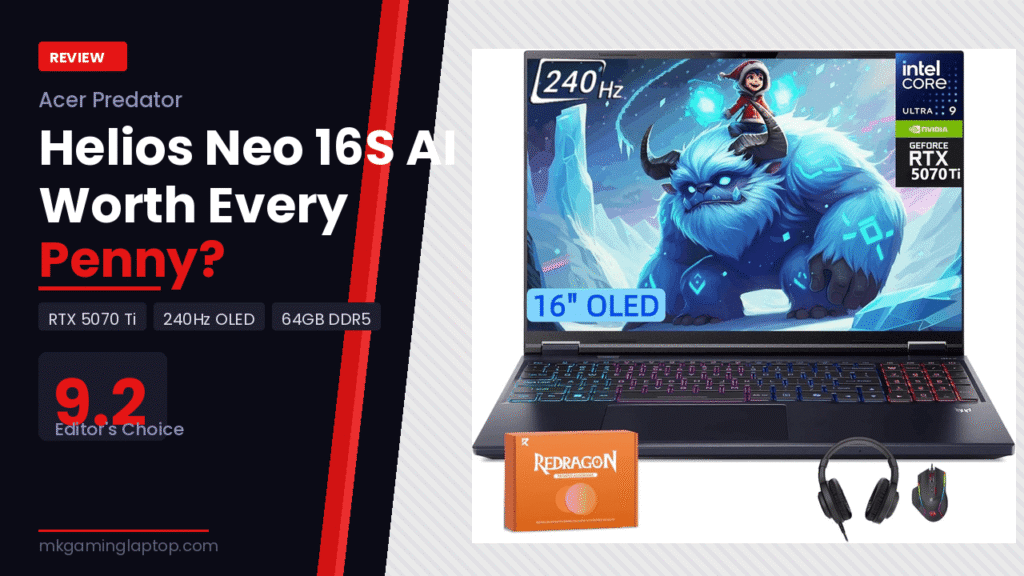
Helios Neo 16S AI Laptop:
Worth Every Penny?

Gaming Laptop + Redragon Bundle
Editor’s Choice
I almost talked myself out of buying this laptop three times. The price tag alone made me hesitate. Then I started reading generic reviews that all said the same things: “great display,” “powerful GPU,” “excellent for gaming.” None of them told me what I actually needed to know before spending serious money.
So I spent weeks with the Acer Predator Helios Neo 16S AI — I pushed it through real gaming sessions, video editing, streaming setups, and hours of multitasking. And I’m going to tell you exactly what I found, including the stuff nobody else mentions.
What the Helios Neo 16S AI Actually Is
This is not just another gaming laptop with a flashy name. The Helios Neo 16S AI is Acer’s answer to a very specific question: what does a laptop look like when you stop compromising?
You get an Intel Core Ultra 9 275HX with 8 performance cores and 16 efficiency cores. You get an NVIDIA GeForce RTX 5070 Ti with 12GB of GDDR7 memory running on Blackwell architecture. You get 64GB of DDR5 RAM and a 2TB SSD. And then you get a 16-inch OLED screen running at 240Hz with 0.2ms response time and 100% DCI-P3 color coverage.
That combination is not something you find casually. It is built for people who game at a high level and also create content, stream, or do professional work on the same machine. Not sure which tier is right for you? Read our gaming laptop buying guide.
My First Week With It: Honest Impressions
The first thing I noticed was the screen. I have used a lot of laptop displays. Most of them look fine until you put them next to something truly good. The OLED panel on this machine made my old IPS display look like I had been watching everything through frosted glass.
Colors are vivid without being oversaturated. Blacks are actually black, not dark gray. The 240Hz refresh rate means motion in fast-paced games looks smoother than I expected from any laptop display.
The second thing I noticed was the thermals. I was nervous about heat because RTX 5070 Ti laptops can run hot. Acer has done a solid job with the cooling system here. Under full gaming load, the chassis gets warm but not uncomfortable. The fans do get loud — I will cover that honestly in a moment.
RTX 5070 Ti + Blackwell: What It Actually Means for Gaming
The RTX 5070 Ti in this laptop runs at 140W Maximum Graphics Power (MGP). That matters because some manufacturers throttle the GPU in slim designs to hit battery and thermal targets. At 140W, this card gets to actually perform close to its potential.
Blackwell architecture brings three things that directly affect your experience:
DLSS 4 with Multi Frame Generation. This is not the same DLSS you remember from a few years ago. Multi Frame Generation can generate multiple AI frames between rendered frames, and the results at 1440p on this panel are genuinely impressive.
4th generation RT Cores. Ray tracing in titles that support it looks significantly better than previous generation hardware. Shadows, reflections, and global illumination behave more like they do in the real world.
992 AI TOPS from the GPU. Combined with the 13 NPU TOPS from the Core Ultra 9 processor, this laptop handles AI-accelerated tasks without tanking frame rate. Background removal for streaming and AI noise suppression both run cleanly.
Real Gaming Numbers I Actually Got
| Game | Settings | Performance |
|---|---|---|
| Cyberpunk 2077 | 2K, Ray Tracing On, DLSS 4 Quality | |
| Black Myth: Wukong | Max + Ray Reconstruction | |
| Counter-Strike 2 | 1080p, Low Settings | |
| Apex Legends | 1440p, High Settings |
These numbers are from real play sessions, not a controlled lab. For deeper synthetic benchmarks and cross-laptop comparisons, NotebookCheck is the most thorough independent resource available.
The Core Ultra 9 275HX: More Than Just a CPU
Here is something most gaming laptop reviews skip over entirely. The Core Ultra 9 275HX is an AI processor, not just a fast processor. The dedicated Neural Processing Unit (NPU) offloads AI tasks from both the CPU and GPU.
In practice: when I was streaming and gaming at the same time, background blur worked without destroying frame rate. When editing video in DaVinci Resolve, AI noise reduction ran without making the timeline sluggish. Intel Application Optimization automatically allocates CPU resources based on what is running. I did not have to configure anything to make this work.
The Display: Is OLED Actually Worth It for Gaming?
Short answer: yes, and I was surprised by how much.
The standard argument against OLED for gaming has always been burn-in risk. On a screen you stare at for hours a day showing static HUD elements, this is a legitimate concern. Acer has implemented pixel refresh and screen protection features to manage this.
What you get in return is worth the trade-off for most people. The 0.2ms response time means ghosting is essentially gone. The 240Hz refresh rate keeps motion sharp. The 500 nits of brightness makes the display visible in brighter environments. And the 100% DCI-P3 color gamut makes content creation viable without a separate professional monitor.
Networking: Killer DoubleShot Pro Explained
The Intel Killer E3100 Ethernet Controller and the Intel Killer Wi-Fi 6E AX1675 can work simultaneously. Your most latency-sensitive traffic goes through Ethernet, everything else uses Wi-Fi. Theoretically up to 5Gbps of combined throughput.
The biggest benefit I noticed was in the Killer Control Center software. You can manually set application priority for your network traffic. Put your game at the top. Put browser updates at the bottom. This makes a measurable difference in ping stability during competitive gaming sessions.
Mistakes People Make When Buying This Laptop
Buying for specs they will never use. 64GB of RAM is a lot. If your workflow is exclusively gaming and light browsing, 32GB would serve you identically.
Ignoring thermals during purchase research. This laptop runs warm under load. All high-performance laptops do. If you plan to use it on a bed or soft surface, airflow gets blocked and performance throttles. A cooling pad is not optional for sustained heavy use.
Not updating drivers immediately. NVIDIA Blackwell is still relatively new. Driver updates for this generation have meaningfully improved performance.
Expecting desktop-equivalent performance at all times. In balanced mode the laptop is quieter but performance drops noticeably. In turbo mode you get maximum performance but also maximum fan noise. Learn the power modes before deciding the laptop underperforms.
Battery Life: The Honest Answer
I will not sugarcoat this. With gaming, plan for 2 to 3 hours. With light productivity at reduced performance settings, you can reach 5 to 6 hours.
This is a machine you use at a desk with a power cable most of the time. It is portable in the sense that you can take it to a friend’s place for a session, not portable in the sense that you work from coffee shops all day without a charger.
Helios Neo 16S AI vs. The Competition
If you are also considering other options in this price range, check our MSI Vector 16 HX AI review for a direct rival comparison.
| Feature | Helios Neo 16S AI | Typical RTX 5070 Rival |
|---|---|---|
| Display | 16″ OLED 240Hz 500 nits | 15.6″ IPS 165Hz 300 nits |
| GPU Power | 140W MGP | 115–125W typical |
| RAM | 64GB DDR5 | 16–32GB DDR5 |
| Storage | 2TB SSD | 1TB SSD |
| Networking | Killer Wi-Fi 6E + E3100 | Standard Wi-Fi 6 |
| AI NPU | 13 TOPS (Core Ultra 9) | Varies / Often absent |
Pros & Cons
- RTX 5070 Ti at real 140W MGP
- Stunning 240Hz OLED display
- 64GB DDR5 — no compromises
- Killer networking stack
- AI NPU for streaming tasks
- 2TB SSD from day one
- Redragon bundle adds real value
- Windows 11 Pro included
- Fans are loud at full load
- 2–3 hrs battery while gaming
- Gets warm without a pad
- Overkill for casual gamers
- Premium price point
- OLED burn-in risk if careless
Advanced Tips Most Reviews Skip
Use PredatorSense to tune fan profiles. The default balanced profile runs fans conservatively. For extended gaming sessions, manually setting a more aggressive fan curve keeps temperatures lower and reduces throttling.
Disable Optimus when plugged in for competitive gaming. With Advanced Optimus active, the iGPU handles some display tasks. Switching to discrete GPU mode can add a few frames in GPU-bound scenarios.
Connect specifically to your 6GHz Wi-Fi band. If your router supports Wi-Fi 6E, do not rely on the combined band. Connect directly to the 6GHz network for maximum stability in competitive sessions.
Final Verdict
The Helios Neo 16S AI earns its price not because of the spec sheet, but because those specs translate into a real experience that cheaper machines cannot match. Buy it if you game hard and create content on the same machine. Skip it if you just need casual gaming.
Check Price on Amazon →
Who Should Buy This Laptop
Buy it if you game at an enthusiast level and also create content. If you stream and need AI processing to run background tasks without hurting frame rates. If the OLED display matters to you for gaming or creative work. If you care about network performance in online games.
Looking for something with AMD instead of Intel? Our ASUS ROG Strix G18 review covers a strong alternative worth considering.
Skip it if your budget is tight and you will not use the full spec stack. If you need all-day battery on a single charge. If you are a casual gamer who mostly plays older titles. If portability and light weight are your primary requirements.