
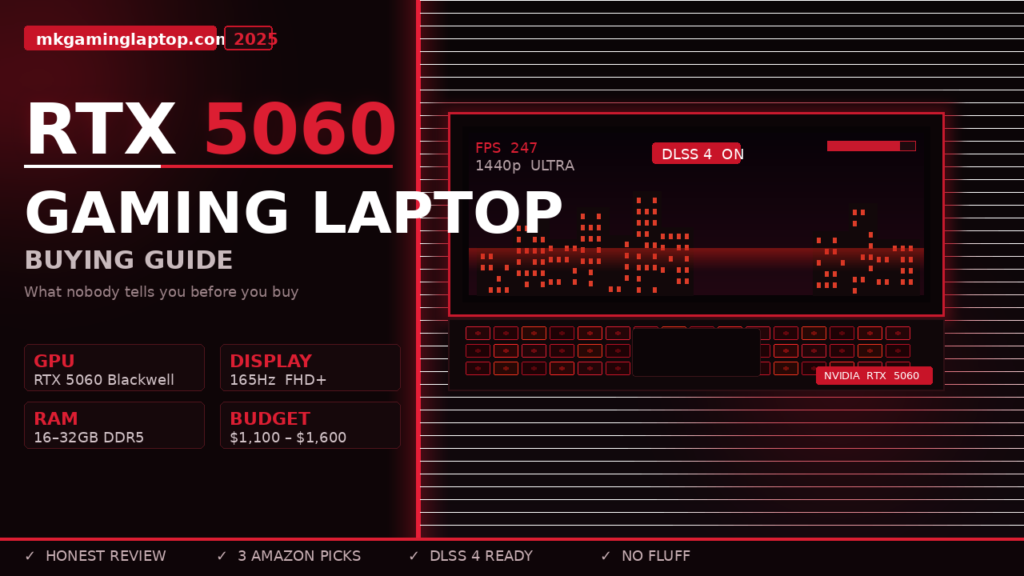
I almost spent $1,400 on the wrong laptop last month.
I had the tab open, card ready, and something just made me pause. I went back, dug deeper, and what I found changed my entire decision.
If you’re seriously looking at gaming laptops with the RTX 5060 right now, this guide is going to save you time, money, and a lot of frustration. I’ve spent weeks going through specs, benchmarks, real owner feedback, and return threads on Reddit. This is everything I wish someone had told me before I started.

Why the RTX 5060 Is Actually Worth Talking About Right Now
The RTX 5060 is NVIDIA’s newest mid-range mobile GPU from the Blackwell generation. It replaces the RTX 4060 in laptops, and on paper the jump looks solid.
But here’s where people get confused: not every RTX 5060 laptop performs the same.
NVIDIA allows laptop manufacturers to ship the same GPU at very different power limits. One laptop might run the RTX 5060 at 80W. Another runs it at 115W. Same GPU name. Completely different real-world performance.
That single fact trips up more buyers than any other spec on the page. We’ll come back to it. It matters a lot.
My Own Buying Process (And the Mistake I Almost Made)
I was coming from a 2020 mid-range gaming laptop that finally started bottlenecking everything I played. I play a mix of open-world games, some competitive shooters, and the occasional AAA release. I needed something that could handle 1080p and 1440p well without me having to compromise constantly.
(Still deciding between a laptop and a desktop? I covered that in detail here: Gaming Laptop vs Desktop: Which Is Actually Better?)
The RTX 5060 caught my attention because it lands right in that sweet spot: not entry-level, not overkill for my use case.
But I nearly bought a laptop that looked great on paper and turned out to be throttled badly in real use. Thin chassis, good screen, nice keyboard, awful thermals. Reviews I read online didn’t mention the sustained performance drop after 15 minutes of gaming. That lesson stuck with me.
RTX 5060 Gaming Laptop Buying Guide: What to Actually Check
1. TGP (Total Graphics Power) The Most Important Number You’re Not Seeing
Every RTX 5060 laptop listing should tell you the GPU wattage. Many don’t show it prominently. Some bury it. Some omit it entirely.
You can cross-check official GPU specs directly on NVIDIA’s laptop GPU page to understand what the chip is rated for before you buy.
You want to find a laptop running the RTX 5060 at 100W or higher for genuinely good gaming performance. Below that, you’re leaving meaningful performance on the table.
How to find it:
- Check the manufacturer’s spec sheet (not the retailer’s)
- Search “[laptop model] TGP” or “[laptop model] GPU wattage”
- Look for GPU-Z screenshots in YouTube reviews
Don’t assume because it says RTX 5060 that it’s the same chip everywhere. It is not.
2. The CPU Pairing Matters More Than People Admit
A bottlenecked CPU will strangle your RTX 5060 before the GPU even breaks a sweat. This happens more often than you’d think in mid-range builds.
For this GPU tier, you want:
- Intel Core Ultra 7 series (H-class, not U-class)
- AMD Ryzen 9 or Ryzen AI 9 (HX or HS variants)
The U-class and standard H chips can hold you back in CPU-heavy titles. Open-world games and games that stream lots of assets hit the CPU hard.
When I was comparing two otherwise similar laptops, one had an Intel Core Ultra 5 H and the other a Core Ultra 7 H. In most games, the difference was maybe 5 frames. In a couple of titles, it was 20 frames. For $80 more, the Core Ultra 7 version was the better call.
3. Display: Where People Overspend and Underperfor
The RTX 5060 is a 1080p to 1440p chip in a laptop form factor. It can push 4K, but that’s not its happy place.
The sweet spot for this GPU is a 1080p 144Hz or 165Hz panel for competitive gaming, or a 1440p 120Hz to 165Hz panel if you prefer higher resolution at slightly lower frame rates.
What I’d avoid right now:
- OLED unless you specifically want it (adds cost and burn-in risk for gaming)
- 4K 60Hz panels paired with RTX 5060 (the GPU wants higher fps, not higher res at this stage)
- 60Hz panels on any gaming laptop over $900 (completely outdated for this tier)
Check if the display supports G-Sync or FreeSync. Variable refresh rate at this price point makes a noticeable difference when frames dip.
4. RAM: 16GB Is Technically Fine, 32GB Is Future-Proof
Most RTX 5060 laptops ship with 16GB of DDR5. For most games right now, that’s enough.
But games are getting heavier. A few 2024 and 2025 releases are already pushing past 12GB RAM usage. If you’re planning to keep this laptop for 3 to 4 years, 32GB is a smarter buy.
More important than the amount: is the RAM soldered or upgradeable?
Some thin gaming laptops solder the RAM to the motherboard. You’re stuck with what you buy. Others have one or two accessible slots.
If you care about longevity, this is worth 10 minutes of research before you buy. Search your specific model plus “RAM upgrade” and check what people have done.
5. Storage: Don’t Accept Anything Slower Than PCIe 4.0
RTX 5060 laptops should ship with at least a 512GB NVMe SSD. Most give you 1TB, which is reasonable.
What to check:
- Gen 4 NVMe is the current standard. Gen 3 is noticeably slower for load times.
- Is there a second M.2 slot? Storage fills up fast with modern games.
I once bought a laptop where the listed storage was fast but the secondary slot was empty and PCIe 3.0 only. It technically worked, but adding storage later was a compromise.
Aim for at least 1TB Gen 4 storage and a free upgrade slot if you can find it.
6. Thermals and Chassis Thickness

This is where budget and thin laptops fall apart with the RTX 5060.
A GPU rated at 100W or more generates real heat. A chassis that can’t handle that heat will throttle the GPU down to protect itself. You end up paying for RTX 5060 performance and getting something closer to RTX 4050 performance.
Laptops that tend to handle thermals well are slightly thicker (around 22mm to 25mm) and weigh between 2.0kg and 2.5kg. That’s not a gaming backbreaker. But it’s worth knowing.
What to look for:
- Dual fan setups with multiple heat pipes
- Reputable thermal solutions from brands like ASUS ROG, Lenovo Legion, MSI, and Razer
- YouTube reviews that show CPU and GPU temps under sustained gaming load (not just short bursts)
The 20-minute gaming test is what matters, not the first 5-minute benchmark.
Common Mistakes People Make Buying RTX 5060 Gaming Laptops
Buying based on benchmark scores without checking if they match your use case. Synthetic benchmarks don’t always reflect game performance. Always look for in-game benchmarks at the settings you actually play.
Ignoring the battery life reality. Gaming on battery kills performance. Modern laptops often drop to a lower power profile when unplugged. If you game at a desk most of the time, this isn’t a big deal. If you want to game away from a plug, test specifically for that. I put together a separate guide on gaming laptops with long battery life if that’s a priority for you.
Trusting “gaming laptop” as a marketing term. Some laptops labeled as gaming machines have underpowered GPUs, weak cooling, and low refresh rate screens. Always check the actual specs. The gaming label means almost nothing on its own.
Buying the cheapest option in the RTX 5060 category. The cheapest version almost always runs the GPU at a lower wattage or cuts corners somewhere (display quality, thermals, build). There’s a floor below which a “good deal” becomes a frustrating experience.
RTX 5060 Gaming Laptop: Realistic Price Expectations
As of mid-2025, here’s roughly what to expect:
| Budget Range | What You Get |
|---|---|
| Under $1,000 | Entry-level 5060 build, likely lower TGP, basic display, possible thermal compromise |
| $1,000 to $1,300 | Solid mid-range build, 100W+ TGP, 1080p/1440p display, decent thermals |
| $1,300 to $1,600 | Strong all-round build, better display quality, improved thermals, often 32GB RAM |
| Above $1,600 | Premium chassis, better build quality, higher-end screens, minor gains for significant cost |
For most buyers, the $1,100 to $1,300 range is where the RTX 5060 genuinely delivers on its promise.
If you want specific model picks in that range, check out: Best Gaming Laptop Under $1,500: Pro Performance Picks
Advanced Tips Most Guides Skip

Undervolting and power limit tuning can make a real difference. If you’re comfortable with basic software tools, undervolting your CPU slightly can reduce heat without losing performance. Some laptops respond well to this. Others lock it in BIOS. Worth researching for your specific model after purchase.
For independent benchmark comparisons across every laptop GPU, NotebookCheck’s mobile GPU benchmark list is the most comprehensive database I’ve found.
The refresh rate of your panel affects competitive gaming more than GPU raw power at this tier. If you play competitive shooters, a 165Hz or 240Hz 1080p screen pairs beautifully with an RTX 5060. You’ll consistently hit frame rates that actually use that display.
MUX switch matters if you care about gaming performance. Many laptops route GPU output through the integrated graphics, adding latency and cutting performance. A MUX switch bypasses that, sending the RTX 5060 output directly to the screen. Performance gains of 10 to 15% in some titles. Check if your shortlisted laptop has one before buying.
DLSS 4 and Frame Generation are a genuine game-changer with Blackwell GPUs. The RTX 5060 supports DLSS 4 with Multi Frame Generation. In supported titles, this can significantly boost frame rates while maintaining visual quality. It’s not magic, but it is noticeably better than what older GPU generations could do here.
RTX 5060 vs RTX 4070 Laptop: Should You Just Spend More?
This is a question I genuinely wrestled with.
A high-TGP RTX 5060 (say 115W) can trade blows with an RTX 4070 in many titles. The RTX 5060 also supports newer features like DLSS 4 Multi Frame Generation, which the 4070 does not.
The cases where you’d want to spend up to an RTX 4070 or RTX 5070:
- You’re targeting 1440p maximum settings consistently
- You want headroom for 3 to 4 years without any compromise
- You play graphically demanding titles as your primary use case — games like Cyberpunk 2077 push hardware hard at max settings. See our best gaming laptops for GTA V and Cyberpunk 2077 guide for GPU recommendations at that level.
For 1080p gaming, a well-specced RTX 5060 laptop is genuinely all most people need right now. You do not need to spend $1,800 for a great gaming laptop experience in 2025.
My Actual Recommendation Process
Before you buy, do this:
- Search the specific laptop model plus “review” on YouTube and filter for videos from 2025.
- Look for a thermal test and sustained gaming benchmark. Not just the headline number.
- Check the TGP. If you can’t find it, ask in the brand’s subreddit or product forum. Tom’s Hardware also covers most major releases with detailed GPU performance breakdowns.
- Confirm whether RAM is upgradeable and whether there’s a second M.2 slot.
- Check the return policy. Reputable retailers give you 15 to 30 days. That buffer matters.
If this laptop will also double as a work or creative machine, our guide to best gaming laptops for video editing is worth reading alongside this one.
If the laptop clears those five checks, you’re in a good position.
Top 3 RTX 5060 Gaming Laptops on Amazon Right Now
After everything we’ve covered in this guide, here are three solid picks available on Amazon that tick the right boxes.
ASUS ROG Strix G16 (2025) — Best Overall

- HIGH-LEVEL PERFORMANCE – Unleash power with Windows 11 Home, an Intel Core i7 Processor 14650HX, and an NVIDIA GeForce R…
- FAST MEMORY AND STORAGE – Multitask seamlessly with 16GB of DDR5-5600MHz memory and store all your game library on 1TB o…
- DYNAMIC DISPLAY AND SMOOTH VISUALS – Immerse yourself in stunning visuals with the smooth 165Hz FHD+ display for gaming,…
- GPU: RTX 5060 (Blackwell, DLSS 4)
- CPU: Intel Core i7-14650HX
- RAM: 16GB DDR5
- Storage: 1TB PCIe Gen 4 SSD
- Display: 16″ FHD+ 165Hz / 3ms — great for competitive gaming
- Cooling: ROG Intelligent Cooling with tri-fan technology and vapor chamber
Why it earns the top spot: ASUS ROG has one of the best thermal systems in the mid-range segment. The vapor chamber cooling keeps the GPU running near its rated TGP during extended sessions — which is exactly what you want to avoid the throttling problem I described earlier. The 165Hz panel is sharp and fast. Solid build, well-reviewed.
HP OMEN 16 Ultra Slim (2025) — Best for Portability

- 【High Speed RAM And Enormous Space】32GB DDR5 high-bandwidth RAM to smoothly run multiple applications and browser tabs a…
- 【Processor】Intel Core Ultra 7 255H (16 Cores, 16 Threads, 24MB L3 Cache, Base Frequency at 1.5GHz, Up to 5.1GHz at Max T…
- 【Display】16″ diagonal, FHD+ (1920 x 1200), 144 Hz, IPS, micro-edge, anti-glare
- GPU: RTX 5060
- CPU: Intel Core Ultra 7 255H
- RAM: 32GB DDR5
- Storage: 1TB SSD
- Display: 16″ FHD+ 144Hz
Why it stands out: 32GB DDR5 RAM in this price range is genuinely useful for longevity. The Intel Core Ultra 7 is a strong CPU pairing for this GPU. HP OMEN also has a solid reputation for sustained gaming performance that holds up well beyond short benchmarks. The slim form factor makes it easier to carry day to day.
MSI Cyborg 17 (2025) — Best Budget Pick
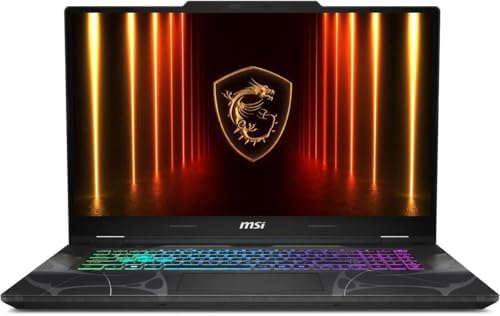
- Processor: Intel Core 7 240H 10-Core Processor (Up to 5.2 GHz with Intel Turbo Boost Technology,24 MB Intel Smart cache|…
- Graphics and Memory and Storage: NVIDIA GeForce RTX 5060 8GB GDDR7 | 16GB DDR5 5600MHz | 1TB PCI-E NVMe M.2 SSD,Make gam…
- Display: Stunning 17.3″ FHD (1920 x 1080) IPS 250 nits Anti-glare | 45% NTSC | 144Hz | Thin Bezel LCD giving you more vi…
- GPU: RTX 5060 8GB GDDR7
- CPU: Intel Core 7 240H (10 cores)
- RAM: 16GB DDR5
- Storage: 1TB NVMe SSD
- Display: 17.3″ FHD 144Hz
Why it makes the list: If budget is the priority, the MSI Cyborg 17 delivers a large screen and RTX 5060 power at the lowest entry point of these three. The translucent chassis is a distinctive look. Stick to checking the TGP on this one confirm it’s hitting the higher wattage range before buying. At the right TGP, it punches above its price.
Is the RTX 5060 good enough for 1440p gaming? Yes, for most games at medium to high settings. Don’t expect maximum settings at 1440p 60fps in every title, but the majority of games play very well at this resolution.
How long will an RTX 5060 laptop last? Realistically, 3 to 5 years of solid gaming performance for mainstream titles. Longer if you’re happy with slightly lowered settings as games get heavier.
Is the RTX 5060 better than the RTX 4060 in laptops? Yes. At similar TGP levels, the RTX 5060 outperforms the 4060 and adds DLSS 4 support. It’s a genuine generational upgrade, not just a rebrand.
What’s a good screen size for an RTX 5060 gaming laptop? 15.6 inches is the most popular and offers the best balance of portability and display quality. 16 inches is great if you’re mostly at a desk. 17.3 inches if screen size matters more than portability.
Should I wait for RTX 5060 laptops or buy now? They’re already available in 2025 and prices have settled into reasonable ranges. Unless you’re waiting for a specific model, there’s no obvious reason to delay.
Does the RTX 5060 support ray tracing? Yes. It handles ray tracing in mid-range titles well. For ray tracing at maximum settings in the most demanding games, you’d want a higher tier GPU.
What’s the minimum TGP I should accept for an RTX 5060 laptop? I wouldn’t go below 80W, and ideally you want 100W or higher for the full performance experience this GPU is capable of.
The Bottom Line
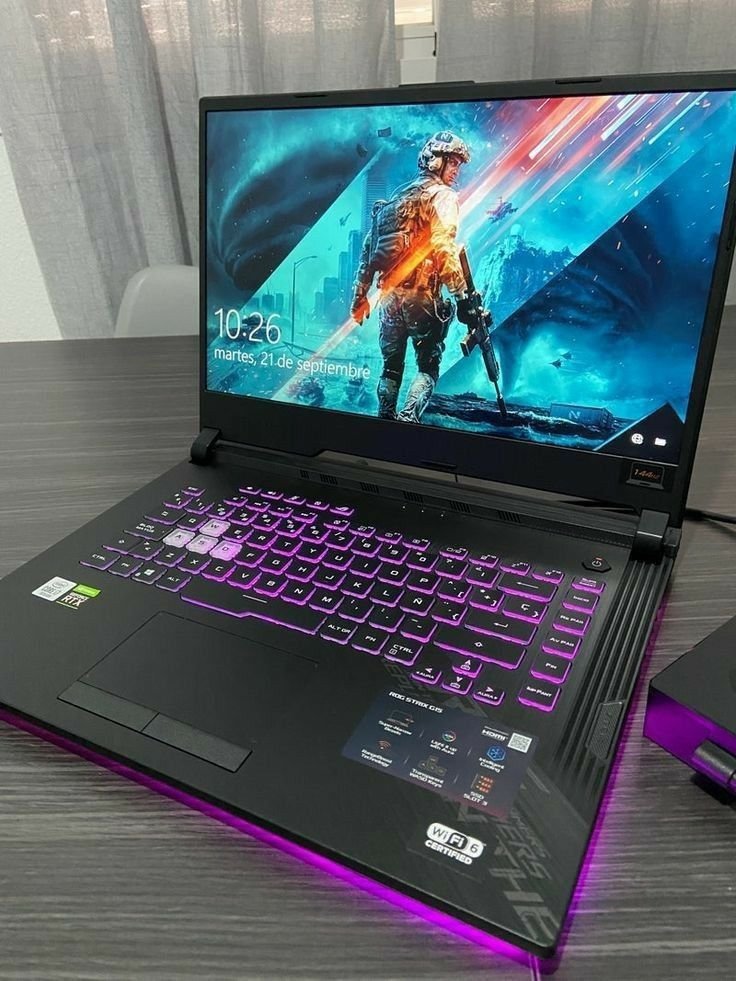
The RTX 5060 is a genuinely good GPU for gaming laptops in 2025.
But the laptop around it matters just as much as the chip itself. Thermals, TGP, display quality, and CPU pairing can make the same GPU feel either excellent or disappointing.
Do five minutes of research beyond the product listing. Check the TGP. Watch a proper thermal review. Confirm the RAM is upgradeable if that matters to you.
Get that right, and you’re looking at a laptop that will handle gaming well for years without overspending.
That’s the actual buying process. Everything else is marketing.