
I still remember standing in a store holding a $900 laptop that turned out to be completely useless for gaming six months later. Nobody warned me. The specs looked fine to me at the time — I had no idea what I was looking at.
If you’re figuring out how to choose a gaming laptop for beginners, this guide is everything I wish someone had handed me. No sales pitches. No jargon for the sake of it. Just the real stuff.
Why Most Beginner Guides Get This Wrong
Most articles tell you to “look for a good GPU and enough RAM.”
Cool. What does that mean? How much is enough? Which GPU? For what games?
That advice is useless if you don’t know the context behind it. So let me give you that context first, because buying a gaming laptop without it is how you end up with regret.
Step 1 — Figure Out What You Actually Want to Play
This sounds obvious. It isn’t.
The games you want to play decide everything: the GPU you need, the resolution that makes sense, how much you should spend, and whether you even need a gaming laptop at all.
Here’s a simple breakdown:
- Casual games (Minecraft, Stardew Valley, League of Legends): Almost any laptop handles these. You don’t need to spend much.
- Mid-tier games (Fortnite, Valorant, GTA V): You need a decent GPU. A GTX 1650 or RTX 3050 will serve you well.
- Demanding games (Cyberpunk 2077, Elden Ring, Flight Simulator): You need a serious GPU like an RTX 4060 or higher. Budget accordingly.
- Competitive esports (CS2, Apex Legends): High frame rates matter more than pretty graphics. Prioritize a fast display and CPU.
Write down three games you want to play right now, and three you might want to play next year. That list will guide every decision you make.
For a deeper look at which laptops match specific demanding titles, this guide on Best Gaming Laptops for GTA V and Cyberpunk 2077 breaks it down by game — very useful if you already know what you want to play.
Step 2 — Understand the Parts That Actually Matter
The GPU (Graphics Card) Is the Most Important Thing
When I bought my first gaming laptop, I focused on RAM and storage. Big mistake.
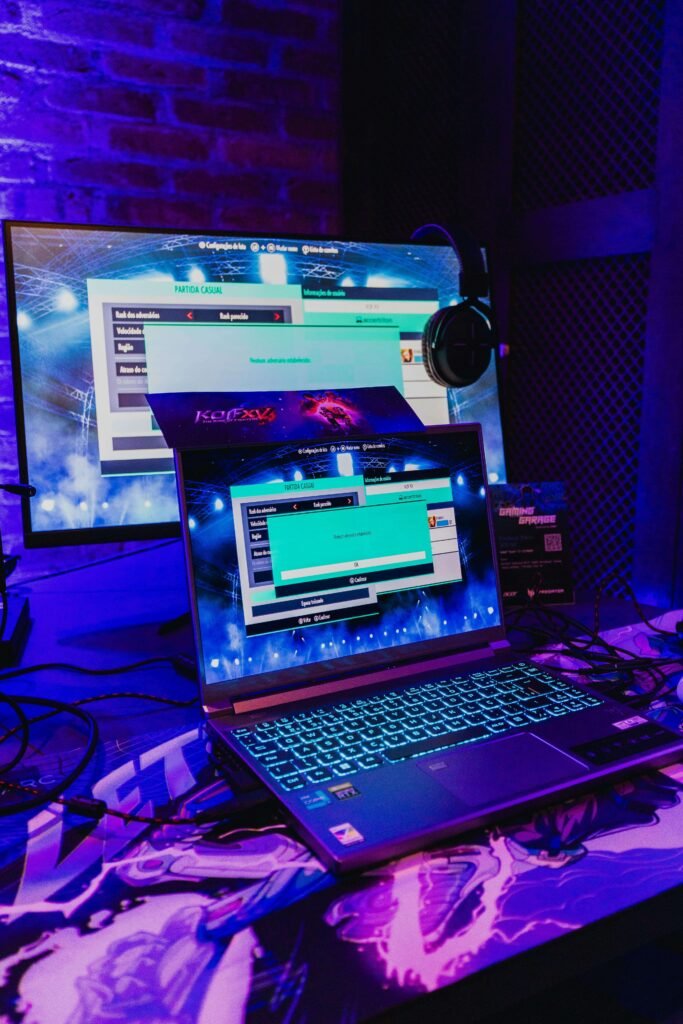
The GPU does most of the heavy lifting in games. It renders everything you see on screen. Without a capable GPU, even 32GB of RAM won’t save you.
For 2026, here is what I’d recommend:
- RTX 3050 or RX 6600M — Good entry point. Handles most games at 1080p medium settings.
- RTX 4060 — The sweet spot for most beginners who want to play newer games well.
- RTX 4070 or higher — If you have the budget and want to future-proof for a few years.
Avoid integrated graphics for gaming. If the laptop doesn’t list a dedicated GPU separately, it’s not a gaming laptop regardless of what the box says.
Nvidia’s GeForce laptop GPU comparison page is one of the clearest references for understanding the difference between entry, mid, and high-tier laptop GPUs before you spend anything.
The CPU Matters, But Not as Much as You Think
For gaming, the CPU processes game logic and feeds data to the GPU. You don’t need the most powerful one available.
An Intel Core i5 (12th gen or newer) or AMD Ryzen 5 (5000 series or newer) is perfectly fine for gaming. Don’t pay extra for a Core i9 if all you’re doing is gaming — that extra power goes mostly to waste.
RAM: 16GB Is Your Minimum
8GB will struggle with modern games. You’ll notice stuttering, slow load times, and crashes in some titles.
16GB is the sweet spot for gaming today. 32GB is nice to have but not necessary unless you plan to stream or run heavy software alongside your games.
Make sure the RAM runs in dual channel (two sticks of 8GB, not one stick of 16GB). It makes a real difference in performance. This detail is almost never mentioned in beginner guides.
Storage: Get an NVMe SSD, Not Just Any SSD
Loading times in modern games are brutal on old hard drives. Even a regular SATA SSD is noticeably slower than an NVMe SSD.
Look for at least 512GB NVMe SSD. Ideally 1TB, because game sizes have gotten absurd (Call of Duty alone can eat 100GB).
Some laptops include an extra M.2 slot you can use to add a second drive later. That’s a valuable feature worth checking for.
The Display Is More Important Than Most Beginners Realize
I ignored the display when buying my first laptop. I looked at it for about five minutes in the store and thought it looked fine.
Then I started playing competitive games and realized the display refresh rate was 60Hz. That felt choppy compared to what my friends were seeing on their setups.
Here’s what to look for:
- 1080p resolution at 144Hz — The best starting point. Smooth gameplay, not too demanding on your GPU.
- 1440p at 165Hz — A step up if you have a stronger GPU and want sharper visuals.
- 4K on a laptop — Usually overkill unless you’re also doing creative work. Very hard to run at 4K with smooth frame rates.
Response time matters too. Look for 3ms or lower. Anything higher and you might notice blurring in fast scenes. RTINGS.com’s 60Hz vs 144Hz vs 240Hz breakdown explains what these numbers actually mean in real gameplay — worth five minutes of reading before you buy.
Step 3 — Set a Real Budget Before You Look at Anything
This is where people get into trouble. They start browsing, see something impressive, stretch their budget, then stretch it a little more, and end up overspending on something they half-understand.
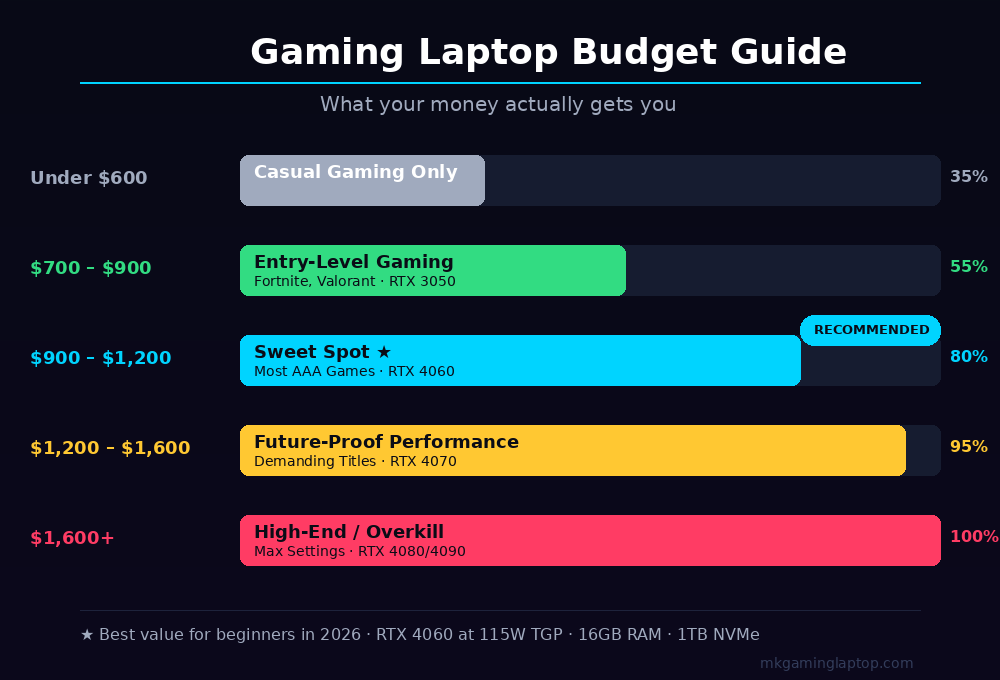
Here is an honest breakdown of what different budgets get you:
| Budget | What to Expect |
|---|---|
| Under $600 | Very limited gaming performance. Fine for casual or older games only. |
| $700 to $900 | Entry-level gaming. RTX 3050 territory. Good for most games at medium settings. |
| $900 to $1,200 | Mid-range gaming. RTX 4060 territory. Handles most games very well. |
| $1,200 to $1,600 | Strong performance. RTX 4070 territory. Future-proof for 3 to 4 years. |
| $1,600 and above | High-end. RTX 4080/4090. Overkill for most people. |
My honest recommendation for most beginners: aim for the $900 to $1,100 range. You get a laptop that handles today’s games well, lasts a few years, and doesn’t break the bank.
If you’re a student on a tighter budget, this roundup of Best Gaming Laptops for Students covers affordable options that don’t sacrifice too much performance — and explains exactly what to give up vs. what to keep when money is tight.
Step 4 — Check Thermals and Build Quality Before You Buy
This is the part almost nobody talks about.
A gaming laptop that runs too hot will throttle itself. That means your GPU and CPU intentionally slow down to avoid overheating. Your games stutter. Your frame rates drop. The performance you paid for disappears.
How do you check this before buying?
- Look up the exact model on YouTube. Search “[laptop name] thermal test” or “[laptop name] review thermals.” Real reviewers will show you temperature data under load.
- Check if the laptop has proper ventilation. Multiple vents, decent fan size. Thin and light gaming laptops often sacrifice thermals for aesthetics.
- Brands with generally good thermal designs: ASUS ROG/TUF, Lenovo Legion, MSI, and Acer Nitro. These aren’t perfect, but they’re built for gaming workloads.
Also check the build quality. A flex-y chassis or a screen that wobbles when you type will drive you crazy over time. Pick up the laptop if you can, or read reviews that specifically mention build quality.
NotebookCheck’s best gaming laptop rankings is one of the most thorough independent resources for checking thermal performance, sustained clock speeds, and real benchmark data on specific models before you commit.
Common Mistakes Beginners Make (I Made Most of These)
Buying based on RAM alone. “It has 32GB of RAM!” means nothing if the GPU is weak.
Choosing style over substance. That ultra-thin gaming laptop looks amazing. But it often throttles badly and the battery lasts two hours. Gaming laptops are not really portable devices.
Ignoring the display refresh rate. A 60Hz screen on a gaming laptop is a disappointment waiting to happen. Always confirm the refresh rate before buying.
Not checking the GPU wattage. This one is sneaky. Two laptops can both say “RTX 4060” but perform completely differently. A 60W RTX 4060 is noticeably weaker than a 115W RTX 4060. Check the Max-Q vs full-power designation, or look it up in reviews.
Buying at launch prices. Gaming laptops go on sale regularly. Black Friday, back-to-school sales, and mid-year promotions can save you $150 to $300 on models that haven’t changed at all. If your target laptop just launched, wait six to eight weeks if you can.
Forgetting about the charger. Gaming laptops often require their proprietary charger to hit full performance. Some USB-C charging works for light tasks but throttles during gaming. Know what you’re getting.
The Battery Life Reality Check
I want to save you from disappointment here.
Gaming laptops have terrible battery life when gaming. We’re talking one to two hours under load for most models. That’s normal. It’s physics. The GPU draws enormous power.
If battery life is important to you, look for laptops with a dedicated GPU that can switch off when you’re not gaming (this is called Nvidia Optimus or AMD’s equivalent). This lets you browse, watch videos, and do normal tasks on battery, then switches to the GPU when you launch a game and plug in.
Don’t expect to game unplugged for more than an hour or two. Plan to be near an outlet.
For anyone where battery life is a real priority, this detailed comparison of Best Gaming Laptops With Long Battery Life covers the models that balance both better than most — with actual battery numbers, not manufacturer claims.
Brands Worth Considering (And One to Watch Out For)
I’m not paid by any of these companies. This is just my experience and what I see consistently in reviews and communities.
Lenovo Legion series — Consistently excellent value. Good thermals, solid build, fair pricing. My personal first choice for beginners. Check the Lenovo Legion on Amazon →

ASUS TUF Gaming — Budget-friendly with surprisingly good build quality for the price. Not flashy, very reliable. Check ASUS TUF A15 on Amazon →

ASUS ROG — More premium. Better thermals and displays than TUF. Good if you’re spending $1,100 and up.
Acer Nitro — Very affordable entry point. Good for tight budgets, though thermals can be average.
MSI — Generally good but varies a lot by model. Do your research on the specific model before buying MSI.
Avoid no-name brands on Amazon with flashy specs and unbelievably low prices. The specs are often misrepresented, the build quality is poor, and warranty support is nearly impossible.
For an in-depth comparison of current top models across all budget ranges, the Ultimate Gaming Laptop Buying Guide covers 2026 recommendations and explains exactly why each pick made the list.
Accessories You’ll Actually Need
Once you pick your laptop, a few accessories make a real difference.
A cooling pad. These work better than most people expect. They bring surface temperatures down, protect your desk, and some even add extra USB ports. This roundup of Best Gaming Laptop Cooling Pads 2026 covers the top options worth buying right now. The Havit HV-F2056 Cooling Pad is the #1 bestseller on Amazon and costs under $25 — hard to beat for the price.
An external mouse. Gaming on a touchpad is miserable. Any wired or wireless gaming mouse in the $30 to $50 range is fine to start. The Kootek Laptop Cooling Pad is another solid choice if you want 5 fans and adjustable height.
A headset or earbuds. Laptop speakers are generally bad. You don’t need anything expensive. A $40 wired headset beats built-in speakers every time.
A laptop stand. Lifts the laptop for better airflow and better ergonomics. Essential if you use the laptop at a desk for long sessions.
The Final Checklist Before You Buy
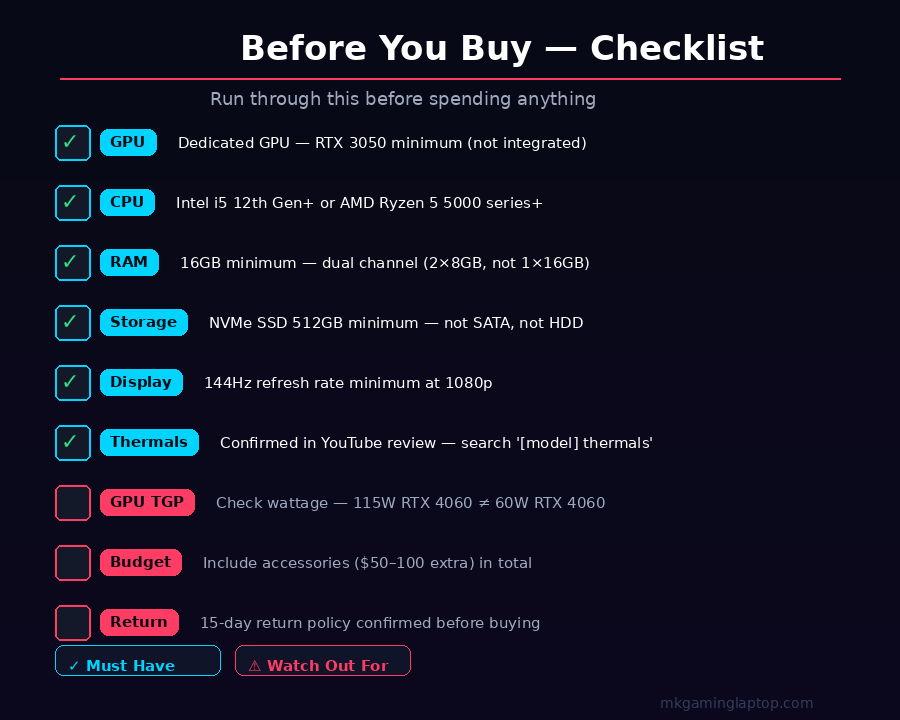
Run through this before spending anything:
- GPU is dedicated (not integrated), RTX 3050 or better for most games
- CPU is at least Intel Core i5 12th gen or AMD Ryzen 5 5000 series
- RAM is 16GB or more, in dual channel if possible
- Storage is NVMe SSD, at least 512GB
- Display is at least 144Hz at 1080p
- Thermal performance confirmed via YouTube reviews or NotebookCheck
- GPU wattage confirmed (not a Max-Q / low-power version you didn’t expect)
- Budget is realistic and includes accessories
- Return policy allows at least 15 days if you change your mind
FAQ
Q: Is a gaming laptop or desktop better for a beginner?
A desktop gives you more power for the money and is easier to upgrade. But if you need to move between locations or have limited space, a laptop is the right call. Don’t let anyone shame you into a choice that doesn’t fit your life.
Q: Can I upgrade a gaming laptop later?
Sometimes. RAM and storage are upgradeable on most models. The GPU and CPU are almost always soldered and cannot be changed. Buy the GPU you want from the start.
Q: How long should a gaming laptop last?
A mid-range laptop bought today should handle most games well for three to four years. After that, you may need to lower settings but it will still work. Cheap entry-level laptops often feel outdated in two years.
Q: Do I need to buy a gaming laptop specifically, or can I buy any laptop?
Gaming requires a dedicated GPU. Regular laptops with only integrated graphics will struggle with most modern games. The label “gaming laptop” usually guarantees a dedicated GPU, but always confirm the specs yourself.
Q: What’s the best gaming laptop under $1,000?
- The Lenovo IdeaPad Gaming 3 (RTX 3050)

- ASUS TUF A15 (RTX 4060)
consistently deliver strong performance in this range. Look for models with an RTX 3050 Ti or RTX 4060 depending on current market prices.
Q: Should I buy refurbished?
Yes, if you buy from a reliable source with a warranty (like manufacturer refurbished or certified resellers). You can save 15 to 25% on laptops that are essentially new. Avoid refurbished units from random third-party sellers with no return policy.
Closing Thought
Choosing a gaming laptop as a beginner is not complicated once you understand what actually matters. Focus on the GPU first. Get at least 16GB of RAM. Confirm the display refresh rate. Check thermals before you buy.
Don’t rush. Take a week to research the specific model you’re considering. Read two or three reviews, watch one YouTube deep-dive, and check what people are saying in gaming communities like Reddit’s r/GamingLaptops.
You’ll make a confident, informed decision. And you won’t end up like me, standing in a store buying the wrong thing because nobody gave you this information first.