
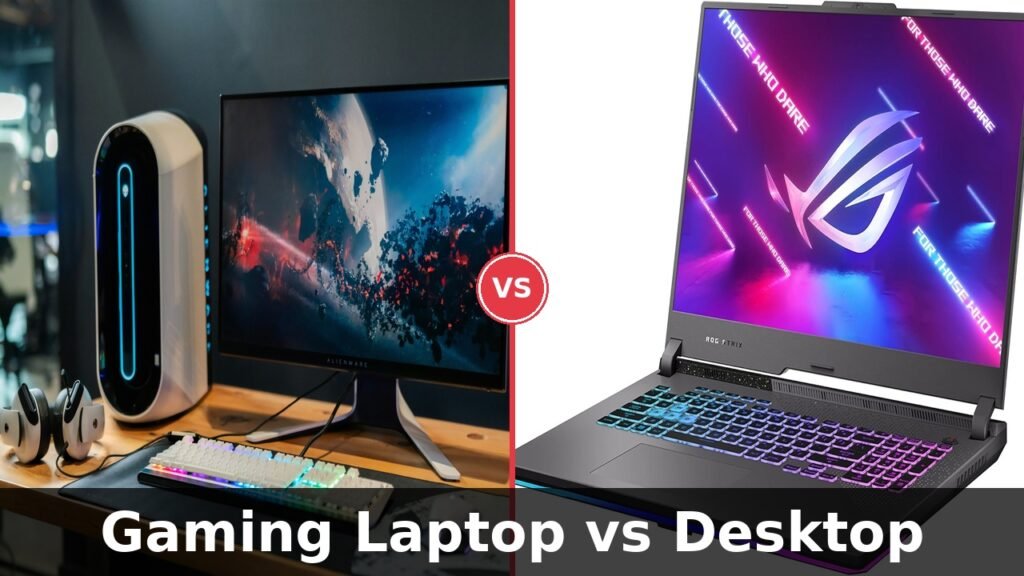
Gaming Laptop vs Desktop:
Which Is Actually Better in 2026?

I spent money on both. Here’s what I wish someone told me before I bought the wrong one first.
Three years ago I bought a $1,400 gaming laptop. Six months later I was back at my desk, elbow-deep in a desktop build, wondering why I hadn’t just done that from the start.
Not because the laptop was bad. It was actually decent. But I made the same mistake most people make: I picked the form factor first and asked the right questions second.
If you’re trying to decide between a gaming laptop vs desktop right now, this is the guide I wish existed when I was staring at product pages at midnight, overwhelmed and second-guessing everything. No paid partnerships. No fluff. Just what I’ve actually learned from using both seriously.
The Real Difference Nobody Talks About
Most articles compare specs. RTX 4070 this, 240Hz that. But the real difference between a gaming laptop and a desktop isn’t raw performance on a benchmark page.
It’s thermal headroom.
A desktop RTX 4070 sits inside a case with three or four fans, sometimes a 240mm liquid cooler, with room for hot air to actually go somewhere. A laptop RTX 4070 is crammed into a chassis roughly the size of a textbook, sharing heat pipes with a CPU that’s also working hard, venting through tiny grilles on the bottom.
The same GPU name does not mean the same GPU performance. I can’t stress this enough.
Nvidia’s mobile GPUs have TGP (Total Graphics Power) limits that vary wildly between laptop manufacturers. I’ve seen two laptops with the exact same RTX 4060 label where one performs 30% better than the other. Same chip. Different thermal budget. Different chassis. Totally different gaming experience.
Gaming Laptop vs Desktop: Full Side-by-Side Comparison
Let me break this down category by category, based on what actually matters when you sit down to game every day.
| Category | Gaming Laptop | Desktop | Winner |
|---|---|---|---|
| Raw Performance | Good, but thermally limited | Significantly more headroom | Desktop |
| Portability | Take it anywhere | Goes nowhere | Laptop |
| Value for Money | You pay a portability tax | More GPU per dollar | Desktop |
| Upgradeability | RAM and SSD only | Swap almost everything | Desktop |
| Display Options | Built in, often excellent | Buy a separate monitor | Tie |
| Fan Noise | Loud under sustained load | Quieter with good case | Desktop |
| Battery Life | 2–4 hrs gaming (realistic) | Needs a wall outlet | Laptop |
| Total Setup Cost | All-in-one out of box | Need monitor, kb, mouse | Laptop |
| Long-Term Longevity | 3–5 years before bottleneck | 5–8 years with upgrades | Desktop |


Who Should Actually Get a Gaming Laptop
I don’t want to be one of those writers who says “it depends” and gives you nothing useful. Here’s the actual profile of someone who will be happier with a gaming laptop.
You Move Around a Lot
College student switching between dorms, library, and home? Moving between two apartments? Traveling for work and gaming on hotel Wi-Fi at night? A laptop makes total sense.
When I was doing freelance video work and gaming on the side, my laptop went from my home desk to a client office to a coffee shop. That kind of lifestyle genuinely benefits from a single device that does everything.
You Have One Budget and No Existing Peripherals
This is a massively overlooked point. A $1,200 gaming laptop comes with everything. A $1,200 desktop build does not. You still need a monitor ($150–$350), a keyboard ($50–$150), and a mouse ($30–$80).
That puts your real desktop component budget at closer to $600–$700 if you’re starting from scratch on the same total spend. The laptop wins that value argument when you own nothing to begin with.
Laptop Wins When
- You game in multiple locations
- Starting from zero peripherals
- Limited desk or bedroom space
- Need it for school or work travel
- Want simplicity over maximum power
Laptop Struggles When
- You always game at the same desk
- You want the best frames per dollar
- Long 60+ min gaming sessions
- You want to upgrade parts over time
- Heat and fan noise bother you
Who Should Actually Get a Gaming Desktop
Here’s where I land personally, and where most people who game seriously for more than a year end up landing too.
You Game at a Fixed Location
If your gaming setup is a desk in your bedroom and that’s where it always happens, the portability of a laptop is wasted on you. You’re paying a premium for a feature you’ll never use.
I realized this about four months into owning my gaming laptop. It lived on my desk, plugged into a monitor, with a keyboard and mouse connected. It was a worse desktop, with worse cooling, for more money.
You Want to Actually Upgrade Your System
This is the long game most people miss when buying. In three years, a desktop owner can drop in a new GPU, add more RAM, upgrade to a faster SSD, or throw in a better CPU cooler. The total cost to stay current is much lower over a five-year period.
With most gaming laptops, you can upgrade the RAM and SSD. That’s it. The GPU is soldered. The CPU is soldered. When the machine starts feeling slow, your only option is buying an entirely new laptop.
Real Performance Numbers
Take Cyberpunk 2077 at 1080p High settings as a reference point.
A desktop RTX 4070 Super typically delivers around 110–130 fps average with strong 1% lows.
A laptop RTX 4070 in a well-cooled chassis delivers around 80–100 fps average, dropping to the 60s in heavy city areas.
That’s the gap on a good gaming laptop. Budget laptops with thermal throttling can drop to 60–70 fps average in the same scenario.
The Throttling Problem
I fired up a GPU monitoring tool during a long Elden Ring session on my old gaming laptop. The first 15 minutes? Excellent performance. By the 30-minute mark, the GPU had dropped its clock speed noticeably to manage heat. By the 45-minute mark, frame times were noticeably worse than at the start.
Desktops don’t do this. They hit operating temperature and hold it. The game performs the same in hour one as it does in hour four.
The Upgrade Path: Why This Matters
With a gaming desktop, here’s a realistic upgrade path over five years on a $1,200 initial build. In years 2 and 3, you add more RAM ($40–$60) or upgrade the SSD ($60–$100). In year 4, you drop in a next-generation mid-range GPU at $350–$500. In years 5 and 6, maybe a CPU and motherboard refresh for $200–$400.
Total spend over six years: approximately $1,700 to $2,000 for a system that stays relevant. With a laptop, you’ll likely buy a new device every 3–4 years at $1,200–$1,500 each time.
Accessories That Make a Real Difference
For Gaming Laptop Owners
A quality cooling pad. Not the cheap vibrating ones with weak fans. Look for large, slow fans that create real airflow under the chassis. I measured a 5–8°C drop on my old laptop, which directly reduced thermal throttling during long sessions.
An external SSD for game storage. Gaming laptops often come with a single M.2 slot that fills quickly. A fast USB 3.2 Gen 2 external SSD lets you store and load games at near-internal speeds.
For Gaming Desktop Owners
Invest in the monitor seriously. A 1440p 165Hz monitor transforms a mid-range GPU. More than any other peripheral, the monitor is what you see every second you game. Don’t cut corners here.
Case fans before fancy RGB. Airflow is performance. Three or four good 120mm or 140mm fans will lower your temperatures more than a $150 RGB controller ever will.
Common Mistakes I See People Make
Buying the most expensive model instead of the best-reviewed model. Price and performance don’t always correlate. Some $1,600 laptops throttle worse than $1,100 competitors because of chassis design decisions.
Ignoring the display on a gaming laptop. A 1080p 144Hz IPS panel is noticeably better than a 1080p 60Hz TN panel. Always check reviews that specifically mention display panel quality.
Not planning cable management on a desktop build. A desktop with poor airflow due to tangled cables runs 5–10°C hotter. Heat is the enemy of both performance and component lifespan.
Underestimating desktop build difficulty. Building a desktop is like adult LEGO with better instructions. It’s not scary. But it does take a few hours and patience.
The Honest Verdict
For most people who game regularly from a fixed setup, a gaming desktop gives you more for your money and lasts longer.
For people who move around, travel, or have space and budget constraints, a gaming laptop is the right practical choice.
The mistake is choosing based on what looks cooler rather than what fits your actual life.
FAQ: Questions People Actually Ask
Yes, for most competitive titles like Valorant, CS2, or Apex Legends, a mid-range gaming laptop at $1,000–$1,200 will deliver playable competitive framerates. However, for consistent 240fps+ at high refresh rates, a desktop with a stronger GPU is the more reliable path.
Modern gaming laptops manage heat better than they did five years ago, but sustained load sessions of 60 to 90 minutes will still push most laptops to their thermal limits. Using a cooling pad and keeping the bottom vents clear helps significantly.
Technically yes, but with caveats. When plugged in and connected to an external monitor and peripherals, a gaming laptop performs like a modest desktop. But you still have the thermal limits of a laptop chassis. If you always use it docked, a desktop would have served you better.
A gaming laptop typically stays relevant for 3 to 5 years. A gaming desktop, with occasional GPU and RAM upgrades, can stay competitive for 6 to 8 years without a full system replacement.
Building saves you 10 to 20% compared to prebuilts with equivalent specs, but requires 3 to 5 hours of your time. Prebuilts from reputable brands are more convenient. If you’re uncomfortable building, a reputable prebuilt is a completely sensible choice.
Final Thought
After three years of using both, I still have a desktop as my primary gaming machine. But my laptop sits on the shelf for exactly the situations it’s designed for: travel, visiting family, working from places that aren’t home.
The moment I stopped thinking of them as competing options and started treating them as tools with different jobs, the decision became obvious.
Figure out where and how you actually game. That answer tells you everything you need to know. If you’re heading toward a laptop purchase, prioritize thermal performance over raw spec sheet numbers. If you’re heading toward a desktop, don’t shortchange the monitor.
Either way, buy once and buy well.