
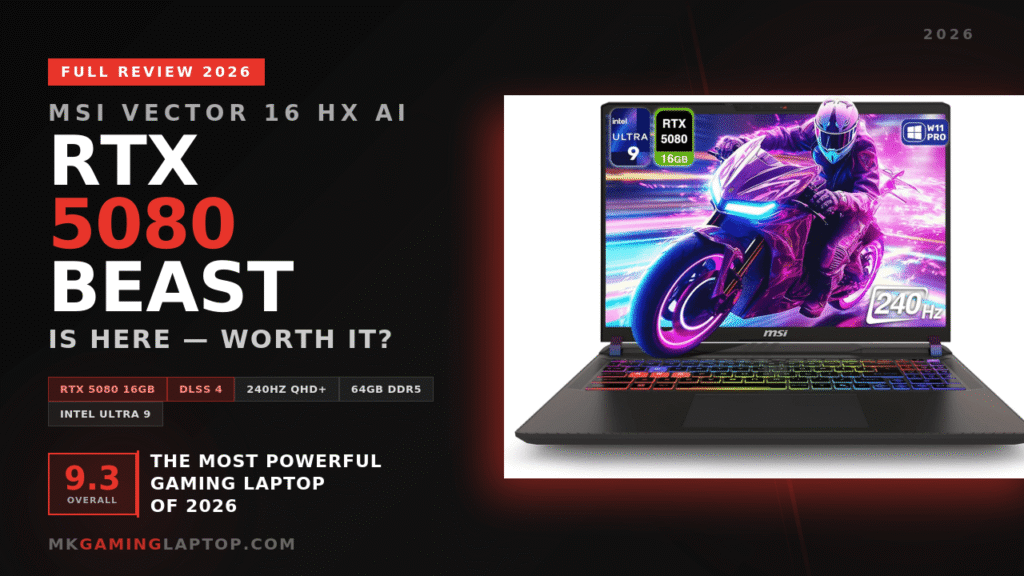

MSI Vector 16 HX: The RTX 5080 Beast Is Here — Full Review 2026
| Processor | Intel Core Ultra 9 275HX (2.1GHz base) |
| GPU | NVIDIA GeForce RTX 5080 16GB GDDR7 (Blackwell) |
| Display | 16″ QHD+ WVA 2560×1600 @ 240Hz |
| RAM | 64GB DDR5 |
| Storage | 1TB PCIe SSD |
| OS | Windows 11 Pro |
| Wireless | WiFi 7 (802.11be) · Bluetooth 5.4 |
| Ports | Thunderbolt 5 ×2, USB 3.2 Gen 2 Type-A ×2, HDMI, 3.5mm combo |
| Keyboard | Per-key RGB backlit |
| Architecture | DLSS 4 · Multi Frame Generation · Max-Q Optimized |
MSI Gaming Laptop
MSI Vector 16 HX AI
RTX 5080 · Core Ultra 9 · 240Hz QHD+
* Affiliate link — supports this site at no extra cost to you
Performance Breakdown
Intel Core Ultra 9 275HX Processing Power
The 275HX is a computational juggernaut. Multi-threaded workloads — rendering, simulation, compilation — disappear with alarming speed.
Gaming performance is equally strong, maintaining high frame rates even in CPU-bound scenarios. Paired with 64GB of DDR5, nothing on this machine feels slow. Nothing.
NVIDIA GeForce RTX 5080 — Blackwell Architecture
This is not just a faster RTX 4080. Blackwell is a generational shift. The Tensor cores, the neural rendering pipeline, the Multi Frame Generation via DLSS 4 — it changes the math entirely.
Ray tracing no longer feels like a tax on frame rate. Ultra settings feel accessible rather than aspirational. Playing demanding titles at QHD+ with ray tracing enabled and staying above 100fps is now a reality. Not a compromise.
DLSS 4 and Multi Frame Generation
DLSS 4 with Multi Frame Generation is the feature that separates this generation from the last.
With Quality mode enabled, frame rates climb dramatically with minimal visual cost. At QHD+ resolution, the difference in visual quality between native and DLSS Quality is negligible to the naked eye. The performance gain is not negligible at all.
Real-World Gaming Benchmarks
AAA titles run at ultra settings with commanding frame rates. Esports titles push well beyond 200fps consistently. Frame rates stay stable during extended sessions without thermal throttling pulling performance down.
Performance is not just strong. It is sustained.
Memory and Storage
64GB DDR5 — Multitasking Without Limits
For pure gaming, 64GB is more than required. For mixed workloads combining gaming, virtual machines, creative tools, and development environments — it becomes genuinely useful.
Nothing closes. Nothing slows. Background processes continue uninterrupted. It feels liberating.
1TB PCIe SSD — Fast From Boot to Load
Boot times are nearly instant. Game loading screens are short. File transfers feel brisk.
PCIe Gen 4 speeds mean the storage never becomes the bottleneck. Everything on this machine feels fast from the moment you press power.
Cooling and Thermal Management
Advanced Cooling Architecture with Max-Q
MSI’s thermal design on this unit is well-tuned. Multiple heat pipes and high-airflow fans work in coordination. Under sustained gaming loads, temperatures remain within controlled thresholds.
The Max-Q optimization does meaningful work here — balancing thermal efficiency without sacrificing the performance you paid for.
Fan Noise Under Load
Yes, the fans become audible during heavy gaming. That is inevitable at this power level. The acoustic profile, however, is tolerable rather than intrusive.
Put headphones on during intense sessions and the point becomes entirely moot.
Keyboard and Trackpad Experience
Per-Key RGB and Key Travel
The keyboard offers satisfying key travel and tactile feedback. Response is consistent across the deck. The per-key RGB is not just cosmetic — setting up productivity profiles for specific key groups is genuinely useful in dim working environments.
It feels precise. Not cheap. Not mushy.
Trackpad Precision
The trackpad handles daily productivity tasks accurately. Gamers will use a dedicated mouse regardless. For everything else, it performs without complaint.
Connectivity and Ports
Thunderbolt 5 — A Genuine Differentiator
Two Thunderbolt 5 ports at 120Gbps bandwidth. This is not a spec listed for show. It enables fast external storage, multi-monitor setups without adapters, and eGPU enclosures for home desktop configurations.
It is future-ready. Not just present-ready.
WiFi 7 and Online Gaming Stability
WiFi 7 on a supported router delivers measurably lower latency and higher throughput. Online gaming sessions stay consistent. Connection drops are rare.
Even on WiFi 6 routers, the connection is rock solid. The upgrade path is there when your router catches up.
Battery Life and Power Efficiency
Everyday Usage Away From the Wall
Light productivity tasks — browsing, documents, light workloads — yield roughly 3 to 5 hours unplugged. That is better than expected for this hardware configuration.
The Max-Q optimization contributes here. MSI did not ignore battery life on a machine of this caliber.
Gaming on Battery
For gaming, keep it plugged in. Performance drops significantly unplugged. That is expected and universal across high-wattage systems.
This is a performance machine first. A portable machine second. Respect that distinction.
Software and Windows 11 Pro
Windows 11 Pro runs cleanly. MSI Center provides straightforward profile switching between Balanced, Performance, and Extreme modes.
The difference between Balanced and Extreme Performance mode is real. Testing the same scene in both modes shows 15 to 20 percent frame rate variation. Use the software. It matters.
Common Mistakes to Avoid With This Laptop
Not Updating Drivers Before Benchmarking
Out-of-box driver state is never the best performance state. Update NVIDIA drivers before running any benchmarks or making any judgments on performance. The difference is real.
Ignoring MSI Center Performance Profiles
Leaving the system on Balanced mode and wondering why performance feels average is the most common mistake. Switch to Extreme Performance for gaming and heavy compute tasks. The gap is significant.
Using It on Soft Surfaces During Heavy Loads
The underside gets warm under sustained workloads. Use it on a hard flat surface or a laptop stand. A basic cooling pad helps during marathon sessions.
Who Should Buy the MSI Vector 16 HX
This machine is not for everyone. It is for a specific type of person who knows exactly what they need.
Serious gamers who want ultra settings, real frame rates, and a 240Hz display that is actually fed properly.
STEM professionals and developers who run GPU-accelerated workloads — machine learning, simulation software, scientific computing — on a portable machine.
People who refuse to own two machines and need one device that handles elite gaming and demanding professional work simultaneously.
Casual users who browse and stream should look elsewhere — something like the Acer Predator Helios Neo 16 AI offers great value at a lower price point. But anyone who pushes hardware hard will find this machine genuinely exhilarating.
Pros and Cons
Pros
- RTX 5080 Blackwell — generational performance leap
- DLSS 4 Multi Frame Generation changes the framerate math entirely
- 64GB DDR5 — never a bottleneck
- 240Hz QHD+ display actually gets fed the frames it needs
- Dual Thunderbolt 5 — best-in-class connectivity
- WiFi 7 and Bluetooth 5.4 — fully future-ready
- Windows 11 Pro included — no downgrade needed
- Excellent sustained performance under thermal load
Cons
- Fans are audible under full gaming load
- Heavy — not an ultrabook, use a bag with padding
- Gaming battery life is limited — stay near an outlet
- Premium price reflects premium hardware
MSI Vector 16 HX vs The Competition
vs MSI Vector A18 HX
If you want more screen real estate, the MSI Vector A18 HX is the bigger sibling with an 18-inch panel. It trades portability for an even more immersive display. The Vector 16 HX AI wins on form factor for those who need a machine they can actually move.
vs Razer Blade 16
The Blade 16 looks more premium and feels more refined in hand. It also runs hotter under sustained workloads and costs more for comparable performance. For style-first buyers, the Blade wins aesthetically. For raw capability, the Vector 16 HX edges ahead.
vs ASUS TUF F16
The ASUS TUF F16 is a strong mid-range option with excellent build quality for its price. But it cannot compete at the RTX 5080 performance tier. For budget-conscious buyers it is a solid pick. For maximum performance, the Vector 16 HX AI is in a different league.
vs ASUS ROG Zephyrus G16
The Zephyrus is more portable and offers better battery life. It sacrifices thermal headroom and professional connectivity to get there. If you travel light and game occasionally, the Zephyrus makes sense. If you push the machine hard every day, the Vector 16 HX wins.
vs Lenovo Legion Pro 7i
The Legion Pro 7i is the closest competitor on value for pure gaming. It is competitive. For STEM workflows and professional connectivity, the Vector 16 HX separates itself clearly with dual Thunderbolt 5 and more sustained thermal performance.
vs Alienware 16 Area-51
The Alienware 16 Area-51 is a premium machine with excellent build quality and strong thermals. It runs the RTX 5070 Ti rather than the 5080, which puts the Vector 16 HX AI clearly ahead on raw GPU performance. If the Alienware aesthetic matters to you, it is a serious option. For outright power, the Vector wins.
Frequently Asked Questions
Can the MSI Vector 16 HX run the latest AAA games at ultra settings?
Yes. At native QHD+ resolution, most 2025 and 2026 titles run at ultra settings above 100fps without DLSS. With DLSS 4 Quality mode enabled, expect 160 to 200fps depending on the title.
Is 64GB RAM overkill for gaming?
For pure gaming, yes. For mixed workloads combining gaming, development tools, virtual machines, or creative software simultaneously, 64GB becomes genuinely useful. You will never need to close anything to free memory.
How loud are the fans under full gaming load?
Audible and noticeable. Not unusually loud for a machine at this performance tier. Wearing headphones during intense sessions eliminates this entirely as a concern.
Is Thunderbolt 5 actually useful in practice?
Yes, especially for users who connect external displays, high-speed storage, or eGPU enclosures. Thunderbolt 5 at 120Gbps bandwidth makes those tasks fast and clean. It also supports display output, enabling 4K 144Hz external monitors without extra adapters.
Is this laptop good for machine learning and STEM work?
Yes, genuinely. The RTX 5080 with 16GB GDDR7 and Blackwell Tensor cores handles small to medium ML training jobs, GPU-accelerated simulations, and scientific computing at a workstation-class level. It is a serious professional tool, not just a gaming laptop with a fast GPU.
How long does the battery last for light work?
Roughly 3 to 5 hours for web browsing and document work at medium brightness. Under gaming or compute loads, expect 1 to 1.5 hours before needing to plug in.
Final Verdict
The MSI Vector 16 HX AI is unapologetically powerful. It is engineered for dominance, not compromise.
The Blackwell RTX 5080 with DLSS 4 is a real generational step. The 64GB DDR5 and Core Ultra 9 275HX give this machine years of headroom before anything feels slow. The 240Hz QHD+ display finally has a GPU that feeds it properly.
If you have been waiting for a laptop that handles gaming, professional work, and demanding software all at once without asking you to compromise somewhere — this is it.
Looking for more options? Check our Ultimate Buying Guide to the Best Gaming Laptops 2026 before making a final decision.
Browse All Laptops →