
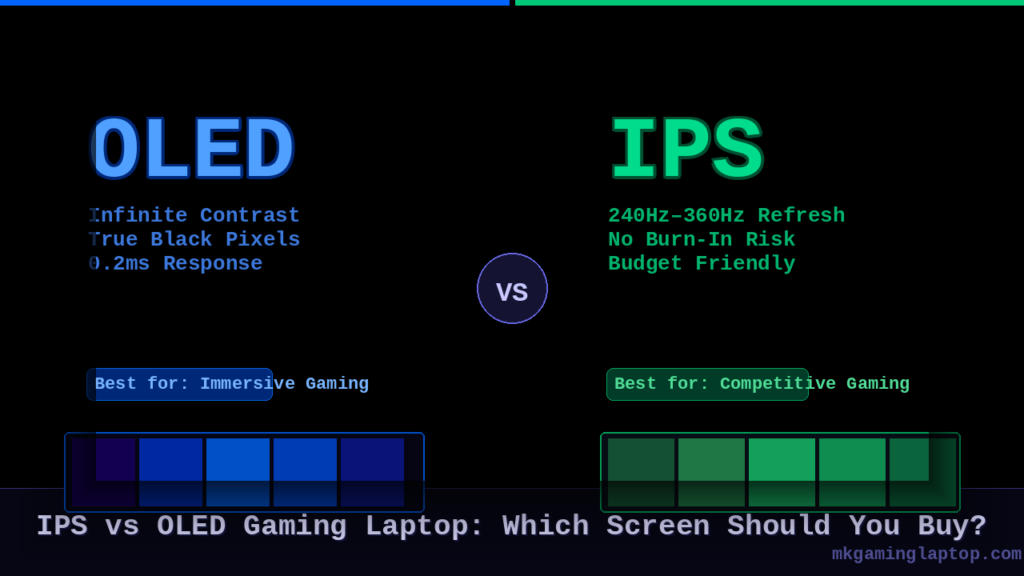
I spent three months with both an IPS and an OLED gaming laptop side by side on my desk. Same games. Same settings. Same room lighting. And the answer I landed on surprised me — because it was not the one I expected going in.
If you are trying to decide between an IPS and an OLED gaming laptop screen right now, this is the breakdown I wish someone had written for me before I spent close to four thousand dollars learning it the hard way.
Already know what you want? Jump straight to our best gaming laptops of 2025 — every pick is tested and sorted by use case.
What Is Actually Different Between IPS and OLED in a Gaming Laptop?
Most articles just copy-paste specs. Let me explain this the way it actually matters for someone who games.
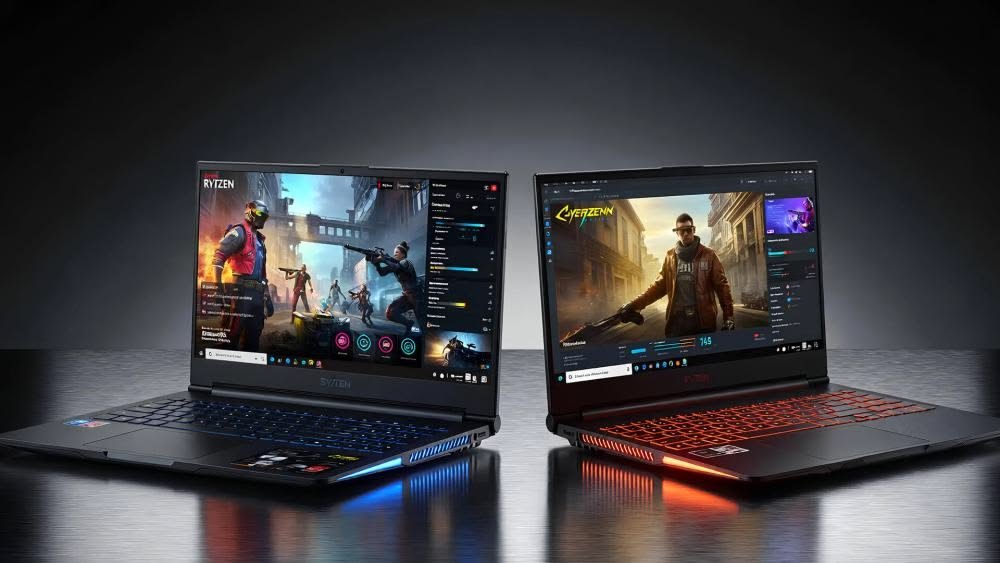
IPS (In-Plane Switching) is a type of LCD panel. It uses a backlight behind the screen to produce light. The pixels themselves do not produce light — they filter it.
OLED (Organic Light-Emitting Diode) is completely different. Each individual pixel lights up on its own. When something is black on an OLED screen, those pixels are literally switched off. No light at all.
That one difference is responsible for almost every performance gap between the two technologies.
Why This Matters More Than You Think
On an IPS panel, the backlight is always on at full strength (or close to it). Even in a dark scene in a game, there is some light leaking through the “black” pixels. This is called backlight bleed. You see it as a grayish haze in dark scenes.
On OLED, dark is truly dark. The contrast ratio on a good OLED panel can hit 1,000,000:1. An IPS panel typically sits somewhere between 1,000:1 and 2,000:1.
That gap is not a minor spec difference. You feel it immediately when playing anything with dark environments — horror games, space shooters, night scenes in RPGs.
For a deeper technical breakdown of how these panel technologies compare at a hardware level, RTINGS.com has a thorough IPS vs OLED explainer worth reading before you spend serious money.
IPS vs OLED Gaming Laptop Screen: The Real Performance Comparison
Refresh Rate and Response Time
This is where a lot of people get confused.
IPS panels in gaming laptops have absolutely dominated the high refresh rate race. You can find IPS gaming laptops running at 144Hz, 165Hz, 240Hz, even 360Hz. The response times are typically in the 1ms to 3ms range at those speeds.
OLED panels have historically been slower to reach those refresh rates in laptop form. For a long time, 60Hz was standard for OLED laptops. That has changed.
In 2024 and into 2025, OLED gaming laptop panels started hitting 240Hz and beyond. Response times on modern OLED panels are genuinely instantaneous because turning a pixel off is faster than rotating a liquid crystal. Manufacturers now quote 0.2ms response times on OLED gaming panels.
But here is what nobody tells you: at 240Hz with 0.2ms response time on OLED, there is another problem called pixel persistence from the way OLED brightness works. Some competitive players actually notice it. Most do not.
Bottom line on refresh rate:
If you are a competitive FPS player who lives and dies by frame rate, a high refresh IPS panel at 240Hz or 360Hz is still a legitimate choice.
If you play anything immersive — RPGs, open world games, story games — OLED at 120Hz or 165Hz will feel better in almost every scenario.
Not sure which GPU tier pairs best with each screen type? Our gaming laptop buying guide walks through exactly how to match panel specs to GPU performance.
Color Accuracy and Visuals

OLED wins this one so completely it almost feels unfair.
The color gamut on a good OLED laptop panel covers nearly 100% of the DCI-P3 color space. IPS panels in gaming laptops vary enormously. Some cheap IPS panels cover around 60% sRGB. Better ones hit 100% sRGB. Only the premium IPS panels push into DCI-P3 territory, and even then not as accurately as OLED.
When I first booted up Red Dead Redemption 2 on the OLED laptop, I genuinely sat back from my chair for a second. The sunset over the desert looked like I had HDR on even at medium settings. On the IPS panel next to it, it looked like a video game.
HDR is a related point. True HDR requires high peak brightness and deep blacks simultaneously. IPS achieves this through zone dimming or full array local dimming, which creates visible haloing around bright objects in dark scenes. OLED achieves true per-pixel HDR with zero halo. There is no comparison.
IPS vs OLED Gaming Laptop Screen for Competitive Gaming
Here is the honest answer if you are a competitive player:
For esports titles like Valorant, CS2, or League of Legends:
You want the highest refresh rate you can get. Motion clarity matters more than color depth. An IPS panel at 360Hz is going to feel smoother than an OLED at 165Hz in fast, twitch-based gameplay. The difference in response time at those speeds is measurable even if it is small.
For single player or mixed gaming:
OLED is not just equal — it is noticeably better. The visual quality of games built to look good (not just run fast) is in a completely different league on OLED.
Most people do not exclusively play one type. That is worth thinking about.
If you are leaning toward OLED, the gaming laptops section of our site covers the top picks with hands-on notes on each panel.
The Three Biggest Mistakes People Make When Choosing
Mistake 1: Ignoring Burn-In Risk on OLED
This is real. I am not going to pretend it is not.
OLED burn-in happens when the same image is displayed in the same spot for too long, too many times. The organic material in those pixels degrades. Over time, the ghost of a static image becomes permanently visible.
For gaming, the main risks are:
- Game UI elements like health bars, minimaps, or crosshairs that sit in the same spot every session
- Windows taskbars if you leave them visible
- Desktop wallpapers with high contrast logos
Manufacturers have built in pixel shifting and screen savers to reduce this. On a laptop specifically, OLED burn-in takes years of heavy use to appear. Most laptops get replaced or resold before burn-in becomes a real issue.
But if you plan to keep a laptop for five or six years and you play games with static HUDs for eight hours a day, it is a genuine concern worth knowing about.
IPS panels do not burn in. Full stop.
Mistake 2: Comparing Specs Without Looking at Panels in Person
Gaming laptop manufacturers all use different panel manufacturers. Two laptops listed as “OLED 2.8K 120Hz” can look completely different depending on whether the panel came from Samsung, LG, or BOE.
Whenever possible, look at the specific panel model. The Samsung AMOLED panels in the ASUS ROG Zephyrus lineup have a reputation for being among the best in the laptop market right now.
For IPS, the AUO panels used in certain gaming laptops are known to have better uniformity than some alternatives. None of this is on the marketing page. You have to dig for it.
NotebookCheck maintains one of the most detailed gaming laptop ranking databases online — if you want to look up the exact panel in a specific model before buying, start there.
Mistake 3: Dismissing Brightness Differences
OLED laptops have a complicated relationship with brightness.
Their peak brightness in HDR content — brief moments of bright highlights — can hit 600 to 1000 nits. That is genuinely impressive.
But their sustained full-screen brightness is often lower than a good IPS panel. IPS gaming laptop panels regularly sustain 400 to 500 nits across the whole screen.
If you game anywhere near a window in daylight, this matters. OLED can look washed out in bright ambient light even at max brightness settings. An IPS panel handles brightly lit rooms more comfortably.
OLED is spectacular in a darkened room. IPS is more flexible.
Costs and Realistic Budget Expectations
Let me be direct about price differences.
a solid IPS gaming laptop with a 165Hz panel, an RTX 4060, and a good build starts around $1,000 to $1,300.
An OLED gaming laptop with comparable specs starts closer to $1,400 to $1,600. The premium OLED options with 240Hz panels, RTX 4070 or above, push $2,000 to $2,500 and beyond.
You are not just paying for the OLED screen. Manufacturers tend to put better components into OLED laptop models across the board. The screen is often the signal that a brand considers the product premium.
That said, prices have been coming down. The ASUS Vivobook Pro range and the Lenovo Slim 5x brought OLED to near-mainstream pricing. You do not have to spend $2,000 for a decent OLED laptop anymore.
If your budget is under $1,200, IPS is almost certainly what you are getting. Work with that. A 165Hz IPS panel at that price point is genuinely excellent for gaming. Our best gaming laptops under $1,500 list is updated regularly and covers the strongest IPS options at that price range.
If you can reach $1,500 to $1,700, OLED options become available and the visual jump is immediately obvious.
Insider Tips Most Articles Skip
Tip 1: Check the PWM Flicker Behavior Before You Buy
OLED panels use PWM (Pulse Width Modulation) to control brightness by rapidly flickering the screen. At low brightness settings, some OLED panels flicker at rates that cause eye strain or headaches after long sessions. Gaming is long. This matters.
Look for OLED laptops that use DC dimming or high-frequency PWM (above 2000Hz). Some reviewers test for this specifically. RTINGS.com measures PWM flicker on every laptop they test and their data is the most reliable public source for this information.
Tip 2: The “Mini-LED IPS” Category Exists and Is Worth Considering
Mini-LED backlit IPS panels are a middle ground that did not really exist in laptops two years ago. They use thousands of tiny LEDs in local dimming zones, dramatically improving contrast on an otherwise standard IPS panel.
The ASUS ROG Strix G16 and some Razer Blade 16 configurations use this technology. You get contrast and HDR quality much closer to OLED, with none of the burn-in risk, at a slightly lower price than full OLED.
It is not perfect — there is still some haloing — but for competitive players who want better visuals without going full OLED, it is a real option.
Tip 3: Color Profiles Matter More on OLED
OLED panels can oversaturate colors by default. Some games and applications look cartoonishly vivid out of the box. Most OLED gaming laptops let you switch between DCI-P3 (cinema accurate, very vivid) and sRGB mode.
Use sRGB mode for games that are designed for standard monitors. Use DCI-P3 for creative work, movies, or games with great visual design. If you leave it locked on DCI-P3 always, some games will look oversaturated and almost garish.
Tip 4: Fan Noise and Thermals Are Not a Screen Issue — But They Affect Which Screen You Enjoy
OLED laptops tend to be thinner than equivalent IPS gaming laptops. Thin chassis means tighter thermal headroom. Some OLED gaming laptops run fans louder or throttle more under sustained gaming load.
If you are in a quiet room enjoying that beautiful OLED screen, loud fans are genuinely annoying. Check thermal benchmarks specifically.
The Scenarios Breakdown: What to Actually Buy
| Scenario | Better Choice |
|---|---|
| Competitive FPS gaming, want max frames | IPS (240Hz or 360Hz) |
| Immersive RPG, open world, story games | OLED |
| Mixed gaming + creative work | OLED |
| Tight budget under $1,300 | IPS |
| Often game near windows in daylight | IPS |
| Mostly game in a dark room | OLED |
| Plan to use laptop 5+ years heavily | IPS (no burn-in risk) |
| Watching movies and streaming matters too | OLED |
Our Top 3 Picks: IPS and OLED Gaming Laptops on Amazon
Based on everything covered in this article, here are the three laptops that best represent each buying decision right now.
Best OLED Pick — ASUS ROG Zephyrus G14 (2025)
Screen: 14″ 3K OLED 120Hz | 0.2ms response | 100% DCI-P3
GPU: NVIDIA GeForce RTX 5070 Ti
CPU: AMD Ryzen AI 9 HX 370
RAM: 32GB LPDDR5X | Storage: 1TB SSD
Weight: 3.46 lbs | Price: ~$1,799
This is the OLED gaming laptop I would buy today without hesitation. The 3K OLED panel is genuinely stunning — deep blacks, perfect HDR, and colors that make every open world game look like a different product. The aluminum chassis is so clean it looks like a MacBook. Battery life is the only real trade-off, so keep it near an outlet when gaming.
Perfect for: Immersive RPGs, open world games, mixed gaming and creative work.

- The AMD Ryzen AI 9 HX 370 Processor Blends Power and Performance with Ease Armed with 12 cores and 24 threads, AMD Ryzen…
- Experience Cutting Edge Graphics with NVIDIA GeForce RTX 5070 Ti Laptop GPU Maximize your gaming and creativity with NVI…
- Feel the luxury with the premium Aluminum CNC Chassis. The Zephyrus G14 sports a premium aluminum chassis meticulously c…
Best IPS High Refresh Pick — ASUS ROG Strix G16 (2025)
Screen: 16″ 2.5K QHD+ IPS 240Hz | 3ms | 100% DCI-P3
GPU: NVIDIA GeForce RTX 5070 Ti
CPU: AMD Ryzen 9 9955HX3D
RAM: 32GB DDR5 | Storage: 1TB SSD
Weight: 5.5 lbs | Price: ~$1,499
This is the answer for competitive players who want fast frames above all else. The 240Hz IPS panel is bright, sharp, and butter smooth for FPS gaming. No OLED burn-in risk. The AMD 3D V-Cache CPU is a genuine gaming advantage at fast frame rates. It runs loud under full load and it is heavy, but the pure gaming performance is hard to argue with at this price.
Perfect for: Esports, FPS gaming, Valorant, CS2, players who prioritize frame rate over visual depth.

- CUTTING-EDGE PERFORMANCE – Experience next-level performance with in Windows 11 Home , AMD Ryzen 9 9955HX Processor, and…
- HIGH-PERFORMANCE MEMORY AND STORAGE – Multitask seamlessly with 32GB of DDR5-5600MHz memory and store all your game libr…
- PREMIUM ROG NEBULA HDR DISPLAY – Immerse yourself in stunning visuals with the ultra-fast 2.5K 240Hz Nebula Display for …
Best Budget IPS Pick — Lenovo Legion 5 Gen 10 (2025)
Screen: 16″ QHD+ IPS 165Hz | 3ms
GPU: NVIDIA GeForce RTX 5060
CPU: AMD Ryzen 7 260
RAM: 16GB DDR5 | Storage: 512GB SSD
Weight: 5.4 lbs | Price: ~$1,000
If your budget is around $1,000, this is the laptop to get. Lenovo’s Legion line has earned its reputation for excellent build quality, great thermals, and consistent performance. The 165Hz IPS panel is perfectly adequate for gaming at this price point. It is upgradeable (RAM and SSD slots are accessible), which extends the useful life of the machine considerably.
Perfect for: Budget-conscious buyers, first gaming laptop, solid IPS performance without overpaying.

- Unopened retail packaging, sold as configured by Lenovo. One Year Courier or Carry-in Warranty. Add up to 5 years of cov…
- PROCESSOR: Powered by the AMD Ryzen 7 260 Processor, this mobile technology provides users with advanced computing, trus…
- GRAPHICS: AI-powered neural rendering, including DLSS 4 with Multi Frame Generation and Super Resolution, boosts FPS, re…
Advanced: What to Look for in the Specific Panel Specs
When you are comparing two laptops and trying to figure out which screen is actually better, here is what to check:
For IPS panels, look for:
- Native resolution at 1080p or 1440p (4K IPS at 360Hz is rare and expensive)
- Response time under 3ms gray-to-gray
- Color gamut above 100% sRGB or better, 72% DCI-P3 or above
- Local dimming zones if it is a Mini-LED variant
For OLED panels, look for:
- Peak brightness above 500 nits (HDR)
- Refresh rate: 120Hz minimum, 165Hz+ preferred for gaming
- PWM frequency above 2000Hz or DC dimming for eye comfort
- Panel manufacturer (Samsung panels are generally most reliable in 2025)
Conclusion: IPS vs OLED Gaming Laptop Screen — The Honest Answer
There is no universally correct answer. But there is usually a correct answer for you specifically.
If you play fast multiplayer games and care most about smoothness, response, and frame rate: stick with a high refresh IPS panel. You will not be missing anything that affects your performance.
If you play games that are meant to be experienced visually — or if you do creative work on the side — OLED is transformative. The first time you see a well-made game on a good OLED panel, you will understand immediately why people pay the premium.
The one thing I would say clearly: do not buy a low-tier IPS gaming laptop assuming OLED is out of reach and then immediately wish you had saved a bit more. The price gap has narrowed enough that stretching your budget to hit the OLED tier is worth doing if immersive gaming is your priority.
And if you are buying an OLED laptop: use it in a dark room, switch your color profiles correctly, and do not leave static game HUDs running for twelve hours every day. Treat it well and it will remain visually stunning for years.
Once you have settled on the screen type, do not forget to pair it properly — check out our recommended gaming laptop accessories to get the most out of whichever machine you choose.
Frequently Asked Questions
Is OLED really worth the extra money for gaming laptops?
For immersive games, yes — the visual difference is genuinely striking and you will notice it immediately. For competitive FPS gaming at max frames, IPS remains a valid and sometimes better choice.
Does OLED burn-in happen fast on gaming laptops?
Not typically. Burn-in on modern OLED panels in normal gaming use takes years and has been largely mitigated by pixel-shifting technology. If you use the laptop for heavy static-HUD gaming eight-plus hours daily for several years, it is worth thinking about. For most users it is not a realistic concern.
Which has better color accuracy, IPS or OLED?
OLED wins on color accuracy, color depth, and HDR performance by a significant margin. IPS color quality varies dramatically by panel tier — some are excellent, some are mediocre.
Can I use an OLED gaming laptop near a window?
You can, but it is not ideal. OLED sustained brightness in full-screen content can be lower than a bright IPS panel. In very bright rooms with direct sunlight, IPS handles the ambient light more comfortably.
What refresh rate do OLED gaming laptops reach in 2025?
Current OLED gaming laptop panels reach 240Hz and some models are pushing higher. The Samsung AMOLED panels in the Zephyrus and some other premium models hit 240Hz at 2.8K resolution with excellent response times.
Is Mini-LED IPS a good middle ground?
Yes, genuinely. Mini-LED IPS panels offer dramatically improved contrast over standard IPS with no burn-in risk. If you are undecided between IPS and OLED and value longevity, Mini-LED IPS is worth seriously considering.
Does screen type affect battery life?
Yes. OLED panels can be more efficient at lower brightness on dark content because unlit pixels use no power. But at high brightness with bright content (which gaming often is), IPS can sometimes be more efficient. Real-world difference is minimal for gaming since you are typically plugged in anyway.