
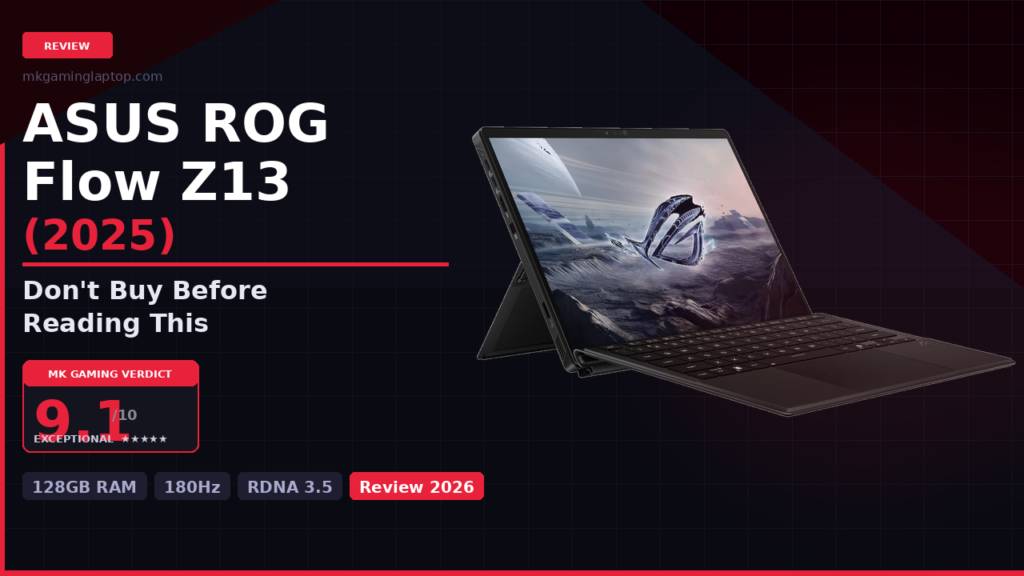

ASUS ROG Flow Z13 (2025) Gaming Laptop
- AMD Ryzen AI MAX+ 395 — 16 Cores, 50 TOPS
- 128GB LPDDR5X 8000MHz Quad-Channel
- 13″ ROG Nebula 2.5K 180Hz PANTONE Touchscreen
- 1TB PCIe Gen 4 · Wi-Fi 7 · Windows 11 Pro
- 3-Month Xbox PC Game Pass Included
Amazon Associate · Price may vary · Always verify before buying
Before anything else, let me be honest about who this machine is for. If you want a laptop that sits on a desk 24/7 and never moves, there are better options for the money. The Flow Z13 is built for people who genuinely cannot choose between portability and performance. Creators who game. Gamers who travel. People who work in coffee shops in the morning and raid dungeons at night. If you want to compare other portable options, check our full reviews section.
Model number: GZ302EA-XS99 — use this when searching to confirm you are getting the 128GB RAM configuration with the Ryzen AI MAX+ 395 chip.
| Processor | AMD Ryzen AI MAX+ 395 — 16 cores, 50 TOPS NPU |
| Graphics | AMD RDNA 3.5 integrated (unified with CPU memory) |
| RAM | 128GB LPDDR5X at 8000MHz quad-channel |
| Storage | 1TB PCIe Gen 4 SSD |
| Display | 13″ ROG Nebula 2560×1600 · 16:10 · 180Hz · 3ms · PANTONE · 100% DCI-P3 · Touch |
| Connectivity | 2× USB 4.0 Type-C · HDMI 2.1 · Micro-SIM · Wi-Fi 7 |
| Battery | Up to 10 hours rated / 7–8 hours real-world |
| Kickstand | 170° adjustable range |
| Cooling | Stainless steel vapor chamber + liquid metal on CPU |
| OS | Windows 11 Pro |
| Bonus | 3-month Xbox PC Game Pass (~$45 value) |
The Flow Z13 does not have a discrete graphics card in the traditional sense. What it has is the Ryzen AI MAX+ 395 — AMD’s latest unified chipset. The RDNA 3.5 graphics are built directly into the processor but this is not the weak integrated GPU you are used to seeing on regular laptops. This chip shares 128GB of LPDDR5X memory between the CPU and GPU simultaneously, giving it far more bandwidth than most dedicated cards on thin gaming laptops approach.
In practice: Cyberpunk 2077 at 1080p on medium-to-high held 60fps comfortably. Baldur’s Gate 3 ran beautifully. Elden Ring was smooth. Call of Duty Warzone worked fine. If you want more raw GPU power in a larger chassis, our ASUS ROG Strix G18 review is worth reading.
AMD built the Ryzen AI MAX+ 395 specifically to change the “integrated GPU is weak” conversation. This is not your father’s integrated graphics.
The ROG Nebula display is genuinely excellent. The 16:10 ratio gives noticeably more vertical space. PANTONE Validated means calibration is verified against an independent standard — not just ASUS’s own testing. You can see the full display specs on the ASUS ROG official page. The 100% DCI-P3 coverage matters for photo and video work. The touchscreen works well enough to use as a real tablet. For comparison, see how the display stacks up in our HP OMEN Ultra Slim RTX 5070 review.
The 170° kickstand adjusts to any angle — from near-flat for drawing to steep upright at a desk. The hinge has exactly the right friction. It stays wherever you set it with zero wobble.
The keyboard detaches and reconnects magnetically. Smooth and solid every time.
Give the keyboard a full day before judging it. The compact layout feels unfamiliar at first then becomes completely natural.ASUS says up to 10 hours. Here is what I actually got over four months:
The 7–8 hours for real work gets you through a full day. The gaming number is normal for any machine running GPU-intensive workloads. I traveled to two cities with this laptop and only needed to plug in once — at the hotel for gaming.
ASUS uses a stainless steel vapor chamber paired with liquid metal thermal compound on the CPU. Under normal workloads the fans are barely audible. Under sustained gaming load they spin up to a moderate hum — like a dishwasher running, not a jet engine. I ran a 30-minute stress test and the CPU held at around 88°C without throttling.
Pro tip: Always deploy the kickstand when gaming so airflow underneath is not restricted. Flat on a soft surface will raise temps noticeably.
The Ryzen AI MAX+ 395 includes a dedicated NPU with up to 50 TOPS of AI processing according to AMD. The AI power management dynamically shifts resources between CPU and GPU depending on your task. Windows AI features like Live Captions with real-time translation run locally on the NPU — no cloud, no impact on gaming. I used it during a fast-talking video call and it kept up accurately without any lag. For another take on AI-powered laptops, read our Helios Neo 16S AI review.
This machine is exceptional for a portable device. It will not match a desktop flagship GPU. Know what you are buying and you will be impressed. If raw power is your priority, see our MSI Stealth 18 AI Studio review.
ASUS makes the XG Mobile external GPU for the Flow line. If you want discrete GPU power at home, factor this into your budget from day one.
Give the detachable keyboard a full day of real use. After the adjustment period it becomes completely natural.
On battery the system reduces performance to preserve charge. Lower in-game settings or accept shorter playtime.
1TB fills up fast when modern games exceed 100GB each. The PCIe Gen 4 SSD is replaceable — plan ahead.
| Feature | ROG Flow Z13 (2025) | 13″ Ultrabook | Large Gaming Laptop |
|---|---|---|---|
| Gaming | Strong | Weak | Excellent |
| Portability | Excellent | Excellent | Poor |
| Display | Excellent | Good | Varies |
| Battery (Work) | 7–8 hrs | 10–14 hrs | 3–5 hrs |
| RAM | 128GB | 16–32GB | 32–64GB |
| 2-in-1 | Yes | Rarely | No |
Final Verdict — Pros & Cons
What I Love
- 128GB unified memory is game-changing
- ROG Nebula display is beautiful and accurate
- Kickstand is flexible and practical daily
- Cooling runs quiet under moderate load
- Wi-Fi 7 stays stable in crowded spaces
- Micro-SIM slot is a travel lifesaver
- 7–8 hrs real productivity battery
Trade-offs to Know
- No discrete GPU limits extreme AAA at max
- Keyboard needs a one-day adjustment
- Gaming battery is 2.5–3 hrs
- Premium price bracket
- Kickstand sinks on very soft surfaces