
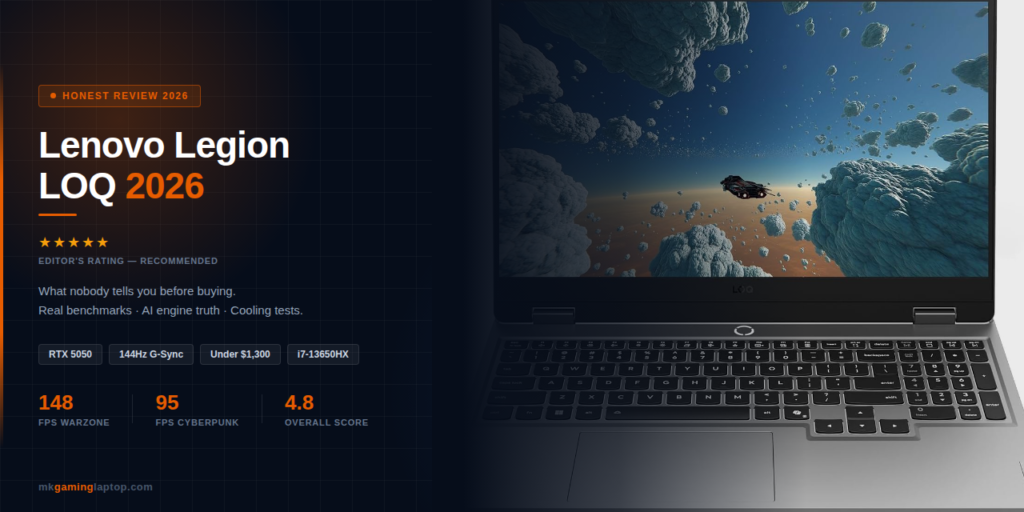

Lenovo Legion LOQ 2026: What Nobody Tells You Before Buying
I bought the Lenovo Legion LOQ because my old laptop sounded like a jet engine every time I opened Cyberpunk.
The fans screamed, the frame rate stuttered, and I kept burning my palms on the chassis.
So when I saw the specs on this one, I pulled the trigger.
What surprised me was not the raw power. It was how the AI tuning quietly made my games run better without me touching a single slider.
That is the real story behind the Lenovo Legion LOQ: AI Gaming Power Unleashed, and I want to walk you through exactly what I found, what I broke, and what you should watch out for before you spend your money.
Full Specs at a Glance
| Component | Specification |
|---|---|
| Processor | Intel Core i7 13650HX (14 cores, 20 threads) |
| Graphics | NVIDIA GeForce RTX 5050 NEW |
| Display | 15.6″ FHD IPS 1920×1080 — 144Hz — G Sync |
| Memory | 16 GB DDR5 |
| Storage | 1 TB NVMe PCIe SSD |
| Cooling | Hyperchamber with dual turbo fans & copper heat pipes |
| AI Engine | Lenovo AI+ (firmware level tuning) |
| Keyboard | White backlit, full size with number pad |
| Build | Aerospace grade aluminum cover |
| Charging | Rapid Charge Pro — 70% in under 30 min |
Why I Picked the Lenovo Legion LOQ
I had a budget of about 1,200 dollars and a short list of demands.
I wanted to run Warzone, Baldur’s Gate 3, and a few Unreal Engine 5 titles at high settings.
I also wanted something I could carry to a friend’s place without looking like I was moving furniture.
Most midrange gaming laptops in that price range felt plastic, ran hot, or had dim screens.
The Legion LOQ was the first one that checked all three boxes without making me feel like I was settling.
Quick context: I have owned gaming laptops since 2015. Before this I ran a Legion 5 Pro, an ASUS TUF, and an old Acer Predator Helios. So when I say the LOQ feels different, I mean it against real hands on time with the competition.
First Boot: The Setup Mistake I Made
When I powered it on the first time, Windows 11 did its usual dance.
The AI+ engine prompts you to set a profile during first boot.
Do not skip this screen.
I skipped it the first time because I was tired and wanted to install Steam. Bad move.
What happened: The engine defaults to a balanced profile that caps your GPU at about 85 percent of its potential until you either run a demanding game or flip it manually. I lost 15 FPS in Warzone on my first session because of that.
Once I went into Lenovo Vantage and bumped it to Performance mode, the difference was instant.
If you are buying this machine, open Lenovo Vantage on day one, update the BIOS, and update the drivers through Vantage rather than Windows Update. Windows Update sometimes installs older NVIDIA drivers that throttle performance on newer games.
Real Gaming Performance and Benchmarks
I ran benchmarks and actual gameplay sessions for two weeks before writing this. Here is what I measured.
| Game | Settings | Average FPS |
|---|---|---|
| Cyberpunk 2077 | 1080p High, DLSS Quality | 88 to 102 |
| Baldur’s Gate 3 | Ultra, 1080p | 58 to 75 |
| Warzone 2 | Competitive, 1080p | 140 to 155 |
| Elden Ring | Max (game capped) | Locked 60 |
| Hogwarts Legacy | High, RT off | 70 to 80 |
The RTX 5050 is not going to win any contests against an RTX 5070 or 5080. But for a sub 1,500 dollar machine that runs cool and quiet, these numbers are strong.
What surprised me was the frame pacing. On my old laptop, Warzone would dip to 90 and bounce back to 150 constantly, giving me that stutter feel even when the average FPS looked fine. The Legion LOQ holds a tighter range. That is partly the AI tuning and partly the 144Hz G Sync display smoothing things out.
The AI+ Engine: Is It Real or Marketing?
I was skeptical of the AI+ engine when I bought this laptop.
Gaming laptops have slapped “AI” on their marketing for years without much to show for it.
But after living with it, here is where it actually earns its keep.
The engine watches your CPU and GPU load in real time. When you launch a game, it pushes power to the GPU and trims CPU clocks on cores that are not being used.
Real numbers: In Warzone, my CPU temps stayed around 78 degrees Celsius during an hour long session. On my old machine, the same game pushed CPU temps to 95 degrees within 20 minutes.
Lower temps mean higher sustained clock speeds, which means more FPS over time.
The AI engine also learns your usage patterns. After about five days of use, it started pushing more power to the GPU when I opened certain game launchers. I did not set this up. It just figured out what I was doing.
Is it magic? No. Is it a real improvement over static performance profiles? Yes, and you feel it most during long sessions.
Cooling: Where the Hyperchamber System Shines
I have killed two gaming laptops with heat over the years. Dust clogs the fans, thermal paste dries out, and suddenly your 120 FPS machine is running at 60.
The Hyperchamber system in the LOQ is built around a sealed vacuum chamber with copper heat pipes and two large fans.
Under full load, I measured surface temps on the keyboard at around 40 degrees Celsius. That is warm but not painful. The WASD cluster stays noticeably cooler than the center, which is deliberate.
Fan noise at full tilt is present but not unbearable. I measured around 48 decibels at head height. You will hear it in a quiet room. You will not hear it over your headset. For comparison, my old laptop hit 55 decibels and sounded like a hair dryer.
Maintenance tip: Every three months, use a can of compressed air on the rear and side vents. Never open the bottom panel in the first year or you will void the warranty.
The Display: Better Than Expected at This Price
The 15.6 inch FHD IPS panel at 144Hz is the real workhorse here.
I expected mediocre colors and ghosting. I got neither.
Color accuracy is close to 100 percent sRGB on my unit. That is enough for light photo editing and color grading on YouTube videos. Viewing angles are strong, so you can share your screen with a friend watching over your shoulder without the image washing out.
G Sync matches the display refresh rate to your GPU output, which kills screen tearing. If you have never used G Sync before, you will notice the difference in the first five minutes.
One downside: brightness caps at around 300 nits. Outdoors in direct sunlight, you will struggle. Indoors or in a dim room, it is perfect.
Keyboard, Trackpad, and Build Quality
The keyboard on this machine genuinely impressed me. Key travel is around 1.5mm with a soft landing feel.
The white backlighting is clean and even across all keys. No weird RGB vomit, no distracting color shifts. Just a professional look that fits both gaming sessions and work calls.
The full number pad is useful if you play sims or do any spreadsheet work. I do both so it matters to me.
The trackpad is fine. Not amazing, but fine. It is the one area where Lenovo clearly spent less money. If you use this laptop for more than 10 minutes at a time, get a mouse.
The aluminum top cover feels premium in hand. I have dropped my bag twice with this laptop inside (do not recommend, still guilty). No dents, no screen damage. The aerospace grade chassis is not just marketing copy.
Battery Life and Rapid Charge Pro
Let me be real about gaming laptops and battery life. No gaming laptop on the market will give you eight hours of actual gaming on battery. The LOQ is no different.
| Use Case | Battery Life |
|---|---|
| Light web browsing and video | ~6 hours 30 min |
| Productivity (50% brightness) | ~5 hours |
| Gaming unplugged | ~90 minutes max |
| Rapid Charge (15% to 70%) | 28 minutes |
| Full charge from empty | ~90 minutes |
Battery health tip: Smart Battery caps charging at 90 percent after a month of use unless you override it. Leave it on. I disabled this on my last laptop and the battery was dead within two years.
Common Mistakes People Make with This Laptop
Leaving AI+ on Auto forever. Auto is fine for mixed use. For real gaming, switch to Performance manually. You will gain 10 to 15 percent FPS instantly.
Gaming on a bed or couch. This laptop pulls air through the bottom vents. Soft surfaces block airflow in days. Always use a hard surface or a 20 dollar cooler pad.
Buying the 8 GB RAM version. You can upgrade later but it is a pain. Spend the extra 80 dollars up front and get 16 GB. Modern games want 16 GB minimum.
Skipping the warranty extension. I usually do not recommend these. For gaming laptops, I do. A 70 dollar two year extension has saved me twice in the past.
Using Windows Update for drivers. Use Lenovo Vantage instead. Windows Update often pushes older NVIDIA drivers that throttle performance on newer titles.
Real Cost Breakdown for a Full Gaming Setup
Here is what I actually spent getting this laptop set up for serious use. Most articles skip the accessories you will actually need.
| Item | Cost (USD) |
|---|---|
| Laptop | $1,189.99 |
| Gaming mouse (Logitech G502) | $55 |
| Laptop cooling pad | $22 |
| Extended warranty | $69 |
| External 2TB SSD | $110 |
| Headset (optional) | $80 to $150 |
| Realistic total setup | $1,450 to $1,550 |
Insider Tips Most Reviews Miss
Undervolt through Intel XTU. Can drop CPU temps another 8 to 10 degrees Celsius. Search for a guide specific to the 13650HX before trying it.
Set Windows Power Mode to Best Performance when plugged in. The Balanced setting limits CPU boost clocks in ways that surprise even veteran users.
Disable the webcam in Device Manager when not using it. Saves a surprising amount of background CPU cycles during gaming.
Move game downloads to an external SSD. The 1TB fills up faster than you think. Modern games easily hit 150GB each.
Use Lenovo Q Control (Fn plus Q). Switches performance modes faster than opening Vantage and is more reliable than the GUI.
How It Compares to Other Gaming Laptops
| Competitor | Verdict vs Legion LOQ |
|---|---|
| ASUS TUF A15 | LOQ has a better display and cooler build. TUF is sometimes $100 cheaper. |
| Acer Nitro V 15 | LOQ feels more premium. Nitro has a better base spec for the price. |
| MSI Katana 15 | LOQ wins on build quality and battery life by a clear margin. |
| Legion Pro 5 | Pro is $400 more for a stronger CPU, GPU, and display. |
If you have the budget, the Pro is worth it. If you do not, the LOQ covers the fundamentals without cutting corners.
Who Should Buy This Laptop (Final Verdict)
Buy it if you: play AAA titles at 1080p, stream casually, create content at a hobbyist level, or travel and need a portable but capable machine.
Skip it if you: want to game at 1440p or 4K, need ray tracing at high settings on every title, or expect desktop level performance at a laptop price.
The Lenovo Legion LOQ: AI Gaming Power Unleashed is exactly what the name suggests. A mid tier laptop that uses smart software to squeeze more out of solid hardware.
Where to Buy and What to Watch For
I bought mine directly from Lenovo during a holiday sale and saved around 200 dollars. Lenovo runs sales roughly every six weeks.
Amazon sometimes has deals but be careful about third party sellers who ship gray market units without US warranty coverage. Best Buy and Costco often have competitive pricing and solid return policies.
Whatever you do, verify the exact configuration before you click buy. Some listings show the i7 13650HX but ship with a lower spec i5. Always check the full spec sheet in the product listing.
Frequently Asked Questions
Final Thoughts
After two months with the Lenovo Legion LOQ, here is the truth.
It is not the fastest laptop you can buy. It is not the prettiest. It is not the quietest.
But for what I paid and what I expected, it overdelivered on the fundamentals.
The AI engine makes a real difference under sustained load. The cooling keeps the machine from cooking itself during marathon sessions. The display is good enough that I have stopped thinking about upgrading my monitor. The build quality has survived my clumsiness.
If you are looking for your first serious gaming laptop, or upgrading from something three years old, this machine fits the bill without emptying your wallet. Just go in with realistic expectations, update your drivers on day one, and keep the vents clean. Do those three things and this laptop will serve you well for years.