
Introduction to Gaming Laptop Cooling Pads
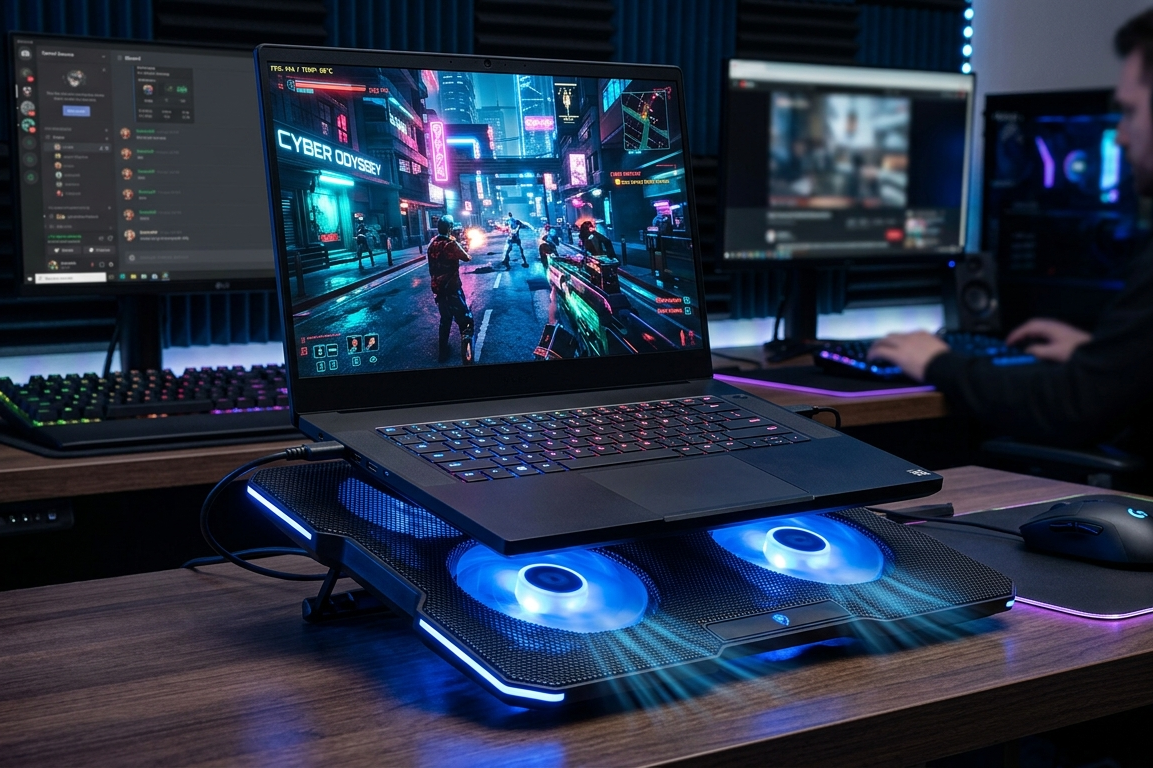
Gaming laptops are powerful machines packed with high-performance hardware. Inside that sleek chassis lives a potent CPU and GPU constantly pushing pixels, calculating physics, and rendering complex environments.
But all that power produces heat. A lot of it.
Without proper cooling, performance begins to suffer. Frame rates dip. Fans roar like jet engines. Gameplay becomes unstable.
This is where a gaming laptop cooling pad becomes a practical and surprisingly effective upgrade.
A cooling pad sits beneath the laptop and pushes cool air toward the bottom vents. The result is better airflow, reduced temperatures, and smoother gameplay.
Why Overheating Is a Serious Problem for Gamers
Heat is the silent enemy of gaming performance.
During intense gaming sessions, your laptop processor and graphics card operate near their maximum limits. Temperatures can easily exceed safe thresholds.
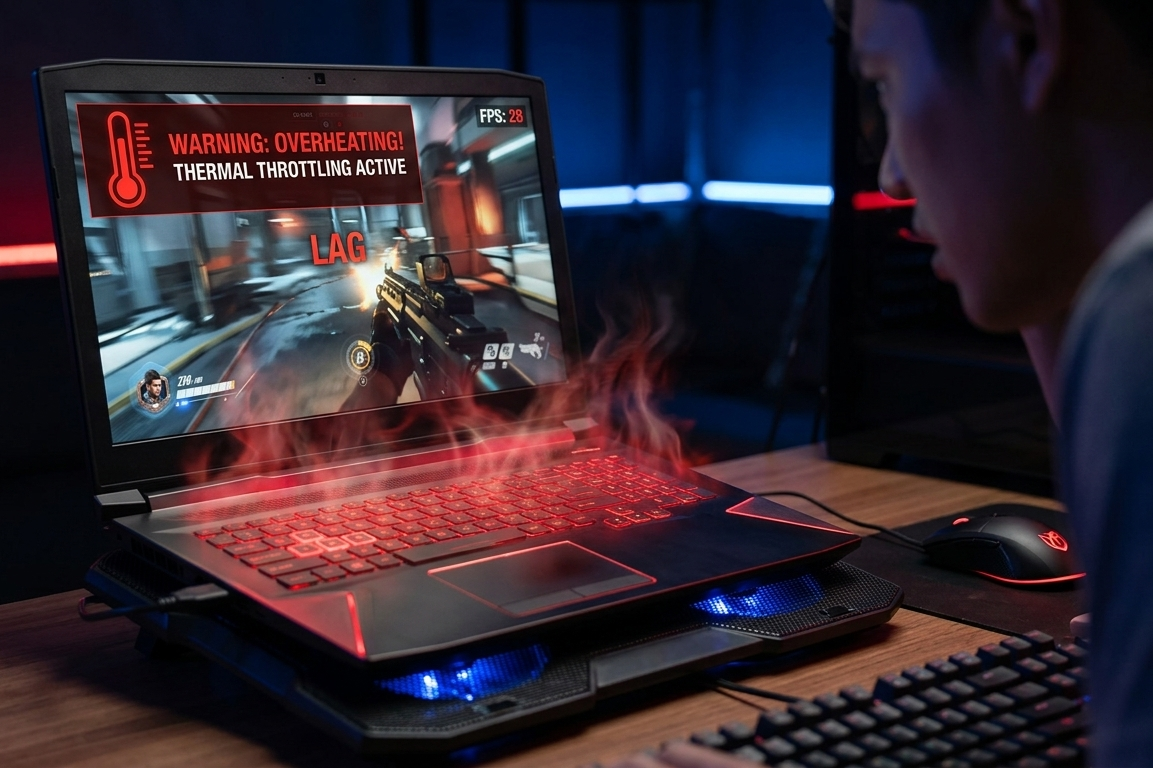
When internal temperatures climb too high, the system automatically slows down its components to prevent damage. This protective mechanism is known as thermal throttling.
For gamers, thermal throttling means one thing: lost performance.
Sudden FPS drops, stuttering gameplay, and longer load times often stem from excessive heat.
How Heat Impacts FPS and Gaming Performance
Frame rate stability is essential for smooth gaming.
When a gaming laptop overheats, its CPU and GPU reduce their clock speeds to maintain safe temperatures. This directly impacts the number of frames rendered per second.
The result can include:
- sudden FPS drops
- input lag
- visual stuttering
- inconsistent gameplay
A properly cooled system maintains consistent clock speeds. That means more stable frame rates and better gaming performance overall.
What Is a Gaming Laptop Cooling Pad
A gaming laptop cooling pad is an external accessory designed to improve airflow around a laptop.
Most cooling pads include:
- built-in fans
- ventilated mesh surfaces
- adjustable angles
- USB powered cooling systems
Placed under the laptop, the cooling pad pushes fresh air toward the device’s intake vents. This additional airflow helps dissipate heat more efficiently.
How Gaming Laptop Cooling Pads Actually Work
Gaming laptops rely on internal fans to move hot air out of the system. However, these fans are limited by the compact design of the laptop.
Cooling pads enhance this system.
They function by creating a supplementary airflow layer beneath the laptop. High-speed fans draw cool air upward through a perforated metal mesh.
This air flows directly into the laptop’s ventilation channels, reducing the internal temperature of critical components.
Even a small temperature drop can improve performance noticeably.
Passive vs Active Cooling Pads Explained
Not all cooling pads function the same way.
Passive cooling pads contain no fans. They rely on ventilation holes and elevated platforms to improve airflow naturally.
Active cooling pads, however, include built-in fans that actively push air toward the laptop.
For gaming laptops, active cooling pads are far more effective. They create continuous airflow and significantly improve heat dissipation.
Benefits of Using the Best Gaming Laptop Cooling Pad for Cooler FPS
A high-quality cooling pad offers several benefits.
First, it reduces the overall operating temperature of the laptop.
Second, it stabilizes performance by preventing thermal throttling.
Third, it improves comfort during long gaming sessions. Elevated angles reduce wrist strain and improve posture.
Finally, cooling pads help extend the lifespan of internal components. Excessive heat accelerates hardware degradation, so cooler systems tend to last longer.
How Cooling Pads Prevent Thermal Throttling
Thermal throttling occurs when internal sensors detect dangerously high temperatures.
To protect the hardware, the system reduces processing speeds.
A cooling pad mitigates this issue by lowering ambient temperatures around the laptop’s intake vents. More airflow means more efficient heat transfer.
The CPU and GPU can maintain higher clock speeds for longer periods, which translates to smoother gameplay.
Key Features to Look for in a Gaming Laptop Cooling Pad
Not all cooling pads are created equal.
When selecting the best gaming laptop cooling pad for cooler FPS, several features deserve attention:
- powerful fans
- efficient airflow design
- adjustable height settings
- quiet operation
- durable construction
These elements collectively determine the cooling pad’s effectiveness.
Fan Size and Airflow Efficiency
Fan size plays a major role in cooling performance.
Large fans typically move more air at lower speeds, which helps maintain strong airflow while reducing noise.
Smaller fans spin faster and may produce more turbulence and noise.
The most effective cooling pads often combine multiple medium or large fans to create balanced airflow distribution.
Adjustable Height and Ergonomic Comfort
Cooling pads often double as ergonomic stands.
Adjustable height settings allow users to tilt the laptop to a comfortable viewing angle. This improves posture and reduces strain during long gaming sessions.
Better positioning also enhances airflow beneath the device.
Noise Levels and Quiet Cooling Technology
Some cooling pads produce noticeable fan noise.
High-end models often include silent fan technology or speed control systems. These allow users to balance cooling performance with acoustic comfort.
A good cooling pad should cool efficiently without sounding like a miniature turbine.
RGB Lighting and Aesthetic Design
Gamers appreciate visual flair.
Many cooling pads include RGB lighting that complements gaming setups. While RGB does not improve cooling performance, it adds personality and style to a desk setup.
For many gamers, aesthetics matter almost as much as performance.
Laptop Size Compatibility
Cooling pads come in various sizes.
Most are designed for laptops between 15 and 17 inches, which are the most common gaming laptop sizes.
Before purchasing, it is essential to verify compatibility with your laptop’s dimensions and ventilation layout.
Proper alignment ensures maximum airflow efficiency.
Types of Gaming Laptop Cooling Pads
Cooling pads are available in several configurations.
Some focus on portability, while others emphasize maximum cooling performance.
Understanding the differences helps in choosing the right model.
Single Fan Cooling Pads
Single fan cooling pads feature one large central fan.
These are typically lightweight and portable. They work well for moderate gaming loads or everyday laptop use.
However, they may struggle to cool extremely powerful gaming laptops.
Multi Fan Cooling Pads
Multi fan cooling pads include several smaller fans arranged across the surface.
This design distributes airflow more evenly across the laptop’s underside.
They are particularly effective for gaming laptops with multiple intake vents.
High Performance Cooling Pads for Powerful Laptops
High-performance cooling pads are designed for large gaming laptops with powerful GPUs.
They often include:
- high speed fans
- reinforced mesh surfaces
- multiple airflow channels
- advanced cooling architecture
These models deliver the strongest cooling performance.
How Cooling Pads Improve Gaming Stability
Cooling pads stabilize performance by maintaining optimal temperatures.
When hardware runs cooler, it can sustain higher clock speeds without throttling.
This results in consistent frame rates, smoother gameplay, and improved system responsiveness.
The difference becomes especially noticeable during long gaming sessions.
Cooling Pads vs Laptop Stands
Laptop stands elevate the device but do not actively cool it.
Cooling pads combine elevation with airflow enhancement.
While stands improve ergonomics, they cannot reduce temperatures the way active cooling pads can.
For gaming laptops, cooling pads are the more practical option.
Common Mistakes When Buying a Cooling Pad
Many buyers focus only on aesthetics.
RGB lighting and flashy designs may look appealing, but they do not guarantee effective cooling.
Another common mistake is choosing a pad that is too small or poorly aligned with laptop vents.
Cooling efficiency depends heavily on airflow alignment.
Tips to Maximize Cooling Performance
To get the most from a cooling pad:
Keep laptop vents clean. Dust accumulation restricts airflow.
Use the cooling pad on a flat surface. Soft surfaces like beds trap heat.
Enable high-performance cooling modes when gaming.
These small habits can significantly improve thermal efficiency.
Are Gaming Laptop Cooling Pads Worth It
For gamers experiencing overheating or FPS drops, cooling pads can be surprisingly beneficial.
They are inexpensive, easy to use, and capable of reducing temperatures by several degrees.
That small reduction often prevents thermal throttling and stabilizes performance.
For many gaming laptops, a cooling pad is one of the simplest performance upgrades available.
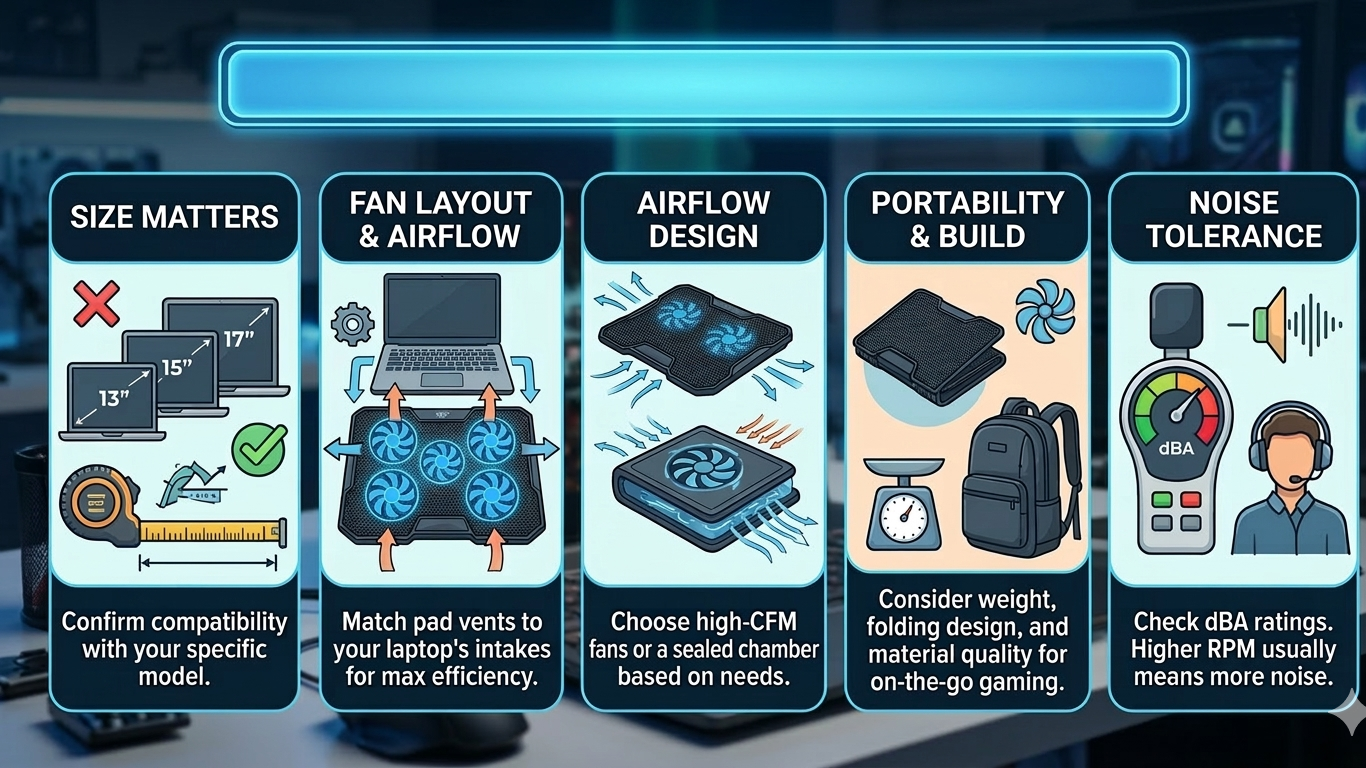
Best Gaming Laptop Cooling Pad Buying Tips
Before choosing a cooling pad, consider:
- your laptop size
- fan configuration
- airflow design
- portability needs
- noise tolerance
A well-chosen cooling pad can dramatically improve gaming comfort and performance.
Final Thoughts on the Best Gaming Laptop Cooling Pad for Cooler FPS
Gaming laptops deliver incredible power in a compact form. Yet that power inevitably generates heat.
A reliable cooling pad provides a simple solution. It enhances airflow, lowers temperatures, and helps maintain stable frame rates.
For gamers seeking cooler systems and smoother gameplay, the best gaming laptop cooling pad for cooler FPS can make a meaningful difference.
Top Cooling Pads for Gaming Laptops
Choosing the best gaming laptop cooling pad for cooler FPS can dramatically improve your gaming experience. The right cooling pad reduces heat buildup, prevents thermal throttling, and keeps frame rates stable during long gaming sessions.
Below are some of the top cooling pads for gaming laptops that gamers frequently choose for performance, reliability, and value.
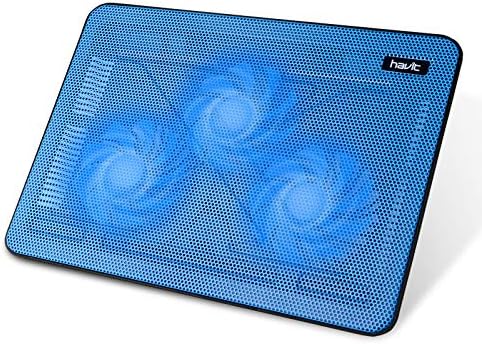
Havit HV-F2056 Laptop Cooling Pad
The Havit HV-F2056 is one of the most popular cooling pads for gamers who want affordable yet effective cooling.
It features three ultra-quiet fans that push cool air directly toward your laptop’s intake vents. The metal mesh surface helps distribute airflow evenly while maintaining durability.
This cooling pad supports laptops up to 17 inches, making it a great option for most gaming laptops.
Key highlights include:
- ultra-slim portable design
- three high-speed cooling fans
- quiet operation for long gaming sessions
- adjustable height settings
For gamers looking for a budget friendly cooling pad, this model delivers reliable cooling without adding much noise.
Kootek Laptop Cooling Pad 5 Fans
The Kootek cooling pad stands out thanks to its five-fan cooling system, which distributes airflow across the entire bottom of the laptop.
This design helps cool both the CPU and GPU areas simultaneously. It also includes adjustable fan control so gamers can choose between quiet cooling or maximum airflow.
Additional features include:
- five built-in fans for stronger cooling
- adjustable height positions
- dual USB ports for connectivity
- anti-slip laptop holders
For gamers dealing with frequent overheating, this cooling pad can significantly reduce internal temperatures.

Thermaltake Massive 20 RGB Cooling Pad
The Thermaltake Massive 20 RGB is built specifically for large and powerful gaming laptops.
Instead of multiple small fans, this model uses a massive 200mm cooling fan that moves a large volume of air across the entire laptop base.
Its standout feature is the customizable RGB lighting that enhances the look of any gaming setup.
Notable features include:
- giant 200mm cooling fan
- RGB lighting modes
- support for laptops up to 19 inches
- adjustable fan speed control
This is an excellent option for gamers with high-performance laptops that generate a lot of heat.

Cooler Master NotePal X-Slim
The Cooler Master NotePal X-Slim focuses on portability and simplicity while still delivering reliable cooling performance.
It uses a large silent fan placed under a strong metal mesh platform. The slim design makes it easy to carry inside a laptop bag.
Key benefits include:
- lightweight and portable design
- quiet cooling fan
- strong metal mesh build
- ideal for gaming on the go
Gamers who frequently travel with their laptops often choose this cooling pad because of its compact and lightweight design.

llano RGB Laptop Cooling Pad
The llano RGB cooling pad is designed for serious gamers who push their hardware to the limit.
It uses a high-speed turbo fan system that forces large amounts of air toward the laptop’s vents. This can reduce temperatures noticeably during demanding games.
Additional highlights include:
- high-RPM cooling system
- customizable RGB lighting
- adjustable height settings
- strong airflow for powerful laptops
For gamers who experience heavy thermal throttling, this cooling pad provides aggressive cooling performance.

Choosing the Right Cooling Pad for Your Gaming Setup
Each cooling pad listed above offers different strengths. The best choice depends on your gaming setup and how much cooling your laptop needs.
If you want affordable cooling, the Havit HV-F2056 is a solid pick.
If you prefer strong airflow, the Kootek 5-fan cooling pad works very well.
For large gaming laptops, the Thermaltake Massive 20 RGB delivers powerful airflow.
Pairing the right cooling pad with your gaming laptop can reduce temperatures, stabilize FPS, and make long gaming sessions far more comfortable.
A high-quality cooling pad not only improves FPS but also protects your laptop on the go. Pair it with a durable gaming backpack to keep your system safe during travel: Best Backpack for Gaming Laptop.