

I bought a gaming laptop to replace my work machine because I wanted one device that could do everything.
That was 14 months ago. What followed was a mix of genuine surprise, a few frustrating discoveries, and some lessons I wish someone had told me upfront.
The short answer is yes, gaming laptops are good for work. But the longer answer is more interesting, and it depends heavily on which work you do and which trade-offs you can live with.
Let me walk you through everything I learned.
What Actually Makes a Gaming Laptop “Good for Work”
Most people assume gaming laptops are overkill for work tasks. That assumption is half right.
When I first switched, I expected my productivity software to feel snappy. It did. But I also expected the battery to hold up through a morning of meetings. It did not.
Here’s the thing nobody really explains: gaming laptops are essentially portable workstations. The hardware inside them, particularly the CPU, RAM, and cooling systems, is built for sustained heavy loads. That same infrastructure translates directly into real work performance.
If your work involves any of these, a gaming machine will likely outperform a “professional” laptop at the same price point:
- Video editing and color grading
- 3D modeling or CAD work
- Running virtual machines
- Data science and machine learning workflows
- Large spreadsheets with complex formulas
- Compiling code for large software projects
I run a video production workflow, and my old business ultrabook would take 22 minutes to export a 10-minute 4K timeline. My gaming laptop does the same export in under 7 minutes. That difference compounded to hours saved every week. If you want to understand what specs actually drive that kind of speed, our ultimate buying guide to gaming laptops breaks it down without the jargon.
The Real Advantages Nobody Talks About Enough
Raw Processing Power at a Lower Price
This is the biggest one.
A laptop marketed as a “professional workstation” often charges a premium for branding, build materials, and certifications. A gaming laptop with similar or better specs frequently costs 20 to 30 percent less.
When I compared my options at the time, a well-known business laptop with a 12-core processor and 32GB of RAM was priced at nearly $2,400. A gaming laptop with a faster processor, 32GB of RAM, and a dedicated GPU was $1,650.
I tested both for a week. The gaming laptop rendered faster, ran cooler under sustained loads, and had better speakers. The business laptop had a better battery and a softer keyboard.
I kept the gaming laptop.
Dedicated GPU Unlocks Surprising Productivity Tools
This part genuinely surprised me.
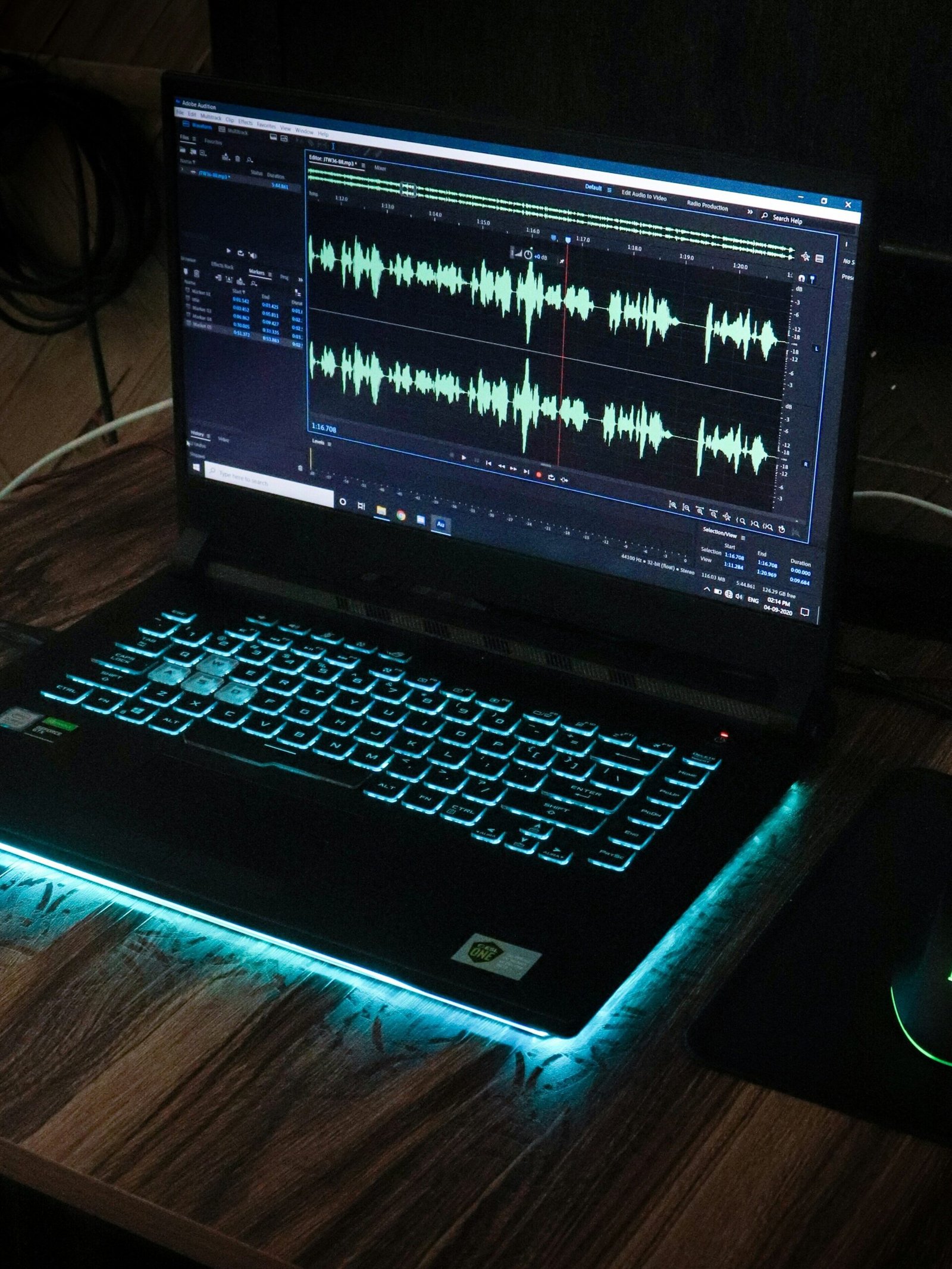
Modern software increasingly offloads processing to the GPU, not just the CPU. Adobe Premiere Pro, DaVinci Resolve, Blender, and even some machine learning frameworks run meaningfully faster when there is a dedicated graphics card available.
According to Adobe’s official GPU acceleration documentation, Premiere Pro uses the GPU for rendering, playback, and effects processing, which means a dedicated graphics card is not just a gaming luxury but a genuine production tool.
A gaming laptop’s GPU is not just for games. It becomes a legitimate work accelerator.
I started using GPU-accelerated effects in Premiere that I previously avoided because they caused stuttering on my old machine. That alone changed my editing style for the better.
Thermals Built for Long Sessions
Gaming laptops are engineered to run hard for hours without throttling.
Most ultrabooks, when pushed with CPU-intensive tasks, will throttle performance to manage heat after 15 to 20 minutes. Gaming laptops typically have larger heatsinks, multiple fans, and better airflow designs that sustain peak performance for much longer.
I noticed this when compressing large video archives. My ultrabook would start at full speed and slow to a crawl over time. The gaming laptop maintained consistent speed throughout.
For a deeper look at how thermal design affects real-world performance, check out our guide to the best gaming laptop cooling pads.
Where Gaming Laptops Fall Short for Work
I would be doing you a disservice if I only listed the wins. There are real drawbacks, and some of them are genuinely annoying.
Battery Life Is the Biggest Problem
This is not close.
My gaming laptop gets roughly 3 to 4 hours on battery doing actual work tasks. On gaming, it drops to around 90 minutes. My old ultrabook managed 9 to 11 hours.
If you work from coffee shops, travel frequently, or spend time in meetings without access to a power outlet, this becomes a daily frustration. I carry a 20,000mAh power bank now and make sure I know where every outlet is in any room I walk into.
This is the single trade-off I underestimated most.
The Weight and Size Make Travel Uncomfortable
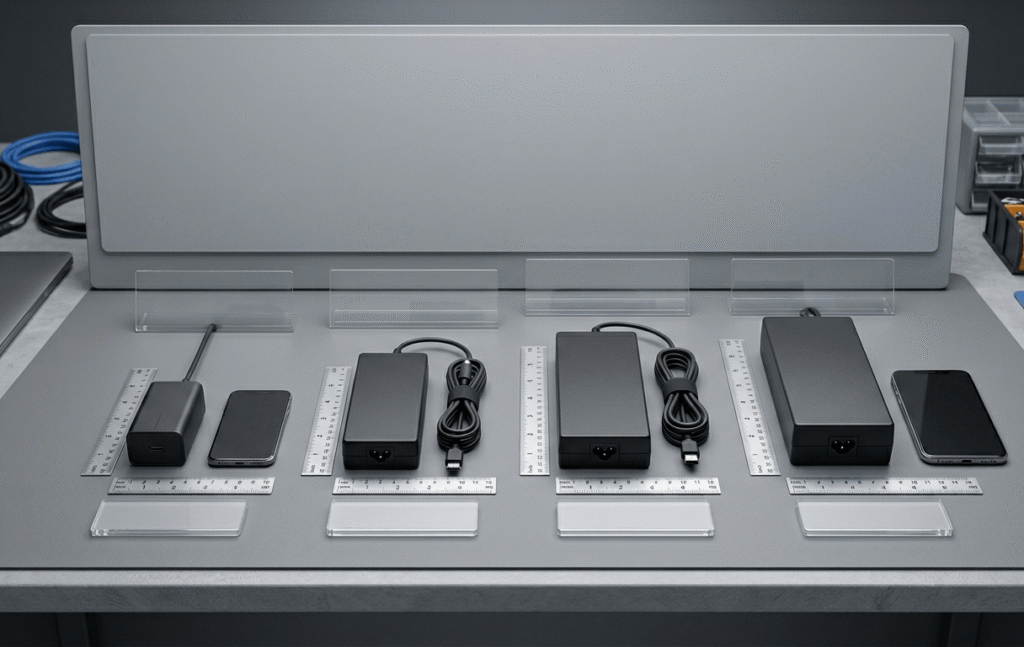
My gaming laptop weighs 2.4kg, which sounds manageable until it is sitting in your bag on a 3-hour commute alongside a charger that alone weighs another 600 grams.
Business ultrabooks weigh 1.1 to 1.4kg. That difference in a shoulder bag is physically noticeable by the end of a day.
If you travel light and move constantly, this matters more than any benchmark.
The Fan Noise During Heavy Tasks Is Real
When I am exporting video or running a build process, the fans on my gaming laptop get loud.
We are talking genuinely noticeable in a quiet office. Not jet-engine territory, but enough that I put headphones on during long renders partly to cancel the sound.
In an open office environment or a quiet meeting room, this could be awkward.
Display Calibration Is Often Prioritized for Gaming, Not Color Accuracy
Many gaming displays are tuned for fast response times and high refresh rates, which is great for games but not always ideal for color-sensitive work like photo editing or video grading.
I had to calibrate my display manually using a colorimeter before I could trust it for client deliverables. If color accuracy is non-negotiable for your workflow, read our guide to the best gaming laptops for video editing where we cover displays tested against professional standards.
Common Mistakes People Make When Buying a Gaming Laptop for Work
Buying Based on GPU Name Alone
RTX 4070 sounds impressive. But laptop GPU performance varies drastically depending on the power envelope the manufacturer allows.
The same GPU chip in two different laptops can perform 30 to 40 percent differently depending on thermal design and wattage limits. Always look for benchmarks specific to the exact model you are buying, not just the GPU tier.
Notebookcheck’s laptop GPU benchmark hierarchy is one of the most thorough independent resources for comparing real-world laptop GPU performance across models and configurations.
Ignoring the Display Panel Type
Many gaming laptops use TN or IPS panels with fast refresh rates but mediocre color reproduction.
If you do creative work, look specifically for OLED panels or IPS panels with 100 percent DCI-P3 or sRGB coverage. Some manufacturers now offer this, but it is not universal. Skipping this check is a mistake I see frequently in forums.
Assuming All Business Software Runs Fine
Most standard work software runs perfectly. But some enterprise security tools, VPN clients, and legacy applications behave unexpectedly with certain gaming laptop drivers, particularly GPU drivers.
Before you buy, check whether your company’s IT environment has any restrictions on hardware or driver configurations. I had a colleague who could not connect to his company VPN for two weeks after switching because of a driver conflict.
Not Planning for the Charger
Gaming laptop chargers are large and heavy. Some models use proprietary connectors. Forgetting your charger is not a minor inconvenience the way it might be with a USB-C ultrabookNow that some gaming laptops support USB-C charging at reduced performance, this is improving. But verify this before you assume your laptop will charge from a standard USB-C cable.
Realistic Costs and What to Expect at Each Budget
Around $900 to $1,200: You get a solid mid-range gaming laptop that handles most work tasks well. Expect a 6 or 8-core CPU, 16GB of RAM, and a mid-tier GPU. Fine for office work, development, and light creative tasks. Battery will be poor.
Around $1,400 to $1,800: This is the sweet spot for most people who want genuine dual-purpose performance. You get high-core-count CPUs, 32GB of RAM is common, and GPUs are powerful enough to accelerate creative workflows meaningfully.
Above $2,000: You move into flagship territory with the best displays, premium build quality, higher wattage GPU configurations, and often better thermals. Worth it if this is a professional tool you use daily.
Do not forget to budget for accessories. A good laptop bag that fits a larger chassis, a USB hub for connectivity, and a portable battery pack for travel days will add $150 to $300 to your real cost. Our best backpack for gaming laptop guide covers exactly what is worth carrying and what is not.
Who Should Actually Buy a Gaming Laptop for Work
Gaming laptops are genuinely excellent for work if you fall into one of these categories:
You do CPU or GPU heavy creative or technical work. Video editors, 3D artists, developers, data scientists, and engineers will feel the difference immediately.
You mostly work from a desk or places with outlets. Battery limitations become much less painful when you can plug in.
You want one machine for everything. Running separate personal and work machines is expensive and annoying. A gaming laptop handles work all week and gaming on weekends without compromise.
You prioritize performance per dollar. The value equation genuinely favors gaming laptops at almost every price tier compared to business-branded alternatives.
Gaming laptops are a poor fit if you travel constantly without power access, work in quiet environments where fan noise is disruptive, or do color-critical work without verifying display quality first.
Insider Tips Most Articles Miss
Lower the power profile during light work. Most gaming laptops have software that lets you switch to a balanced or quiet mode. In these modes, the fans stay nearly silent and battery life improves substantially. Save the performance mode for when you actually need it.
Undervolt if your laptop allows it. Undervolting reduces heat and noise with minimal performance cost during work tasks. Tools like ThrottleStop on Windows can make a noticeable difference, though this requires some technical comfort.
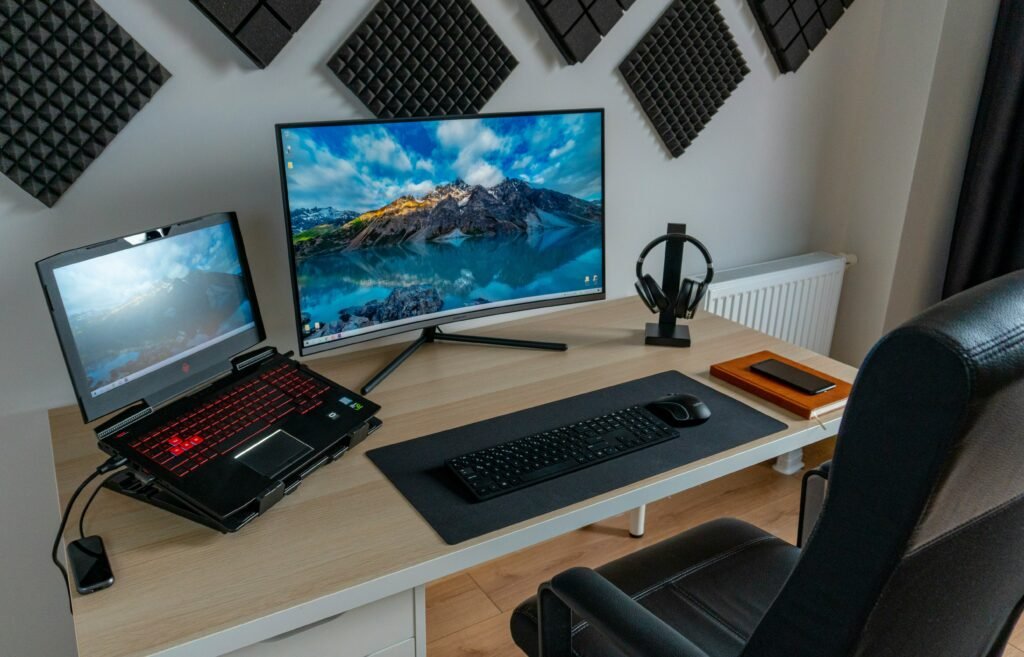
Use an external monitor and close the lid. If you work at a desk, connecting to an external display lets you use a better monitor for color accuracy and ergonomics while the gaming laptop does the heavy lifting out of sight and earshot.
Check the keyboard travel and feel before buying. Gaming laptops vary a lot in keyboard quality. Some have excellent typing feel. Others prioritize RGB lighting over actual key travel. If you type all day, this matters as much as the specs.
Buy a laptop with a 2.5Gbps Ethernet port if you work with large files. According to Intel’s networking performance data, 2.5Gbps ethernet delivers roughly 2.5 times the throughput of standard gigabit connections, which adds up fast when you are moving large project files daily.
Frequently Asked Questions
Can I use a gaming laptop in a professional office without looking out of place?
It depends on the design. Some gaming laptops are aggressive-looking with RGB lighting and angular styling. Others look more subdued. Brands like ASUS ProArt, Lenovo Legion Slim, and the Razer Blade line produce gaming-capable machines that look professional in most settings. Turn off the RGB and most people will not notice.
Will a gaming laptop slow down over time for work use?
All laptops accumulate thermal paste degradation and software bloat over time. Gaming laptops are not uniquely worse here. Cleaning the vents yearly and doing a fresh OS install every couple of years keeps any laptop running well.
Is 16GB of RAM enough for work on a gaming laptop?
For most work tasks, yes. For video editing, running virtual machines, or working with large datasets, 32GB is meaningfully better. The good news is that many gaming laptops allow RAM upgrades, unlike many ultrabooks that solder the RAM to the board.
Do gaming laptops overheat during normal work tasks?
During light work like browsing, documents, and video calls, gaming laptops run cool and quiet because they are barely stressed. Overheating becomes relevant only during sustained heavy tasks, and good gaming laptops are actually better equipped to handle those than most ultrabooks.
What gaming laptop would you actually recommend for someone who works in video production?
At the time of writing, laptops with an Intel Core i9 or AMD Ryzen 9 processor, 32GB of RAM, an RTX 4070 or higher GPU, and an OLED or high-gamut IPS display represent the best combination for production work. Verify the GPU wattage spec before purchasing since this varies by configuration. Our best gaming laptops for programming and gaming guide covers tested options with real benchmark data at every budget.
The Bottom Line
Gaming laptops are genuinely good for work, sometimes better than laptops marketed directly to professionals, particularly in performance-per-dollar terms.
The trade-offs are real: battery life, weight, and occasional fan noise are not trivial. But for anyone doing demanding work who primarily works from a desk or has access to power, those trade-offs are worth it.
I have not looked back since switching. My workflow is faster, my rendering times are down, and I have one less device to manage.
If you are on the fence, define your biggest daily constraint first. If it is battery life, look elsewhere or plan around the limitation. If it is performance, you will likely be very happy.
Do your homework on the specific model, not just the spec sheet, and you will end up with a machine that handles everything you throw at it.