
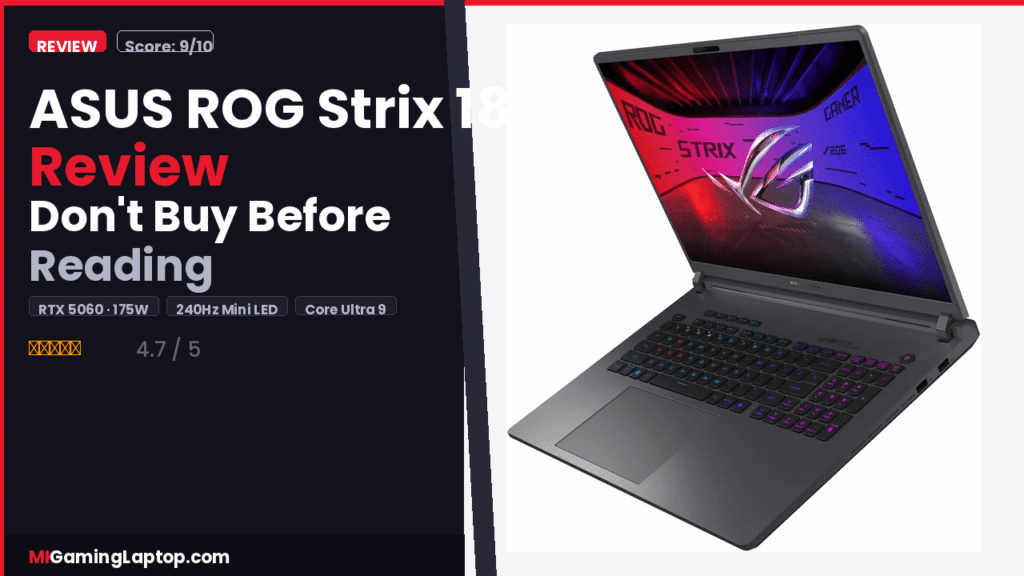
ASUS ROG Strix 18 Review — Don’t Buy Before Reading

RTX 5060 · Core Ultra 9 · 32GB DDR5
I almost bought the wrong gaming laptop. I was comparing specs on five different gaming laptops, spreadsheet open, benchmarks running. Then the ASUS ROG Strix 18 (2025) kept showing up in my search. Not because of algorithms. Because the numbers were genuinely hard to argue with. So I got one, used it hard for three weeks, and here is everything I found.
The Display: This Is Where I Stopped Doubting
I rolled my eyes at “Mini LED” on a laptop. Then I turned this thing on.
The 18-inch ROG Nebula HDR panel uses Mini LED with over 2,000 local dimming zones. Blacks look genuinely dark. Bright elements pop without the aggressive halo glow you get on cheaper HDR screens. The panel covers 100% DCI-P3. The 240Hz at 2.5K (2560×1600) in 16:10 is a combination I did not expect to love as much as I did.
The taller 16:10 aspect ratio gives more vertical space — noticeable in games, genuinely useful when working. Not sure which display spec matters most? Our gaming laptop buying guide breaks it down. The Dual ACR coating handles reflections better than most glossy panels. Bright rooms were still manageable. The 3ms response time kept motion crisp with zero ghosting in fast shooters.
Performance: RTX 5060 at 175W TGP — This Number Matters
Intel Core Ultra 9 275HX
The 275HX is not a chip you find in slim business laptops. In long rendering tasks that make other mobile chips throttle, this one just sustained. I tested it over extended sessions — benchmarks after an hour of heavy gaming looked almost identical to cold benchmarks.
NVIDIA GeForce RTX 5060 at 175W TGP
The TGP number separates this machine from lesser configurations. An RTX 5060 at a low power limit is a completely different animal than the same chip at 175W. You feel it in real frame rates — in demanding titles at 2.5K, the GPU delivered frames that made the 240Hz panel actually useful.
The MUX switch adds another layer. Routing frames directly from the discrete GPU picks up 5 to 10 percent more performance in games. Advanced Optimus handles the flip side — it auto-switches to iGPU when you are not gaming, extending battery without requiring a restart.
ASUS ROG Strix 18 (2025) Cooling: The Part Nobody Talks About Enough
Performance numbers only matter if cooling sustains them. A machine that hits 100fps for 30 seconds then throttles to 60 is not a 100fps machine.
ASUS built the Strix 18 with a full-coverage vapor chamber, a three-fan design, and here is the part that caught my attention: Conductonaut Extreme liquid metal applied to the processor die from the factory. This is usually an aftermarket upgrade enthusiasts do themselves. ASUS ships it this way.
What this looked like during use: sustained workloads stayed cooler than I expected. One hour of gaming and benchmarks were almost identical to cold numbers. That consistency is the real story. The fans do get loud under full load — plan for headphones in quiet spaces.
RTX 5060 · Core Ultra 9 · 32GB DDR5 · 240Hz Mini LED
- ✓ RTX 5060 at full 175W TGP
- ✓ Liquid metal cooling from factory
- ✓ Tool-free RAM & SSD upgrade
- ✓ Wi-Fi 7 & Windows 11 Home
Memory and Storage: No Bottlenecks
32GB DDR5-5600MHz is the right amount for this machine in 2025. Gaming, video editing, streaming while gaming, too many Chrome tabs — it handled all of it. The 1TB PCIe Gen 4 SSD hitting 7,000 MB/s made load times feel almost instant. For everyday gaming it was never an issue.
Tool-Free Access: Genuinely Useful
One latch on the bottom slides open. The panel comes off. You have direct access to RAM, SSD, and the cooling fans. Clean out dust after a year — no tools. Upgrade to 64GB RAM later — no drama. Most gaming laptops treat upgrades as punishment. This one does not.
Mistakes People Make When Buying This
- Buying it for portability. It is heavy and the charger is large. Know this going in. Check our other reviews if you need something lighter.
- Never enabling the MUX switch. A lot of buyers miss this. Enable it when gaming. The performance gain is real.
- Ignoring Advanced Optimus. Let it switch to iGPU when not gaming. Battery life improves noticeably.
- Expecting silence. Under load this is loud. Not a quiet machine. Plan for headphones.
- Not updating GPU drivers before first gaming session. Factory drivers are often behind. Fresh Nvidia drivers make a measurable difference.
Advanced Tips Most Reviews Skip
- Set a custom fan curve in Armoury Crate — slightly more aggressive than default drops sustained temps further
- Enable Resizable BAR in BIOS (should be on by default — verify it)
- A clean Windows reinstall removes bloat and is worth the one-hour investment
- The AniMe Vision panel on the lid looks gimmicky — but Stealth Mode turns all lighting off in one press for office use. Pair it with the right gaming accessories and the setup really comes together
Pros and Cons
- RTX 5060 at full 175W — no crippled power limits
- Mini LED panel with 2,000+ dimming zones
- Liquid metal cooling from factory
- Tool-free upgradable RAM and SSD
- MUX switch + Advanced Optimus combo
- Wi-Fi 7 for competitive gaming
- 3 months PC Game Pass included
- Heavy — not a daily commuter laptop
- Loud under full load
- Battery life is 2–3 hours gaming unplugged
- Charger is large
- Premium price for the configuration
Realistic Numbers to Know
- Demanding titles at 2.5K high settings: 90–130fps
- Competitive titles (CS2, Valorant): 200fps+
- Battery life gaming unplugged: 2–3 hours
- Battery life productivity (Advanced Optimus on): 5–6 hours
- SSD sequential read: up to 7,000 MB/s
RTX 5060 · Core Ultra 9 · 32GB DDR5 · 240Hz Mini LED
- ✓ RTX 5060 at full 175W TGP
- ✓ Mini LED 240Hz ROG Nebula HDR
- ✓ Liquid metal cooling from factory
- ✓ 3 months PC Game Pass included