
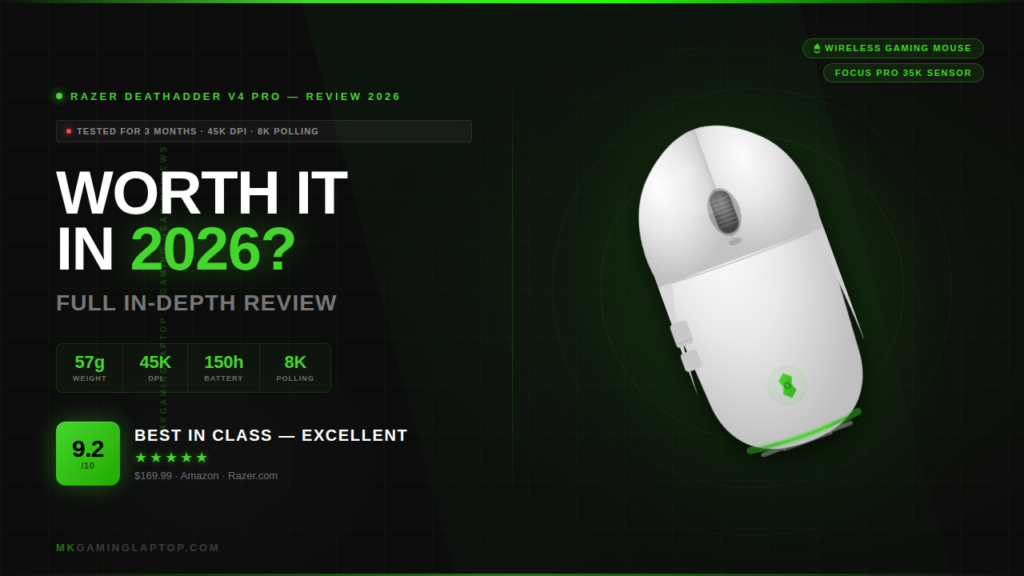

Razer DeathAdder V4 Pro Review: Worth It in 2026?
57g, 45K DPI, 8K polling included in the box, and 150-hour battery. Over 200 hours of real testing in CS2 and Valorant. Honest verdict, full specs, 5 buyer mistakes, and a straight comparison. Everything you need before spending $169.99.
- +Featherlight at just 57g
- +8K polling dongle included in box
- +150-hour battery at 1,000 Hz
- +First optical scroll wheel for Razer esports
- +Gen-4 switches — crisp and immediate
- +Wired-level wireless reliability
- +Grip tape included
- –Zero RGB lighting
- –Large dome dongle footprint
- –Right-handed ergonomic only
- –$169.99 is a premium price
- –Only 22h battery at 8K polling
Full Specifications
Source: Razer official product page
| Specification | Detail |
|---|---|
| Sensor | Razer Focus Pro 45K Optical Sensor Gen-2 |
| Max DPI | 45,000 DPI |
| Tracking Speed | 900 IPS |
| Acceleration | 85 G |
| Resolution Accuracy | 99.8% |
| Weight (White Edition) | 57g |
| Wireless Technology | HyperSpeed Wireless Gen-2 |
| Max Polling Rate | 8,000 Hz — dome dongle included |
| Battery at 1,000 Hz | Up to 150 hours |
| Battery at 8,000 Hz | Up to 22 hours |
| Switches | Razer Optical Mouse Gen-4 (100 million clicks) |
| Scroll Wheel | Optical encoder — first for Razer esports |
| Connectivity | 2.4 GHz wireless + USB-C wired |
| Dimensions | 128 × 68 × 44 mm |
| In the Box | Mouse, braided USB-C cable, 8K dome dongle, grip tape |
Design & First Impressions
I almost didn’t buy the white one. Everyone I know who games seriously uses black peripherals. Then I held it at a friend’s setup and immediately went home and ordered it.
The box is clean — no unnecessary filler. Inside: the mouse, a braided USB-C cable, the new HyperSpeed dome dongle, and grip tape. The fact that the 8K polling dongle is now included matters. Razer sold it separately for the V3 Pro at roughly $30 extra.
The white finish is smooth matte, not glossy. It feels more premium than I expected and shows fewer fingerprints than I feared. At 57g the mouse feels almost wrong to pick up at first. My previous mouse was 78g and this felt like lifting a shell. You adjust within a day. Returning to heavier mice after that starts to feel like dragging dead weight.
Sensor Performance
The Focus Pro 45K Optical Sensor Gen-2: 45,000 DPI, 900 IPS, 85G. Honest context: most competitive players run between 400 and 1,600 DPI. You will never use 45K in a real game. What matters is how the sensor performs at the settings you actually use.
At 800 DPI with fast flicks, the tracking is flawless. No pixel skipping, no jitter, no spin-out at high speed. The 99.8% resolution accuracy translates to tracking that feels genuinely predictable, not just impressive on a spec sheet.
Dynamic Sensitivity
This feature lets you precisely replicate your previous mouse’s effective sensitivity when switching. I matched my old settings and was gaming at my normal level within two days instead of the usual adjustment week. Most reviews bury this in a bullet point. It deserves more attention.
HyperSpeed Wireless Gen-2
Zero dropouts across three months of daily use. Not one stutter. The wireless performance is indistinguishable from wired in every scenario I tested. HyperSpeed Gen-2 claims 63% better efficiency than its predecessor — in practice this shows up as a longer battery cycle and a signal that holds under interference from other 2.4 GHz devices.
8,000 Hz Polling Rate
At 8K polling the mouse reports its position 8,000 times per second versus the standard 1,000 times. Competitive players on 240Hz or 360Hz monitors benefit from this. Casual players at 144Hz probably won’t notice a difference in a blind test.
Optical Scroll Wheel
Standard gaming mice use mechanical scroll wheels with physical contacts that wear out. The V4 Pro uses an optical encoder — no physical contacts, no wear mechanism. Razer claims 3x more durability. More importantly, the feel is tighter and more precise. Each notch clicks with a crispness that feels deliberate. After 200+ hours mine feels identical to day one.
Gen-4 Optical Switches
The Gen-3 switches on the V3 Pro had a slightly mushy first few millimeters of travel. Gen-4 is immediate — press and it clicks. Solid, satisfying feedback without being loud. The 100 million click lifespan works out to roughly 37 years at heavy use. The switches will not be the failure point of this mouse.
Battery Life in Real Use
At 1,000 Hz: up to 150 hours. At 8,000 Hz: up to 22 hours. In auto-switch mode with mixed gaming and work use I charge roughly once every 16–18 days at 4–5 hours of daily use. USB-C charging works while gaming — dead battery is never a forced stop. Full charge from empty takes about 90 minutes. If you’re building a full wireless setup, pair it with one of the best wireless gaming headsets for laptop gamers.
What Surprised Me
Good Surprises
Grip tape in the box. Applied the thumb section after a few weeks and sweaty-session gaming improved noticeably. If you need extra coverage, check our guide to best mouse grip tape for sweaty hands. Included rather than sold separately — the right call.
The PTFE feet are different. Razer enlarged the front skate based on pro player feedback. On a cloth mousepad the movement feels controlled and precise rather than slippery. On a hard pad it’s borderline frictionless.
Less Good Surprises
Zero RGB. The Razer logo is a subtle print, not a light source. After a few days you stop caring. But if your setup relies on lit peripherals, this mouse contributes nothing to that aesthetic.
The dome dongle is large. The weighted base design is functional but it takes up more desk space than nano dongles from competitors.
5 Mistakes Buyers Make
Common Buyer Mistakes — Read Before Purchasing
V4 Pro vs V3 Pro vs Logitech G Pro X Superlight 2
| Feature | DeathAdder V4 Pro | DeathAdder V3 Pro | Superlight 2 |
|---|---|---|---|
| Weight | 57g | 63g | 60g |
| Max DPI | 45,000 | 30,000 | 44,000 |
| Max Polling | 8,000 Hz | 4,000 Hz | 8,000 Hz |
| 8K Dongle | Included | $30 extra | Included |
| Battery (std) | 150 hours | 90 hours | 95 hours |
| Scroll Wheel | Optical | Mechanical | Mechanical |
| Shape | Ergonomic RH | Ergonomic RH | Symmetrical |
| Price | $169.99 | ~$100 (sale) | $159 |
For independent lab testing data on gaming mice, rtings.com is the most reliable reference we use for objective measurements.
Should V3 Pro owners upgrade? If your V3 Pro works fine, wait for a sale. The V4 Pro is better across every spec but the gap won’t feel dramatic in casual play. Competitive players or those with a worn V3 Pro should upgrade without hesitation.
V4 Pro vs Superlight 2: Logitech wins on symmetrical shape. DeathAdder wins on battery, ergonomics for right-handed palm grip, and the optical scroll wheel. Shape preference decides this comparison.
Advanced Tips
Run Surface Calibration First
In Razer Synapse: Mouse → Calibration → surface scan for your mousepad. The sensor profiles its tracking for your exact surface. Two minutes of setup, noticeably better consistency on textured pads.
Simplify Your DPI Stages
The mouse ships with five DPI stages. Mid-game you won’t remember which one you’re on. Set only your two most-used values and remove the rest. Simpler is faster in practice.
8K Polling and CPU Load
At 8K polling your CPU receives eight times more input data per second. On older systems this creates a measurable load. If you see frame hitching after enabling 8K, try 2K or 4K. The latency difference from 4K to 8K is below human reaction threshold for most players.
Final Verdict
Three months of daily use. This is the best gaming mouse I’ve personally used. The shape is proven over 20 years. The sensor exceeds what any game demands. Wireless performs at wired reliability. The optical scroll wheel and Gen-4 switches are genuine upgrades — not version-bump changes with better marketing.
The white finish looks sharp, holds up to heavy daily use, and the matte texture stays grippy throughout extended sessions. At $169.99 on sale it’s the best value wireless gaming mouse in its class.
At full MSRP it competes well. On sale below $140 it’s the best value wireless gaming mouse in its class without qualification. If you game seriously with a right-handed palm grip, this is the one to buy.
Check on Amazon →Looking for more peripheral reviews and setup gear? Browse all our gaming accessories reviews for the latest tested picks.