
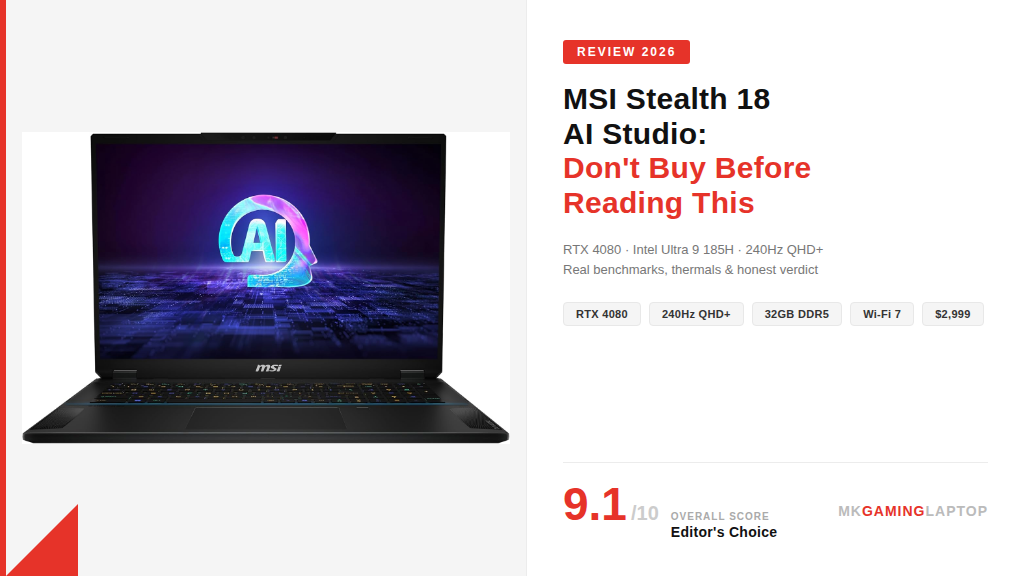
MSI Stealth 18 AI Studio Review: Don’t Buy Before Reading This (2026)

I almost didn’t buy it.
Eighteen-inch laptops have always seemed like a compromise dressed up as a power move. Too big to carry comfortably, too expensive to justify over a desktop, and usually thick enough to double as a cutting board.
Then I spent three weeks with the MSI Stealth 18 AI Studio, and I owe a lot of laptop manufacturers an apology. Because MSI figured something out here that most of them haven’t.
This is my full, honest breakdown of everything good, bad, and genuinely surprising about this machine.
Who Actually Needs the MSI Stealth 18 AI Studio?
Before I get into benchmarks and specs, let me be straight with you.
This laptop is not for everyone. If you’re still exploring options, check our full gaming laptops guide first.
At around $2,999 to $3,499 depending on where you find it, this machine is aimed at a specific kind of person. You do serious creative work or gaming. You travel enough that a desktop isn’t practical. You need real RTX 4080 performance without being tethered to a wall.
First Impressions: The “Stealth” Name Actually Makes Sense
Most gaming laptops look like they want to fight you.
The MSI Stealth 18 AI Studio doesn’t. It’s matte black, clean-lined, and thin enough that I’ve carried it into client meetings without anyone raising an eyebrow. The lid feels solid. No flex, no creaking.
When I opened the box, my first thought was: this is lighter than I expected. At around 2.9 kg, it’s not a featherweight, but for an 18-inch machine with this hardware inside, I expected worse.
The build quality feels premium without being showy. The hinge opens with one hand. That’s a small thing, but it tells you a lot about how well something is actually engineered.
MSI Stealth 18 AI Studio Performance: Intel Ultra 9 + RTX 4080
The Intel Core Ultra 9 185H is a genuinely different processor from what we saw two or three generations ago. The built-in NPU offloads AI tasks in a way that keeps the CPU and GPU free for the heavy lifting you actually care about.
When I ran background AI-assisted tasks alongside a game, frame rates barely moved. That kind of multitasking efficiency wasn’t possible before.
| Game / Application | Settings | Result |
|---|---|---|
| Cyberpunk 2077 | Ultra, QHD+, RT off | 85–100+ FPS |
| Call of Duty: Warzone | High, QHD+ | 140–180 FPS |
| Elden Ring | Maxed out | 60 FPS locked |
| DaVinci Resolve | 4K timeline, heavy effects | Smooth playback |
| 4K Video Export (10 min) | Color graded | < 4 minutes |
For content creators, the export times on video projects genuinely surprised me. My previous machine took twice as long on the same project.
The Display: This Is Where It Gets Serious
The 18-inch QHD+ panel running at 240Hz is the centerpiece of this machine, and it earns that status.
The 100% DCI-P3 color coverage is not a marketing number you forget once you close the spec sheet. You actually see it. Colors are rich without being oversaturated. Skin tones in cinematic games look natural. Gradients in creative work are smooth.
If you do any photo or video editing alongside your gaming, this screen holds its own against dedicated creative monitors I’ve used that cost more than this laptop.
Cooler Boost 5: Does It Actually Keep Things Cool?
This was my biggest concern going in. Thin gaming laptops and thermal management have a complicated history.
MSI’s Cooler Boost 5 system keeps sustained performance honest. The dual fan setup with seven heat pipes actually moves air effectively. Under a two-hour gaming session at high settings, I didn’t notice performance drops mid-session. The keyboard surface stayed reasonable.
The fans do get loud at full tilt. This is not a quiet machine when you push it. Use headphones during intense sessions and you won’t think about it.
Common Mistakes People Make When Buying This Laptop
-
1Not checking the power adapter situationThis thing comes with a large power brick. If you’re planning to travel regularly, factor in the weight and size of the adapter. A lot of reviews skip this. I carry a separate 140W USB-C charger for lighter days and only bring the full brick when I need peak performance.
-
2Running it on Balanced mode all the timeMSI’s software lets you switch between modes. If you’re gaming or rendering and you’re on Balanced, you’re leaving performance on the table. Switch to Performance or Extreme mode when it matters — the difference is significant.
-
3Buying the wrong spec tier for their workloadThere are lower configurations with RTX 4070 chips that cost less. If you want maximum frame rates and future-proofing, this configuration is the right call. If you’re doing moderate gaming and lighter creative work, the lower tier might be a smarter buy.
-
4Ignoring the 1TB storage limitationModern games are enormous. 1TB fills up faster than you think if you game seriously. Budget for an external SSD upfront or look for deals with 2TB configurations. I added an external drive within the first two weeks.
Insider Tips Most MSI Stealth 18 AI Studio Reviews Don’t Mention
MSI Stealth 18 AI Studio vs. The Competition
| Feature | MSI Stealth 18 AI Studio | Razer Blade 18 | Lenovo Legion Pro 7i |
|---|---|---|---|
| GPU | RTX 4080 | RTX 4080 | RTX 4080 |
| Display | 240Hz QHD+ DCI-P3 | 240Hz QHD+ | 240Hz QHD+ |
| Build Quality | ★★★★★ | ★★★★★ | ★★★★☆ |
| Thermal Management | ★★★★☆ | ★★★☆☆ | ★★★★☆ |
| Wi-Fi 7 | ✓ | ✗ | ✗ |
| Price (approx.) | $2,999 | $3,499+ | $2,599 |
- Exceptional QHD+ 240Hz display with full DCI-P3
- Sustained RTX 4080 performance with no throttle
- Premium build that doesn’t look like a gaming laptop
- Wi-Fi 7 — the only 18-inch at this price
- Excellent audio for a laptop
- NPU handles AI tasks without hurting gaming FPS
- 1TB fills up fast for serious gamers
- Fans get loud at full performance load
- Glossy panel reflects in bright rooms
- Battery life is 1.5–2 hrs under gaming load
- Large power brick for travel
- Premium price point
Ready to Buy the MSI Stealth 18 AI Studio?
Check current pricing and availability on Amazon. Deals move fast on this model.
Check Price on Amazon →