
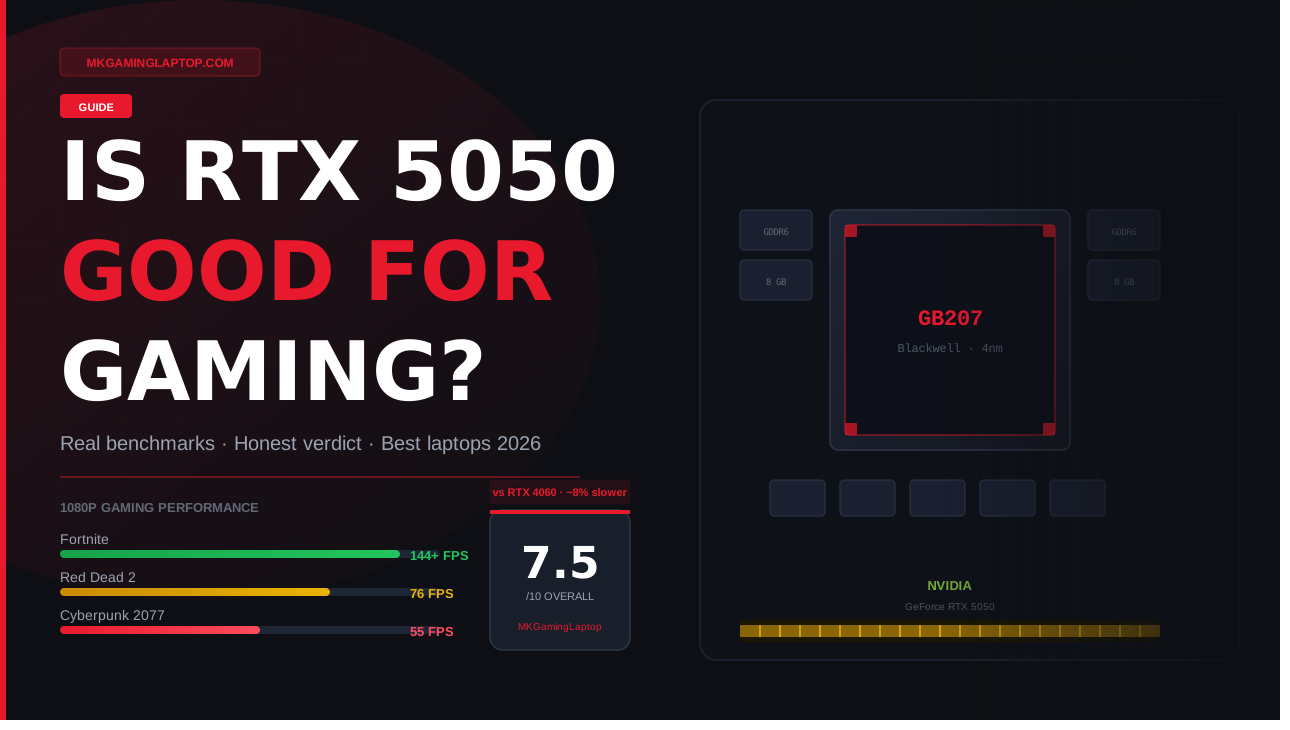
Is RTX 5050 Good for Gaming?
Honest answer after weeks of testing — real benchmarks, hidden risks, and who should actually buy it. No fluff, just facts.
Short version: yes, if you understand what you’re actually getting. The longer answer is messier — and it’s the reason most articles on this card feel like marketing sheets. I’ve spent weeks digging through benchmarks, watching friends build systems around this GPU, and comparing notes with people who bought RTX 5050 laptops hoping for more than they got.
A cousin messaged me in October asking if he should grab an MSI Katana 15 HX. It had the RTX 5050 inside, and every Best Buy listing screamed “next generation gaming.” I almost told him yes on reflex. Then I actually pulled up the benchmarks — and my answer slowed way down.
Because here’s the thing about this question: the honest answer depends on three things nobody tells you upfront. Your resolution. Your games. And what you’re comparing it to.
What the RTX 5050 Actually Is
Let me skip the press release language. The desktop RTX 5050 launched in late July 2025, sitting at the very bottom of NVIDIA’s Blackwell family. The laptop version showed up around the same time inside gaming laptops from Acer, MSI, Lenovo, HP, and ASUS.
Under the hood it uses the Blackwell architecture — the same one powering the RTX 5090. But almost everything else is cut down hard.
| Spec | RTX 5050 Desktop | RTX 5050 Laptop |
|---|---|---|
| CUDA Cores | 2,560 | 2,560 |
| VRAM | 8GB GDDR6 | 8GB GDDR7 |
| Memory Bus | 128-bit | 128-bit |
| Bandwidth | 320 GB/s | ~448 GB/s |
| TDP | 130W | 40W–115W (varies) |
| Architecture | Blackwell (4nm) | Blackwell (4nm) |
| DLSS 4 + MFG | ✓ Yes | ✓ Yes |
The laptop RTX 5050 uses faster GDDR7 memory, not GDDR6 like the desktop card. On paper that sounds better — and it does close some of the performance gap. But it also adds pricing complexity that most buyers miss entirely.
Real Gaming Performance
This is where most reviews turn into spec sheets. Let me give you actual numbers that matter for how you play.
1080p — Where the 5050 Lives
Across a wide set of modern titles at high settings, the RTX 5050 averages around 66 fps at 1080p. That’s playable but not spectacular — and it puts the card roughly on par with a GPU that’s two years older.
| Game | Settings | Avg FPS | Load | Rating |
|---|---|---|---|---|
| Fortnite | High | 144+ | Easy | |
| Valorant | High | 180+ | Easy | |
| Red Dead Redemption 2 | Ultra + DLSS 4 | 76 | Good | |
| Indiana Jones | Medium/High + DLSS 4 | 62 | OK | |
| Cyberpunk 2077 | High, no RT | 55 | OK | |
| Alan Wake 2 | High (VRAM limited) | 38 | Struggles | |
| CS2 | High | 160+ | Easy | |
| Apex Legends | High | 120 | Easy |
Every impressive number in demanding games comes with AI upscaling doing heavy lifting in the background. Turn off DLSS 4 and those numbers drop hard — sometimes by 30–40%.
1440p — Don’t Even Try It
Don’t. I mean it. If you care about image quality at high settings, do not buy this card for 1440p gaming. You’ll sit around 35–45 fps in newer AAA titles, and the 8GB of VRAM will choke the moment you load a game with dense textures.
Esports & Competitive Games — This Is Where It Shines
Valorant, CS2, Rocket League, Fortnite on lower presets, Apex Legends, Overwatch 2. You’ll get 144 fps plus in every single one at 1080p. If that’s your entire gaming diet, the RTX 5050 is a perfectly smart buy.
Desktop vs Laptop — They’re Not the Same
This tripped me up for a while, and it trips up most buyers. The desktop RTX 5050 and the laptop RTX 5050 are not the same product. Different memory. Different power limits. Different real-world performance.
On the desktop side, most benchmarks put the RTX 4060 about 13 percent ahead of the RTX 5050 in aggregate testing. On laptops, that gap closes to around 8 percent — mainly because the 5050M uses faster GDDR7. Neither gap is massive, but at a price point where every dollar counts, it matters.
4 Mistakes Buyers Make
I’ve watched these play out repeatedly. Don’t be the person who figures them out after unboxing.
The 5050 is the slowest member of a very fast family. Being called a “50 series” card means almost nothing when you compare it to the 5070 or 5080. Some buyers think they’re getting a piece of flagship technology. They’re getting the entry card with most features trimmed.
This one hurts. Modern games like Indiana Jones, Hogwarts Legacy, Alan Wake 2, and The Last of Us Part 1 already push past 8GB at high texture settings. When you run out of VRAM, performance doesn’t just dip — it collapses into stutters that no amount of DLSS can rescue. Three years from now, it’ll only get worse.
Two laptops with the same GPU name can perform differently by 20 percent or more. A 115W RTX 5050 in a well-cooled 15-inch chassis runs completely differently from a 60W version stuffed into a thin notebook with a single fan. Always look for the TGP number. Higher is better. 100W is the floor for real gaming. If a spec sheet hides the TGP, assume it’s low.
If you’re building a desktop, the AMD RX 9060 XT 16GB version destroys the RTX 5050 in almost every benchmark and gives you double the VRAM. Tom’s Hardware and TechSpot both landed near the same conclusion: the 5050 is overpriced for what it delivers, especially on desktop.
If you’re buying a desktop GPU and AMD’s RX 9060 XT 16GB is available near you at $300, skip the 5050 entirely. Double the VRAM at a small premium is not a close call.
Real Pricing & What You Actually Get
Let me strip the fluff from pricing too.
| Product | What You Get | Verdict |
|---|---|---|
| RTX 5050 Desktop Card | Entry-level Blackwell, GDDR6, DLSS 4 | OK value |
| MSI Katana 15 HX | i7 HX + RTX 5050 + 1080p 144Hz | Best deal |
| Acer Nitro V (5050) | Solid 1080p, decent cooling | Good value |
| Lenovo LOQ (5050) | Good build, upgradeable RAM | Good value |
| High-End RTX 5050 Laptop | You’re overpaying for the GPU tier | Skip it |
Entry level RTX 5050 gaming laptops like the MSI Katana 15 HX pair a 14th Gen Intel Core i7 HX with the RTX 5050 for solid 1080p gaming. If a laptop in this tier feels expensive, you should be asking yourself if an RTX 5060 or 5070 makes more sense.


Advanced Tips Nobody Mentions
These are the small things that separate a frustrating setup from a genuinely good one.
DLSS 4 is the single biggest reason to pick the 5050 over older budget cards. Multi Frame Generation can turn a 40 fps experience into something that feels like 120 in single-player games. Always test per game — some titles look great at Quality mode, others need Balanced.
Capping at 90–100 fps in single-player games keeps the GPU cooler, reduces coil whine, and makes 1% lows more consistent. Nothing feels worse than a 140 fps average that crashes to 45 during a gunfight.
Many RTX 5050 laptops ship with stale Intel or AMD chipset drivers from the factory. Update those first, then GPU drivers, then BIOS. You can often pick up 5–10% more performance from a clean system update alone.
If your motherboard or laptop supports it, enable Resizable BAR in BIOS settings. It’s completely free performance — no compromises. A friend picked up 8% in Red Dead 2 from this alone.
MSI Afterburner with a negative offset on the GPU curve keeps temps lower and boost clocks higher. A friend’s Nitro V went from 82°C to 74°C with a small undervolt and actually scored higher in 3DMark afterward.
Frame Gen adds latency. Don’t use it in competitive shooters — it makes aim feel floaty. Save it for immersive single-player games where you’re already hitting 60+ fps natively. That’s where it shines.
Who Should Actually Buy It
- You mainly play esports titles at 1080p and want high refresh rates
- You’re upgrading from a GTX 1650, 1660, or anything older
- You want DLSS 4 and ray tracing on a real tight budget
- You’re buying a budget laptop with proper cooling (check TGP)
- You’re a first-time PC gamer looking for a complete package
- You’re building a desktop and can stretch to RTX 5060 or RX 9060 XT
- You play 1440p AAA titles at high settings
- You care about VRAM longevity over the next 4–5 years
- You already own an RTX 3060, 4060, or RX 6700 XT
- You’re looking at high-priced RTX 5050 laptops above budget tier
RTX 5050 vs Its Real Competitors
Final Verdict
The RTX 5050 is a solid 1080p GPU with modern features, great for esports, fine for most AAA games with DLSS 4, and acceptable in budget gaming laptops. It’s not a 1440p card, not future-proof, and not a bargain on desktop compared to AMD alternatives. But if you’re buying a laptop for college or a first gaming rig on a budget — in the entry-level budget range — this card will serve you well for 2–3 years.
- DLSS 4 Multi Frame Generation is a genuine game changer
- Excellent for esports at 1080p high refresh
- Blackwell architecture with 5th gen ray tracing
- Laptop version uses faster GDDR7 memory
- Power efficient compared to RTX 4060
- Great in budget entry-level laptop packages
- 8GB VRAM is already limiting in some 2025 AAA games
- Desktop card is overpriced vs RX 9060 XT 16GB
- 1440p performance is not viable at high settings
- TGP varies wildly between laptops — buyer beware
- Not a real upgrade from RTX 3060 or RTX 4060
- No GDDR7 on the desktop version
Frequently Asked Questions
Yes, easily. You’ll hit 144 fps or higher at 1080p on high settings in every major esports game. The RTX 5050 is more than enough for competitive play — it’s actually overkill for pure esports if that’s all you play.
Yes, at 1080p. Expect around 45–55 fps at high settings without DLSS. Enable DLSS 4 Quality plus Frame Generation and you can comfortably break 90 fps, even with ray tracing on medium. The DLSS 4 difference in Cyberpunk is dramatic — it’s one of the strongest arguments for this GPU over an older card.
For 1080p, mostly yes today. For the next four years? It’s going to get tight. New titles like Monster Hunter Wilds and Indiana Jones have already shown 8GB struggling at high texture settings. Plan for a GPU refresh in 2–3 years if you want to stay on high settings.
Different products despite the shared name. The laptop version uses faster GDDR7 memory and performs close to an RTX 4060 laptop. See full benchmarks on Notebookcheck. The desktop version uses slower GDDR6 and sits more noticeably behind the desktop RTX 4060. For desktop builds, the RX 9060 XT 16GB is almost always the smarter buy.
Based on current pricing and benchmarks, the MSI Katana 15 HX hits the sweet spot for value. Acer Nitro V configurations and Lenovo LOQ models are solid alternatives. Just verify the TGP is at least 100W before you buy — this is non-negotiable for real gaming performance.
For 1080p streaming, yes. NVIDIA’s NVENC encoder is excellent and handles OBS encoding without meaningful FPS loss in lighter titles. For 1440p streaming or games that already push the 5050 hard, you’ll want to look at the RTX 5060 tier instead.
Plan for 2–3 years of comfortable 1080p gaming at medium to high settings. Beyond that, you’ll be dropping textures and leaning heavily on DLSS to stay smooth. The 8GB VRAM limitation is the main ticking clock here, not the GPU cores themselves.
Take one weekend to compare three specific models with real YouTube benchmarks at your target settings. That one hour of homework will save you from the most common regret in this category: spending money on hardware that can’t quite do what you hoped.