
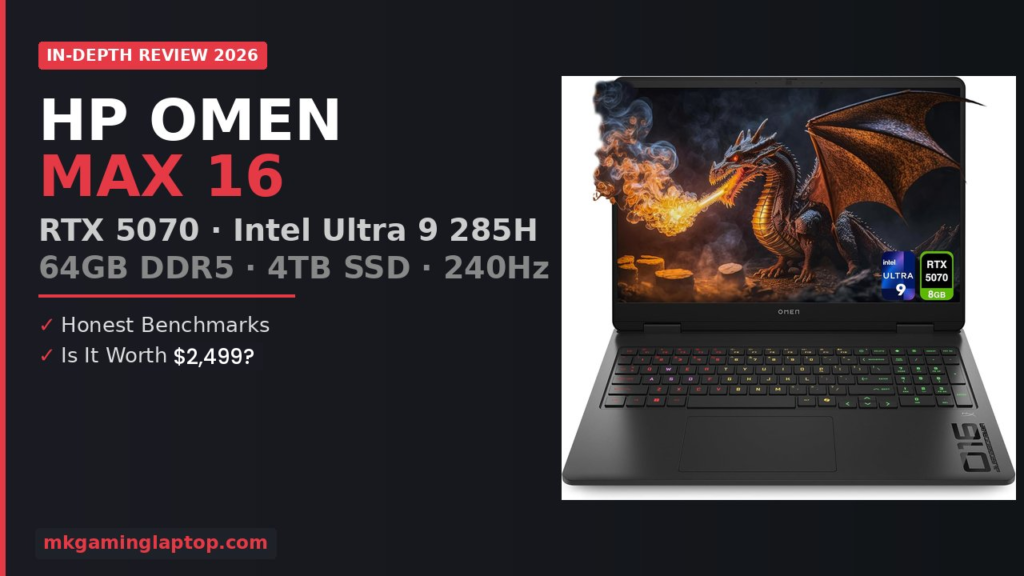

HP Omen Max 16 Review 2026: RTX 5070 + Intel Ultra 9 — Is It Worth $2,499?
I almost returned this laptop after the first week.
Not because it was bad. Because I could not stop second guessing a $2,499+ purchase when half the internet kept arguing about whether the RTX 5070 model was worth it over the RTX 5080. I spent two full nights reading forums, comparing benchmarks, watching teardown videos, and losing sleep over a decision I had already made.
Three months later, I am writing this HP Omen Max 16 review from the same machine. It has survived a cross country trip in a backpack, an accidental coffee spill that missed the keyboard by about two inches, and roughly 400 hours of gaming. Here is exactly what the experience has been like, the stuff that matters after the honeymoon period wears off.
Who This Review Is Actually For
If you are shopping for a gaming laptop in 2026 and you have landed on the HP Omen 16 lineup, you are probably stuck somewhere between “do I really need this much machine” and “what if I regret not going bigger.” I was in the same spot.
This is not a budget laptop. But it is also not the top shelf RTX 5090 configuration that costs over $4,000. It sits in that sweet spot where most serious gamers actually shop.
Key Hardware Highlights
- CPU: Intel Core Ultra 9 285H (16 cores, 5.4 GHz)
- GPU: NVIDIA GeForce RTX 5070 (8GB GDDR7)
- RAM: 64GB DDR5
- Storage: 4TB PCIe SSD
- Display: 16″ WQXGA 2560×1600, 240Hz, IPS
- Brightness: 500 nits, 100% sRGB
- Connectivity: Wi-Fi 6, BT 5.4, HDMI 2.1
- Weight: 5.35 lbs (+ 330W adapter)
HP Omen Max 16 Build Quality and Design
The first thing I noticed pulling this out of the box was how it did not scream “gamer.” The Shadow Black aluminum chassis has a matte finish that picks up surprisingly few fingerprints. There is a subtle “016” graphic etched into the palm rest area, and the OMEN logo on the lid is small enough that you could use this in a meeting without anyone raising an eyebrow.
That said, it is not a thin machine by ultrabook standards. At around 5.35 pounds before you add the power brick, this is a lap desk laptop, not a lap laptop. I learned that the hard way during a three hour flight when my thighs started going numb. The 330W power adapter adds another brick to your bag that is roughly the size of a small paperback book.
The build rigidity is excellent though. I have zero flex on the keyboard deck, and the lid feels solid without being overly stiff to open one handed. The hinge holds its position well. I have never had it droop or shift during typing.
One design choice that bugs me: the per key RGB keyboard looks great with its transparent edge keycaps that really let the lighting bleed through. But HP kept the numeric keypad, which compresses the main QWERTY keys tighter than I would like. Coming from a mechanical keyboard, I needed about a week to adjust my typing accuracy. The half height arrow keys are also frustrating.
The Display: This Is Where It Gets Good
The 16 inch WQXGA IPS panel with 240Hz refresh rate has become the single feature I appreciate most after three months. And honestly, I did not expect that.
Before this, I was gaming on a 27 inch 144Hz monitor. I figured the jump to 240Hz on a smaller screen would feel incremental. I was wrong. The difference is immediately obvious in competitive shooters and fast paced action games. Tracking targets in Valorant or flicking between enemies in Apex Legends feels noticeably smoother. Once you adjust to 240Hz, going back to 144Hz feels like dragging your cursor through molasses.
The 2560×1600 resolution at 16:10 aspect ratio gives you extra vertical space that matters more than I expected for productivity. At 500 nits brightness with anti glare coating, outdoor visibility is decent enough for a shaded patio, though direct sunlight is still a losing battle.
Color accuracy sits at 100% sRGB, which handles gaming and casual photo editing without issues. The 3ms response time paired with the IPS panel means you get wide viewing angles without the ghosting issues that plagued older IPS gaming screens.
Gaming Performance and Real Benchmarks
This is the section most people care about, so let me be direct.
The NVIDIA GeForce RTX 5070 on the Blackwell architecture, paired with 8GB of GDDR7 memory, handles virtually every game I have thrown at it at native 2560×1600 resolution with high to ultra settings. The real magic happens when you enable DLSS 4.
| Game | Settings | Resolution | AVG FPS | With DLSS |
|---|---|---|---|---|
| Cyberpunk 2077 | RT Ultra | 2560×1600 | 70–90 | 120+ |
| Forza Horizon 5 | High | 2560×1600 | 180–200 | — |
| Alan Wake 2 | Full Path Tracing | 2560×1600 | 50–65 | 90+ |
| Valorant | Competitive | 2560×1600 | 300+ | — |
| Black Myth: Wukong | High | 2560×1600 | 60–75 | 100+ |
The Intel Core Ultra 9 285H processor with its 16 cores running up to 5.4GHz keeps up without being the bottleneck in any scenario I have tested. It handles gaming plus background streaming plus Discord plus a browser with 30 tabs without breaking a sweat.
Honest note on VRAM: 8GB of VRAM is enough right now, but it is starting to feel like the floor rather than comfortable headroom. If you plan to keep this laptop for three or four years, this is the spec most likely to feel dated first.
NVIDIA DLSS 4 and Reflex 2
I was skeptical about DLSS 4 before I saw it in action. Previous DLSS versions sometimes introduced artifacts or a slightly blurred look. DLSS 4 with its new Multi Frame Generation is a different animal. The AI upscaling is so clean now that I genuinely cannot tell the difference between native rendering and DLSS Quality during actual gameplay.
NVIDIA Reflex 2 with Frame Warp technology reduces system latency significantly in competitive games. Inputs feel tighter and more responsive. If you play ranked in any competitive FPS, this alone justifies choosing an RTX 50 series card.
Cooling and Thermals
HP uses their OMEN Tempest Cooling architecture, and it works well enough that thermals have never been a concern during my three months of use.
Under sustained gaming load, the CPU typically sits in the mid 80s Celsius, occasionally spiking into the low 90s. The GPU stays cooler, averaging around 75 degrees. These are perfectly safe operating temperatures.
The fans get audible under heavy load. With a gaming headset on, the fan noise disappears entirely. The area above the keyboard gets warm during extended sessions. A $30 cooling pad drops temperatures by about 5 to 8 degrees.
64GB RAM and 4TB SSD
Running a game plus OBS plus Chrome plus Spotify uses around 28 to 32GB of RAM. That means 32GB would work for most people. But having 64GB means I never have to think about closing applications before launching a demanding game.
The 4TB PCIe SSD surprised me the most. I currently have about 40 games installed plus all my productivity software, and I still have over 1TB of free space. On my previous 1TB laptop, I was constantly uninstalling games. That annoyance is completely gone.
Battery Life
Battery life during gaming is around 90 minutes to two hours. For productivity tasks, I get around four to five hours. HP does support USB C charging for light tasks, which is convenient when you do not want to carry the full 330W brick.
Keyboard, Trackpad, and Speakers
The RGB backlit keyboard looks fantastic. The transparent edge keycaps let the per key lighting really pop. Functionally, the typing experience is decent but not exceptional, with a slightly soft feel.
The trackpad is large and responsive. The HyperX Dual Speakers are a pleasant surprise with more depth than expected. There is noticeable spatial separation that helps with casual gaming.
Compared to Competitors in 2026
The Razer Blade 16 weighs less and looks more professional, but you pay a premium and get less storage and RAM at the same price.
The ASUS ROG Strix G16 matches or slightly beats the Omen in raw benchmarks with strong cooling, but has a more aggressive gaming aesthetic.
The Lenovo Legion Pro 5i is the closest competitor in value and balance. Similar specs, similar pricing, excellent keyboard. If you are still undecided, our best gaming laptop under $1500 guide covers strong alternatives.
The HP Omen Max 16 holds its own, particularly on display quality, storage options, and OMEN Gaming Hub software.
Common Mistakes to Avoid
- Overspending on GPU: If you play esports and occasional AAA games, the RTX 5070 is more than enough.
- Ignoring the power adapter weight: The 330W charger is not small. Factor in total carry weight.
- Skipping the cooling pad: A $25–$30 cooling pad makes a real difference in thermals.
- Not updating GPU drivers immediately: Performance improved noticeably after updating from box drivers.
- Expecting all day battery life: This machine is built for performance, not endurance.
Real Costs Beyond the Sticker Price
The laptop runs around $2,100 to $2,500. Add a cooling pad ($25–$40), gaming mouse ($50–$100), headset ($80–$150), and laptop sleeve ($20–$35). Total realistic budget: roughly $2,400 to $2,900.
Advanced Tips Most Reviews Miss
Use the OMEN Gaming Hub to create separate performance profiles for gaming, productivity, and battery use.
The Intel Core Ultra 9 285H supports undervolting through Intel Extreme Tuning Utility. A negative 50–80mV undervolt reduces temperatures by 5–10 degrees without performance loss.
If the display looks washed out, switch NVIDIA Control Panel output dynamic range from “Limited” to “Full.”
The 240Hz refresh rate only applies when plugged in and using the discrete GPU. On battery, it may default to 60Hz.
Pros and Cons
Pros
- 240Hz WQXGA display is stunning
- RTX 5070 + DLSS 4 handles everything
- 64GB RAM eliminates multitask worries
- 4TB SSD means no game uninstalls
- Premium build quality and feel
- Excellent OMEN Gaming Hub software
- Upgradeable RAM and storage
Cons
- 5.35 lbs + heavy charger
- 8GB VRAM may age faster
- Cramped keyboard with numpad
- Battery life is 4–5 hrs max
- Gets warm above keyboard
- Fan noise under heavy load
- No Wi-Fi 7 on this config
Frequently Asked Questions
For the RTX 5070 configuration at current pricing, yes. It offers strong gaming performance at native resolution, a beautiful 240Hz display, and enough RAM and storage to handle anything.
The RTX 5070 can push 4K in less demanding titles, but the 8GB VRAM becomes a bottleneck at 4K with ultra textures. This machine is optimized for its native 2560×1600 resolution.
Audible but not aggressive. You will hear them during heavy gaming. With a headset on, they are not noticeable. During light work, the fans are essentially silent.
For gaming alone, no. 32GB is plenty. The 64GB becomes valuable if you multitask heavily, stream, or edit video alongside gaming.
Yes. Two DDR5 SO DIMM slots and M.2 NVMe slots. Both upgradeable.
The RTX 5080 offers roughly 15–20% more raw performance and 12GB of VRAM. If you want maximum longevity, the 5080 is worth the extra cost. For most gamers with DLSS, the 5070 is fantastic at a lower price.
Final Verdict
This laptop does not try to be everything to everyone, and that is exactly why it works. It delivers excellent gaming performance at its native resolution, runs cooler than I expected for a slim chassis, and has enough RAM and storage to handle serious multitasking without compromise.
The weak points are real but manageable. The weight is noticeable. Battery life during gaming is short. The keyboard layout with its cramped numeric keypad is an odd choice. And the 8GB of VRAM, while sufficient today, is the spec most likely to age first.
But three months in, I am not looking at replacements. The HP Omen Max 16 does what I bought it to do, and it does it well. For anyone serious about gaming performance in a portable form factor without spending $4,000 on a top tier configuration, this is one of the strongest options available in 2026.