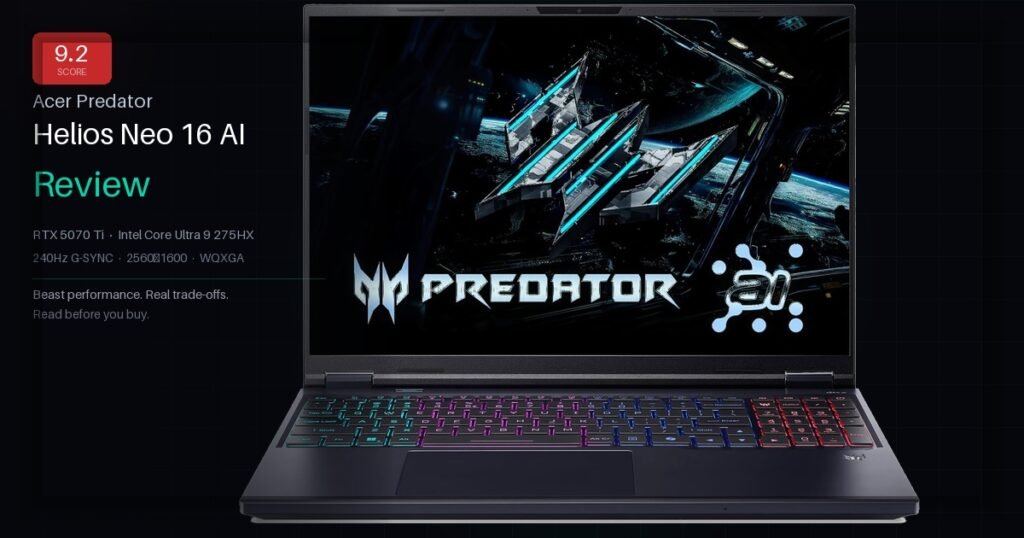
The Acer Predator Helios Neo 16 AI is a high-performance gaming laptop built around the RTX 5070 Ti and Intel Core Ultra 9 275HX. It targets the serious gamer who wants desktop-class performance in a portable chassis — and is willing to trade battery life and fan noise for raw power. If you’re still comparing options, check our Ultimate Gaming Laptop Buying Guide before deciding.
If you want an ultra-thin, whisper-quiet laptop for coffee shops — look elsewhere. If you want the most GPU performance per dollar at this screen size — this is the one.
The RTX 5070 Ti is the star of this machine. Blackwell architecture brings real generational gains — especially with DLSS 4 and multi-frame generation. We ran the same test suite we used in our ASUS ROG Strix Scar 18 review for a fair comparison. Here’s what we saw in actual gaming sessions:
Cyberpunk 2077 — Ultra RT + DLSS 4~130 fps
Black Myth: Wukong — High Settings~88 fps
Alan Wake 2 — Ultra Quality~82 fps
Fortnite — Competitive Mode200+ fps
CS2 — High Settings, 1080p240+ fps
Tip: Always enable Turbo mode in PredatorSense before gaming. Leaving it in Balanced mode costs you 15–20 fps in GPU-heavy titles — a mistake most buyers make out of the box.
Display: Where This Laptop Earns Its Premium
The 16-inch WQXGA panel at 2560×1600 running 240Hz with G-SYNC is genuinely one of the best gaming displays at this screen size. Sharpness at 16 inches is noticeably better than 1080p — textures have real detail and text is crisp. G-SYNC keeps everything tear-free even when frame rates fluctuate.
Peak brightness sits around 500 nits. Fine indoors, struggles in direct sunlight. Color coverage is approximately 100% sRGB and 75% DCI-P3 — solid for gaming, acceptable for casual photo editing.
Switch to the Predator display profile in Windows display settings right after unboxing. The default profile undersaturates colors noticeably. The difference is significant.
Thermals and Fan Noise: The Honest Truth
In Balanced mode, fans are tolerable — background noise you can ignore. In Turbo mode during a demanding game, they reach around 47–50 dB at ear level. You will want headphones.
Keyboard deck stays manageable — the WASD area sits in the low 40s Celsius under full load. The underside gets hot. Keep it on a hard, flat surface. A laptop stand with airflow dropped GPU temps by ~5°C in our testing.
Never game on a bed or couch. Blocking the vents triggers thermal throttling within minutes. A $20 laptop stand is not optional — it’s part of the setup.
The base 16GB DDR5 is the one area Acer cut corners. It runs games fine on its own. It struggles when you add a browser, Discord, and Spotify alongside a modern title. Budget for a 32GB DDR5 kit (around $80–100) and treat it as part of the machine cost. This is the same advice we gave in our Best Gaming Laptop for Programming guide — RAM is always the first upgrade.
The 1TB Gen 4 SSD hits around 7,000 MB/s sequential reads — genuinely fast. A second M.2 slot sits empty and ready. After a handful of large game installs, you will want it. RTX 5070 Ti full specs are available on TechPowerUp if you want to dig deeper into the GPU architecture.
Both memory slots are accessible from the bottom panel. Upgrading RAM takes about 20 minutes and a Phillips screwdriver. Match DDR5-5600 speed or higher.
Battery Life: Manage Your Expectations
Gaming on battery: 45–75 minutes. Mixed use in Balanced mode: 3.5–4 hours. Video streaming at lower brightness: around 5 hours. This is a plug-in machine. The 330W adapter is large — not something you casually toss in a bag every morning. If battery life is a priority for you, read our Best Gaming Laptops With Good Battery Life guide instead.
Anyone claiming 8 hours of battery from a laptop with an RTX 5070 Ti is not testing it under real gaming conditions. Plan around a power outlet — this is a desktop replacement, not a travel companion.
Frequently Asked Questions
Can it run AAA games at 2560×1600 resolution?
Yes, comfortably with DLSS 4 enabled. Even without DLSS, most games at high settings run above 60fps at native WQXGA. With DLSS Quality mode you get near-native visuals with significantly higher frame rates.
Can you upgrade the RAM yourself?
Yes. Two SO-DIMM DDR5 slots are accessible after removing the bottom panel. It takes about 20 minutes. Upgrade to 32GB DDR5-5600 and you’ll immediately notice better multitasking.
Is the fan noise bad enough to need headphones?
In Turbo mode during demanding games: yes, headphones are basically required. In Balanced mode for lighter tasks: the fans stay in the background and are easy to ignore.
What does the “AI” in the name actually mean?
It refers to the Intel NPU built into the Core Ultra 9. Today it handles Windows AI features and some creative app acceleration. For gaming specifically, it doesn’t change anything yet — but it future-proofs the machine as AI in games grows.
How does it compare to the ASUS ROG Strix G16?
The ROG Strix runs slightly cooler in sustained loads. The Helios Neo 16 AI wins on display quality — the panel is noticeably better for gaming. Read our full ASUS ROG Strix G16 review for a direct comparison. Price-to-performance, the Acer holds its own or beats the ROG at most configurations.
What mouse pairs well with this laptop?
For a machine at this level, you want a mouse that keeps up. We recently reviewed the Razer Basilisk V3 Pro 35K — wireless, 140hr battery, 35K sensor — it pairs perfectly with this setup. NVIDIA also has a useful DLSS 4 explainer worth reading to understand what multi-frame generation actually does in-game.
The Acer Predator Helios Neo 16 AI is not perfect. The base RAM is too low, battery life is what it is, and Turbo mode is loud. Those are real trade-offs worth knowing going in.
But the core case is strong: an RTX 5070 Ti, a processor that doesn’t embarrass itself, and one of the better 16-inch gaming displays at this price — all in a machine around $2,199. That combination is hard to beat right now.
Bottom line: Upgrade the RAM to 32GB. Keep it plugged in when gaming. Use a stand with airflow. Do those three things and this laptop won’t let you down for the next three to four years.
Acer Predator Helios Neo 16 AI
RTX 5070 Ti · Intel Core Ultra 9 275HX 240Hz G-SYNC · 1TB Gen 4 SSD
Prices updated daily — click to see the latest deal